VP-8-V2 and VP-16-V2 Series Encoder
·
User Manual
56
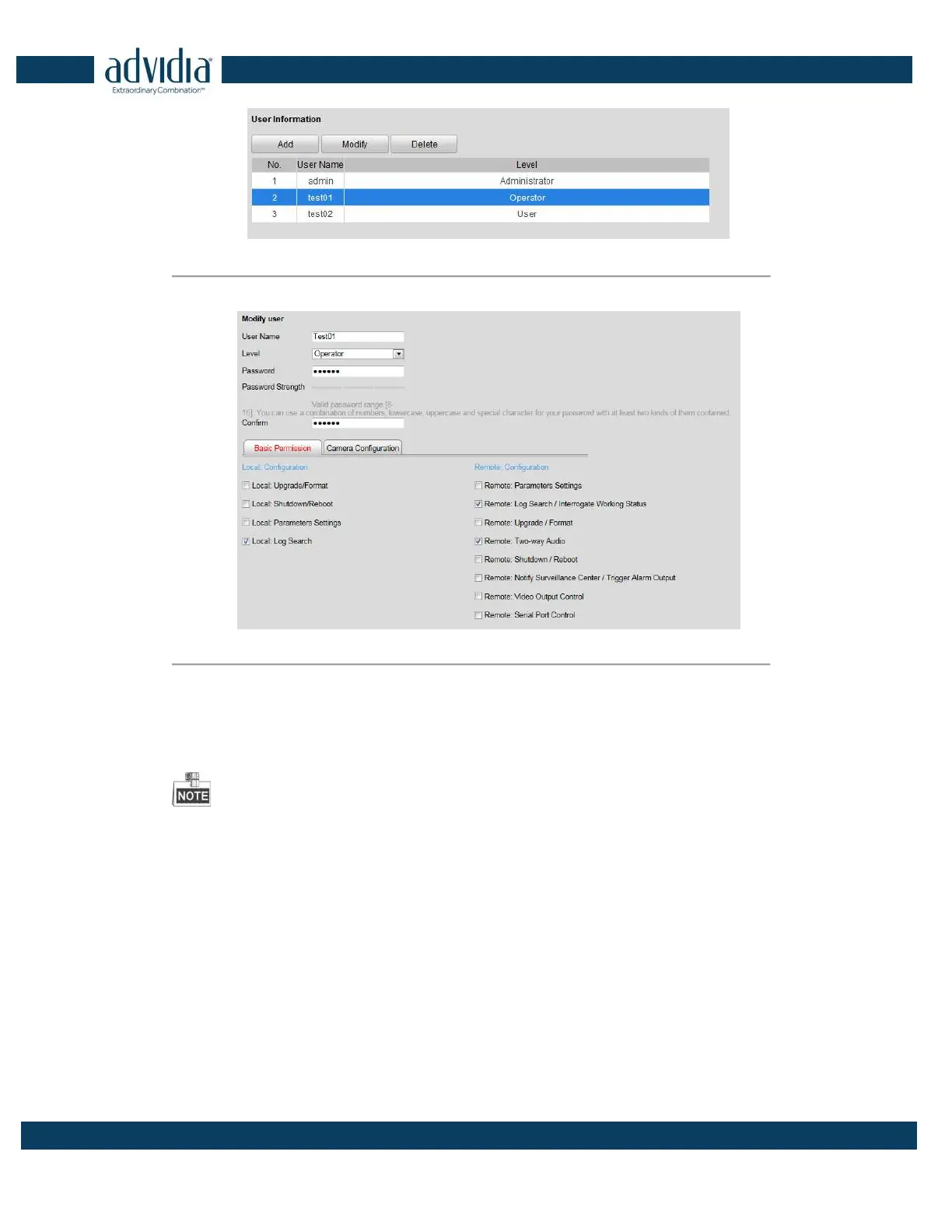
Figure 6. 4 Select a User
2. Click Modify to enter the modification interface.
Figure 6. 5 Modify a User
3. Modify the User Name, Password and then select User type. You are highly recommended to use the strong
password.
4. Configure the user permission for the user, including the Basic Permission and Camera Operation.
5. Click OK to finish the user modification.
You need the admin password to modify the admin user.
6.3 Deleting a User
Steps:
1. Select a user account from the list on the User Information interface to be deleted.
2. Click Delete, and the information box will pop up:



 To Next Page