VP-8-V2 and VP-16-V2 Series Encoder
·
User Manual
29
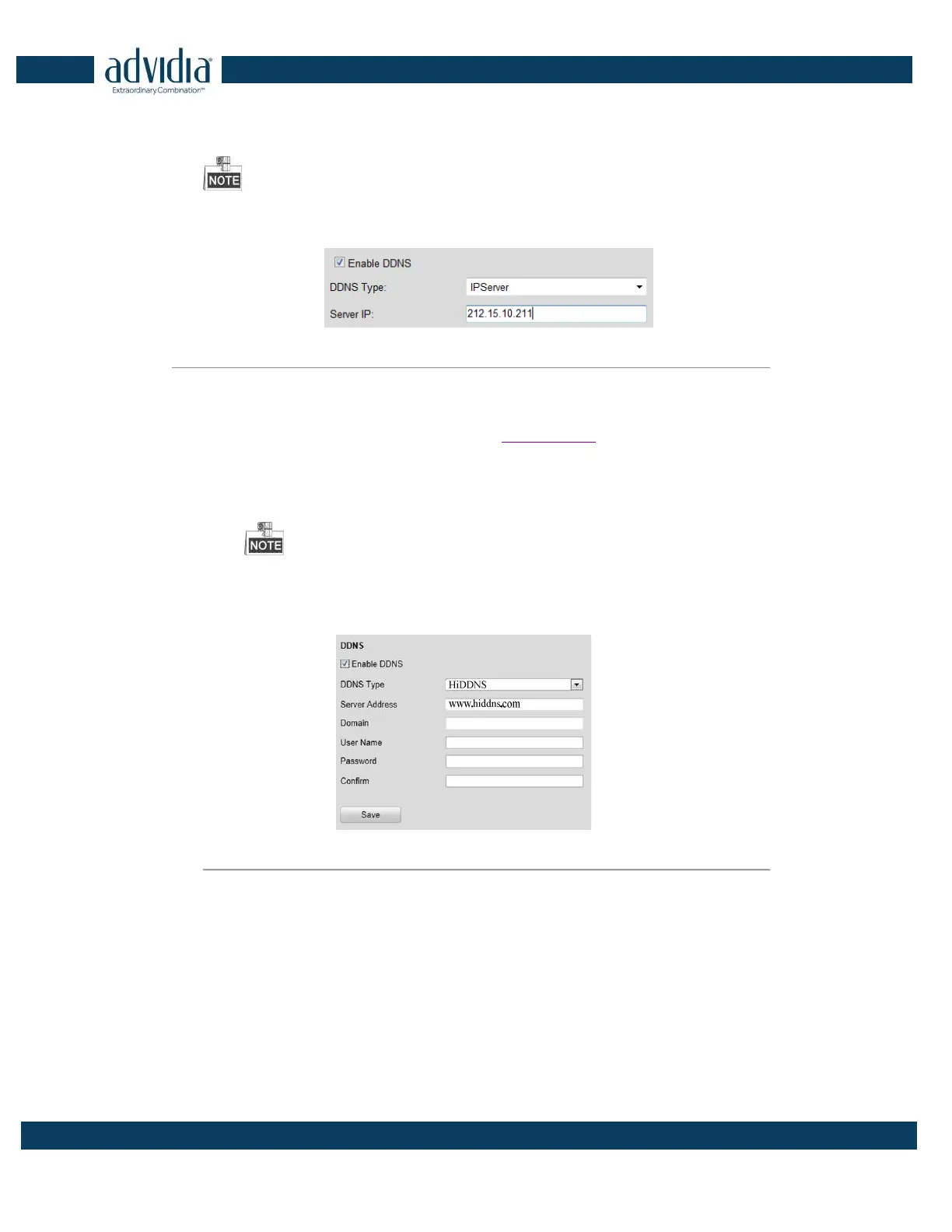
(1) Enter Server Address for IPServer.
(2) Click Save to save the settings.
For the IP Server, You have to apply a static IP, subnet mask, gateway and primary DNS from the ISP. The
Server IP should be entered with the static IP address of the PC that runs IPServer software.
Figure 4. 13 IPServer Settings
•
HiDDNS:
(1) Enter the Server Address of the HiDDNS server: www.hiddns.com.
(2) Enter the Domain name of the device. You can register the alias of the device domain name in the
HiDDNS server first and then enter the alias to the domain name in the encoder; you can also enter
the domain name directly on the encoder to create a new one.
If a new alias of the device domain name is defined in the encoder, it will replace the old one
registered on the server.
(3) Click Save to save the settings.
Figure 4. 14 HiDDNS Settings
4.3.4 Configuring PPPoE Settings
Your device also allows access by Point-to-Point Protocol over Ethernet (PPPoE).
Steps:
1.
Click the
Remote Configuration > Network Settings > PPPoE Settings to enter the PPPoE settings
interface:



 To Next Page