VP-8-V2 and VP-16-V2 Series Encoder
·
User Manual
50
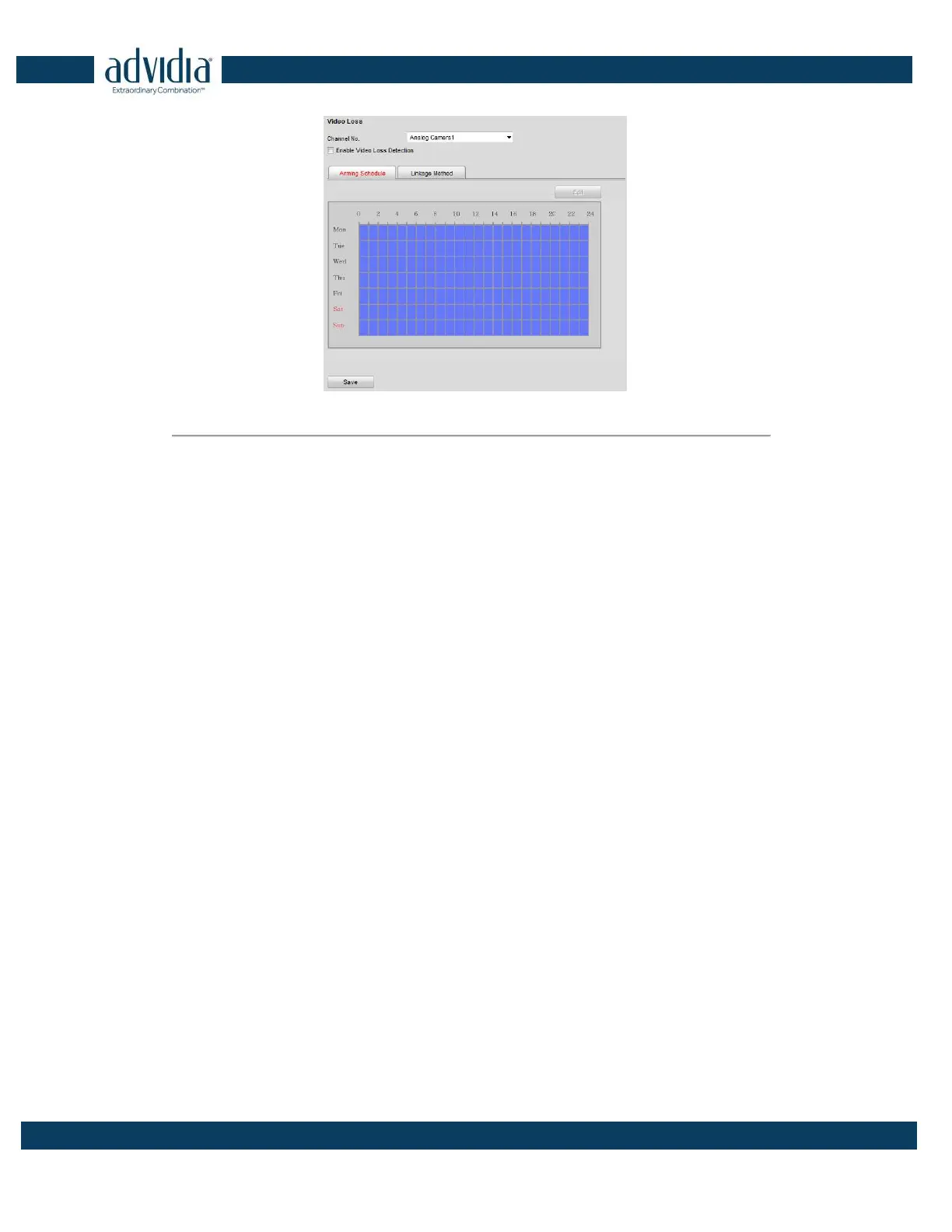
Figure 5. 20 Video Loss Alarm Settings
2. Select the camera to configure the video loss alarm.
3. Check the checkbox of Enable Video Loss.
4. Click Edit to edit the arming schedule for video loss detection. The arming schedule configuration is the
same as the Setting of the Arming Schedule for Motion Detection. Please refer to Step 2 Set the Arming
Schedule for Motion Detection in Section Configuring Motion Detection.
5. Click the Linkage Method tab to set the actions taken for the video loss alarm. Please refer to Step 3 Set the
Alarm Actions Taken for Motion Detection in Section Configuring Motion Detection.
5.3.6 Configuring Video Tempering Alarm
Purpose:
If you enable this function, an alarm will be triggered when the image of camera is tampered with.
Steps:
1. Click Remote Configuration> Camera Settings> Video Tempering to enter the Tamper-proof Settings
interface.
2. Select the camera to configure the video tampering detection alarm.



 To Next Page