VP-8-V2 and VP-16-V2 Series Encoder
·
User Manual
16
Previous page
Icon Description
Next page
/ Audio on/off
/ Start/Stop two-way audio
Switch to full-screen live view mode.
Before using two-way audio function or recording with audio, please select the Video Type to Video & Audio on
Section Configuring Video Settings.
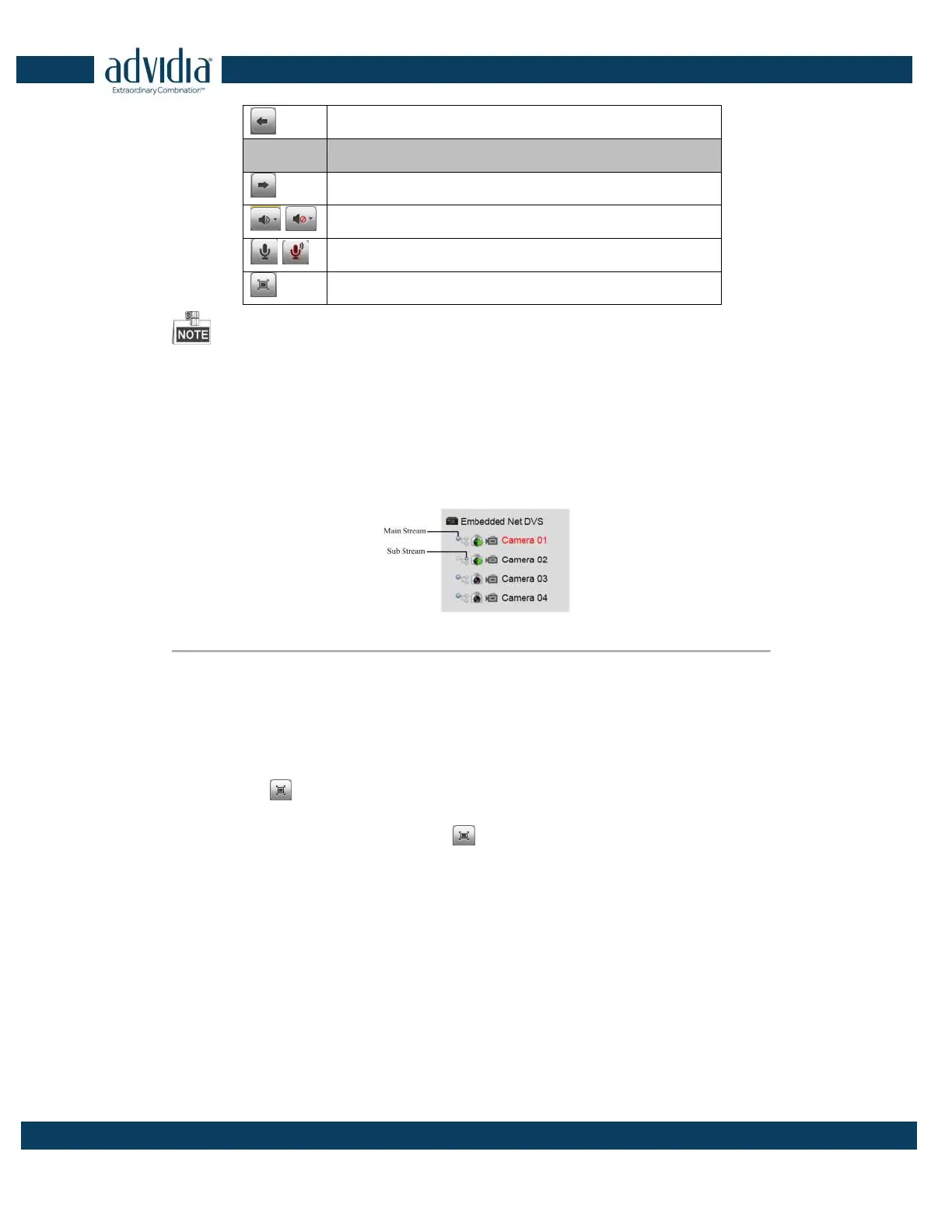
3.1.1 Main/Sub Stream Live View
You can select the main stream or sub stream for live view by clicking the corresponding icon as shown below:
Figure 3. 2 Main Stream/Sub Stream for Live View
The main stream gets higher video quality while the sub stream requires lower bandwidth.
3.1.2 Full-screen Mode
You can click the button on the toolbar or double click on the live video to switch to the full-screen view
mode. To switch back to the normal mode, click the
or double click on the live video again.
Please refer to the following section for more information:
1. Capturing pictures on Section Capturing the Picture. .
2. Configuring recording on
3. .
4. Setting the image quality of live view on Section Local Configuration.
5. Setting the saving path for the recorded video files and captured pictures on Section Local Configuration.
6. Setting the OSD text on live video on Section Configuring OSD Settings.



 To Next Page