VP-8-V2 and VP-16-V2 Series Encoder
·
User Manual
17
3.2 Capturing the Picture
In live view mode, click the button on the toolbar to capture the live pictures.
When the picture is captured, the following pop-up message box will appear at the lower right corner.
Figure 3. 3 Picture Capture Succeeded
The saving path for the captured pictures can be set at the Configuration > Local Configuration page.
The image is saved as a JPEG file on your computer.
3.3 Operating PTZ Control
Before you start:
1. Make sure the encoder is connected with the camera/dome which supports PTZ function. Connect the R+
and R- terminals of the pan/tilt unit or speed dome to RS-485 D+ and RS-485 D- terminals of the VP-8-V2
AND VP-16-V2 respectively.
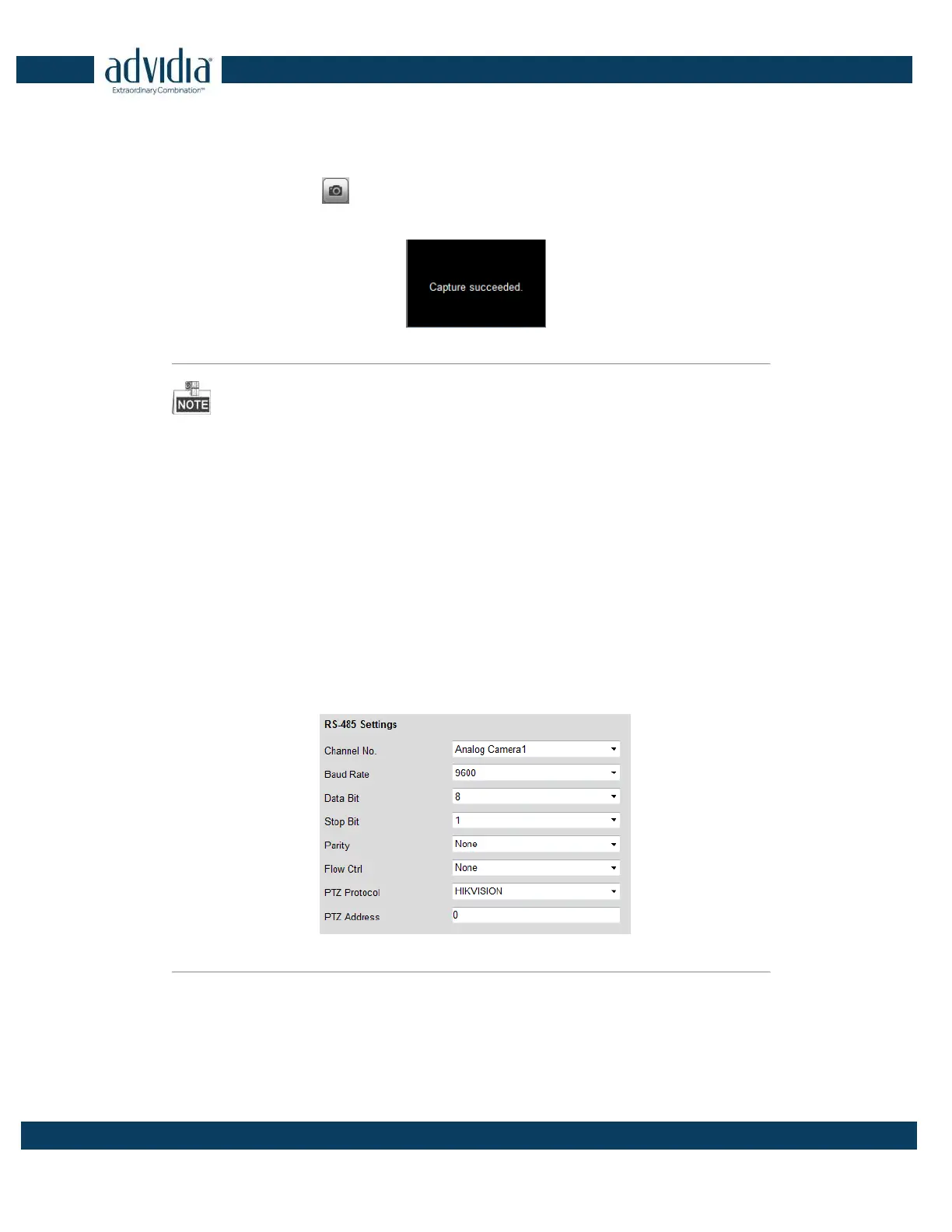
2. The baud rate, PTZ control and address configured in the RS-485 Settings interface (Remote Configuration >
Serial Port Settings > 485 Serial Port), as shown in Figure 6.3, must be the same with the parameters of the
connected pan/tilt unit or speed dome.
Figure 3. 4 RS-485 Settings
3.3.3 Operating PTZ Movement
In live view mode, you can use the PTZ control buttons to realize pan/tilt/zoom control of the camera lens.



 To Next Page