VP-8-V2 and VP-16-V2 Series Encoder
·
User Manual
23
Chapter 4 Device Configuration
4.1 Local Configuration
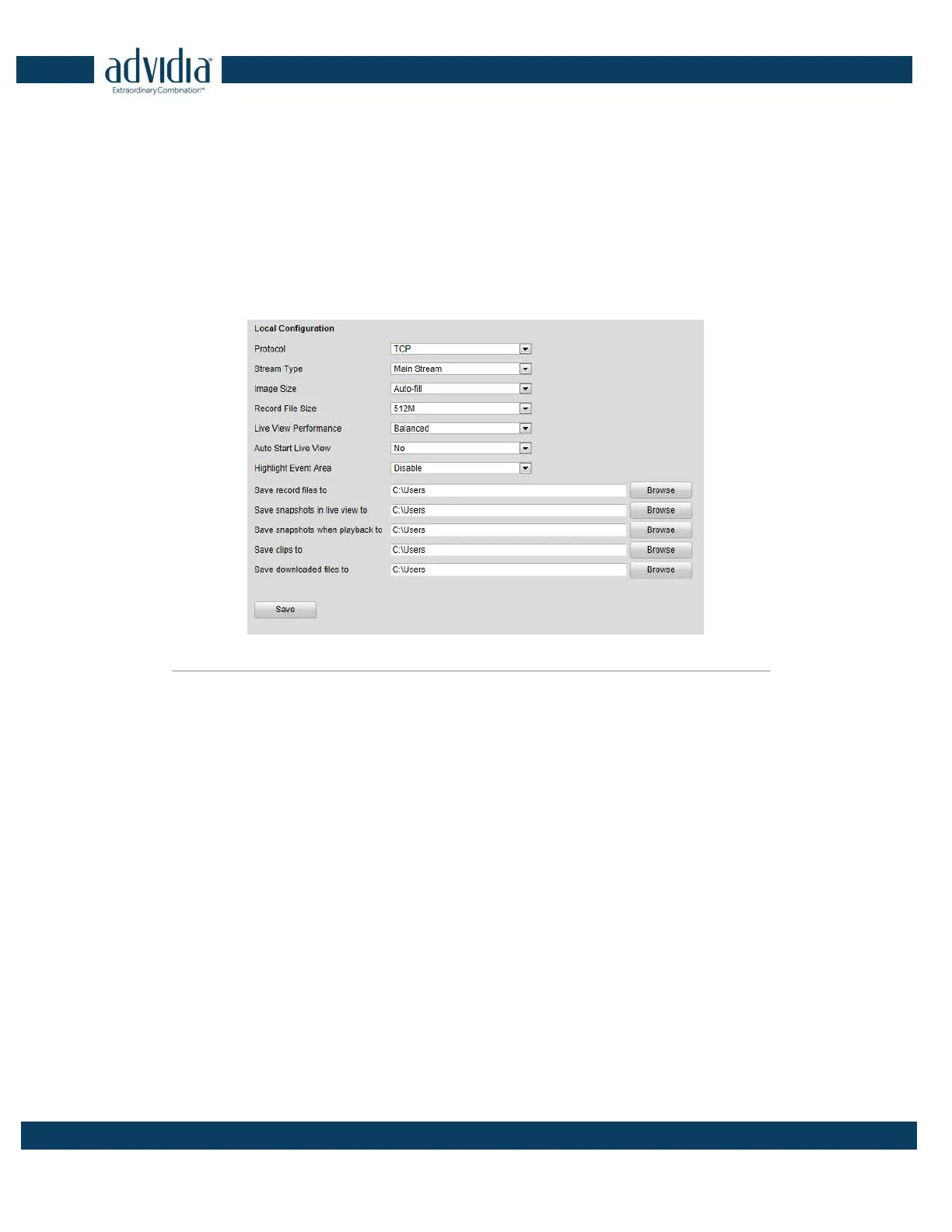
Click Configuration > Local Configuration to enter the Local Configuration interface.
Figure 4. 1 Local Configuration
Configure the following settings:
Protocol Type: Set the protocol type of stream transmission to TCP or UDP.
UDP: provides more real-time audio and video streams.
TCP: ensures complete deliver of streaming data and better video quality, yet its real-time effect is not so
good.
Stream Type: Select the stream type to main stream or sub stream used for live view by Web browser. Please
refer to Section Configuring Video Settings for the parameters settings of the main stream and sub stream
respectively.
Image Size: Select the split screen view mode to 4:3, 16:9 or Auto-fill.
Record File Size: Select the size of packed video files during manual recording to 256M, 512M or 1G.
Live View Performance: Set the live viewing performance to Shortest Delay, Real Time, Balanced or Fluency.
Auto Start Live View: Enable or disable the auto-start of live view once you open the Web browser.
Highlight Event Area: Enable or disable the Highlight Event Area. When this feature is enabled, the motion
detection triggered frame for the moving targets in the motion detection area will be highlighted in green color.
Please refer to Chapter 8.4.1 Configuring Motion Detection.
Save record files to: Set the saving path for the manually recorded video files.
Save snapshots in live view to: Set the saving path for the manually captured pictures in live view mode.
Save snapshots when playback to: Set the saving path for the captured pictures in playback mode.



 To Next Page