VP-8-V2 and VP-16-V2 Series Encoder
·
User Manual
22
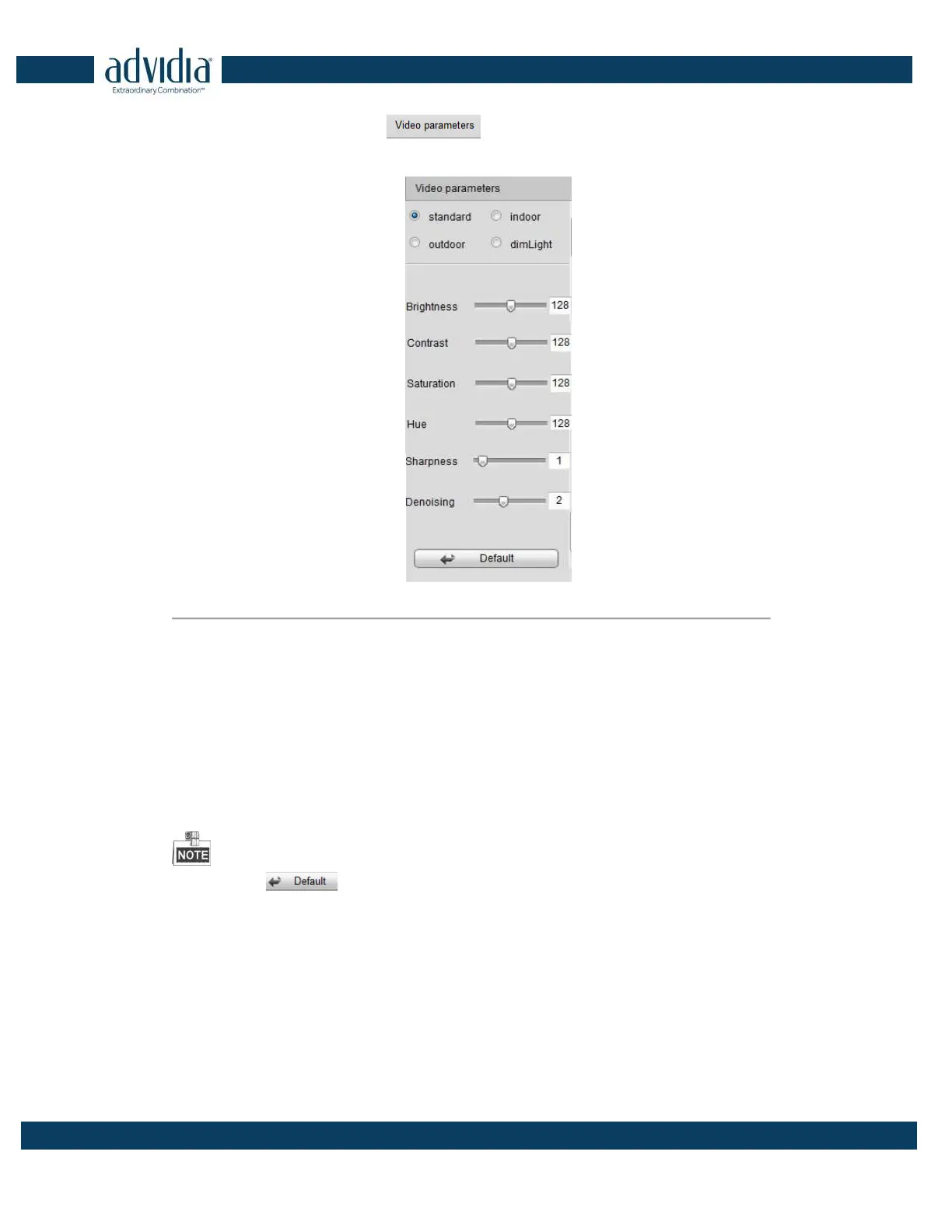
1. In the live view interface, click the button on the bottom right corner to spread the Video
Parameters Setting interface:
Figure 3. 13 Video Parameters Settings
2. Select the mode according to different light conditions. Four modes are selectable:
Standard: in general lighting conditions (default).
Indoor: the image is relatively smoother.
Outdoor: the image is relatively clearer and sharper. The degree of contrast and saturation is high.
Dim Light: the image is smoother than the other three modes.
3. Move the slider to set the brightness, contrast, saturation and hue from 0 to 255. The default value is 128 for
the brightness, contrast and hue is 128 and 136 for the saturation.
4. Move the slider to set the sharpness from 0 to 15 and the denoising level from 0 to 3. The default value is 3
for the sharpness, and 1 for the denoising level.
You can click the button to restore the default settings.



 To Next Page