VP-8-V2 and VP-16-V2 Series Encoder
·
User Manual
34
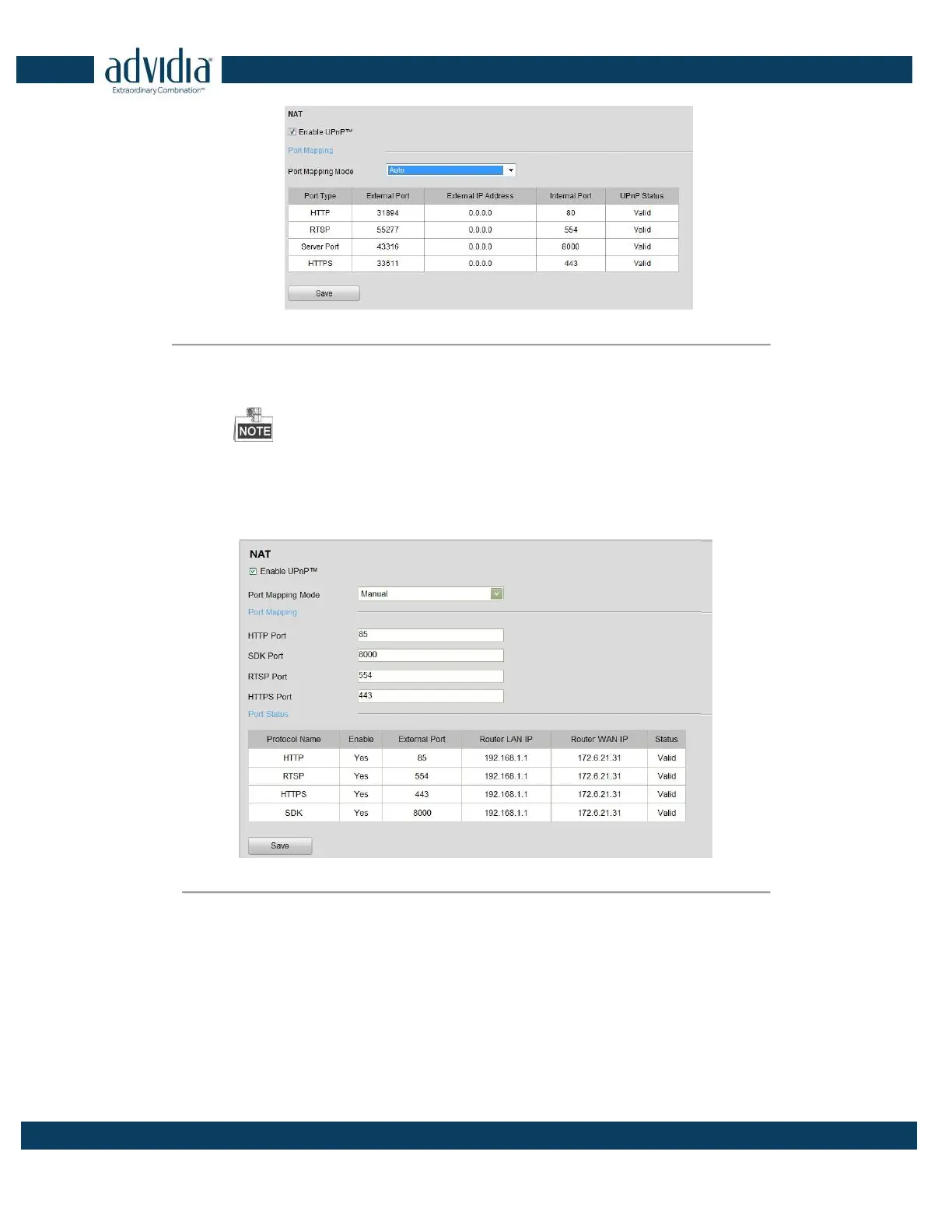
Figure 4. 19 UPnPTM Settings-Auto
4. Configure the HTTP Port (for access by WEB browser), SDK Port Mapping (for access by client software),
RTSP Port and HTTPS Port respectively.
You can use the default port No., or change it according to actual requirements.
The Ports indicate the port No. for mapping in the router.
5. Click Save to save the settings.
After port mapping is successful, you can view the status of the port mapping on the Port Status area.
Figure 4. 20 UPnPTM Settings-Manual
4.3.8 Configuring HTTPS
Settings
Purpose:
HTTPS (Hyper Text Transfer Protocol Secure) ensures the data transferred is encrypted using Secure Socket Layer
(SSL) or Transport Layer Security (TLS). HTTPS provides authentication of the web site and associated web server
that one is communicating with and create a secure channel over an insecure network.



 To Next Page