VP-8-V2 and VP-16-V2 Series Encoder
·
User Manual
38
Chapter 5 Camera Settings
5.1 Configuring OSD Settings
5.1.1 Configuring Display Settings
Purpose:
You can customize the camera name and time on the screen.
Steps:
1.
Click the
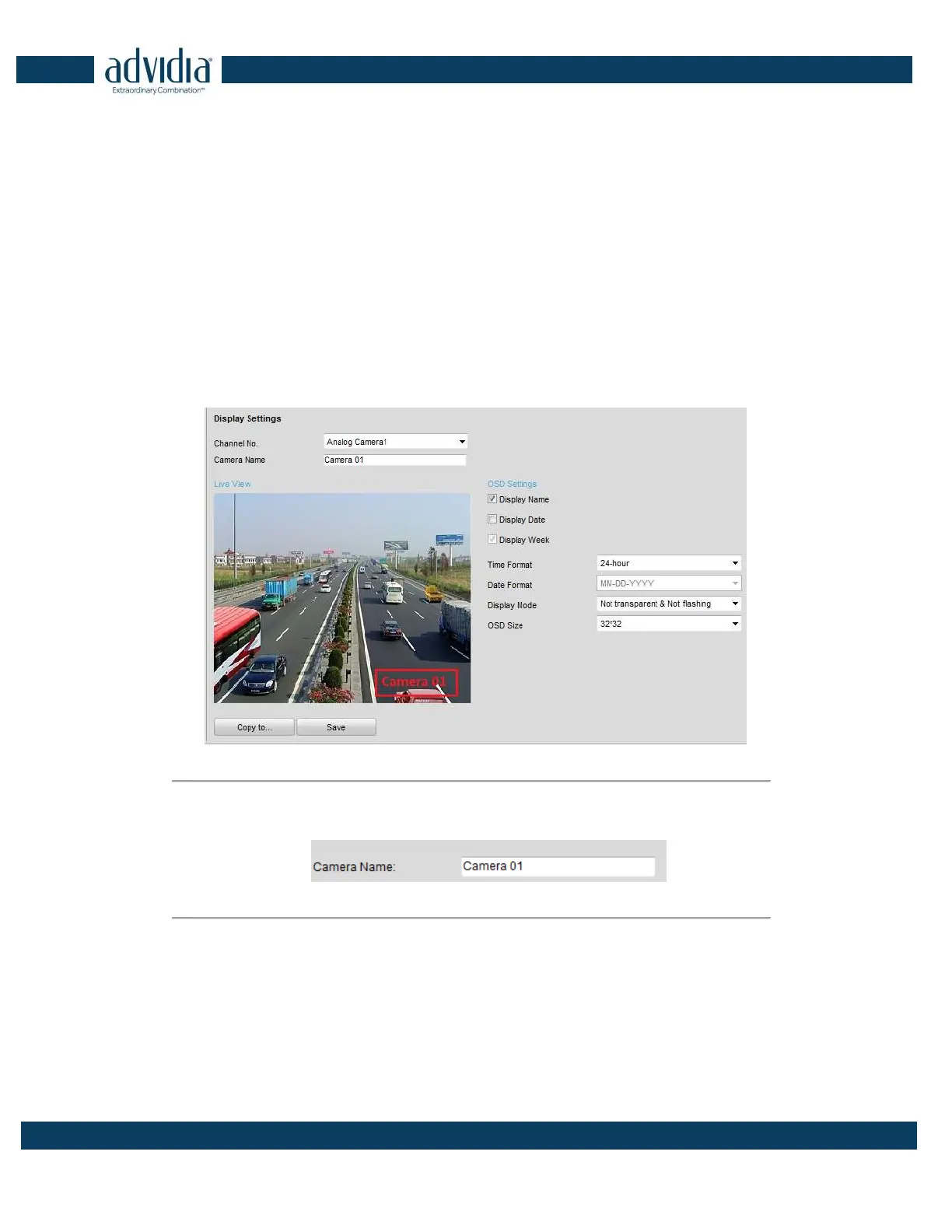
Remote Configuration >Camera Settings > Display Settings to enter the Display Settings interface:
Figure 5. 1
Display Settings
2. Select the camera from the drop-down list.
3. Edit the camera name in the text field of Camera Name.
Figure 5. 2
Edit Camera Name
4. Select the display of camera name, date or week by checking the checkboxes if required.
5. Set the time format, date format and OSD display mode by selecting option from the drop-down list.
6. On the live view image, you can adjust the OSD location on the screen by moving the text frame.



 To Next Page