VP-8-V2 and VP-16-V2 Series Encoder
·
User Manual
59
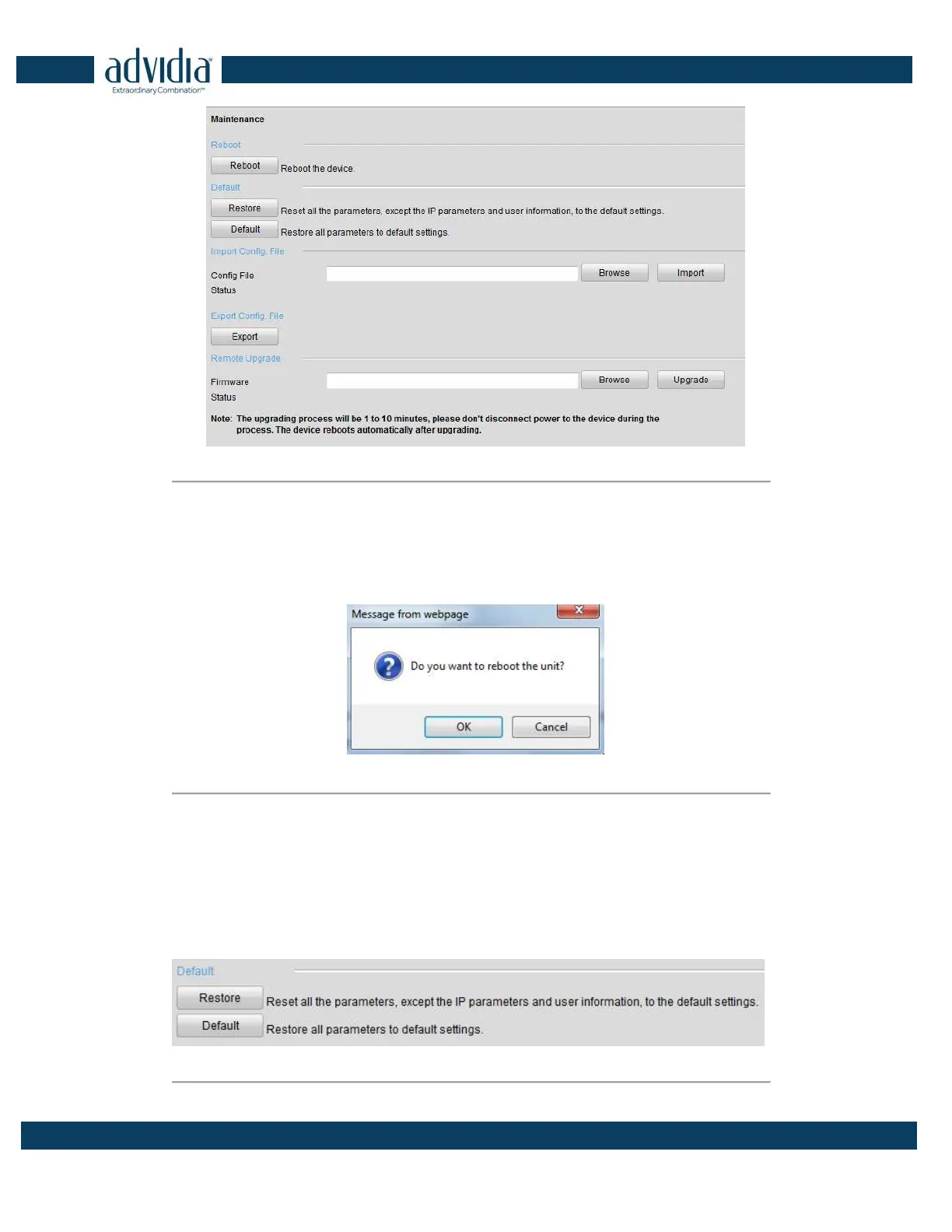
Figure 7. 2 Maintenance Page
7.2.1 Restarting the Device
On the Maintenance> Reboot interface, click Reboot to enter the following message box:
Figure 7. 3 Reboot the Device
Click OK to reboot the device or Cancel to cancel the operation.
7.2.2 Restoring Default Settings
On the Maintenance > Default interface, click Restore or Default to restore device parameters to the factory
settings.
Figure 7. 4 Restore Default Settings



 To Next Page