VP-8-V2 and VP-16-V2 Series Encoder
·
User Manual
60
By selecting the Restore button, the device restores the default settings for the parameters except the IP
address, subnet mask, gateway and port.
By selecting the Default button, the device restores the default settings for all parameters.
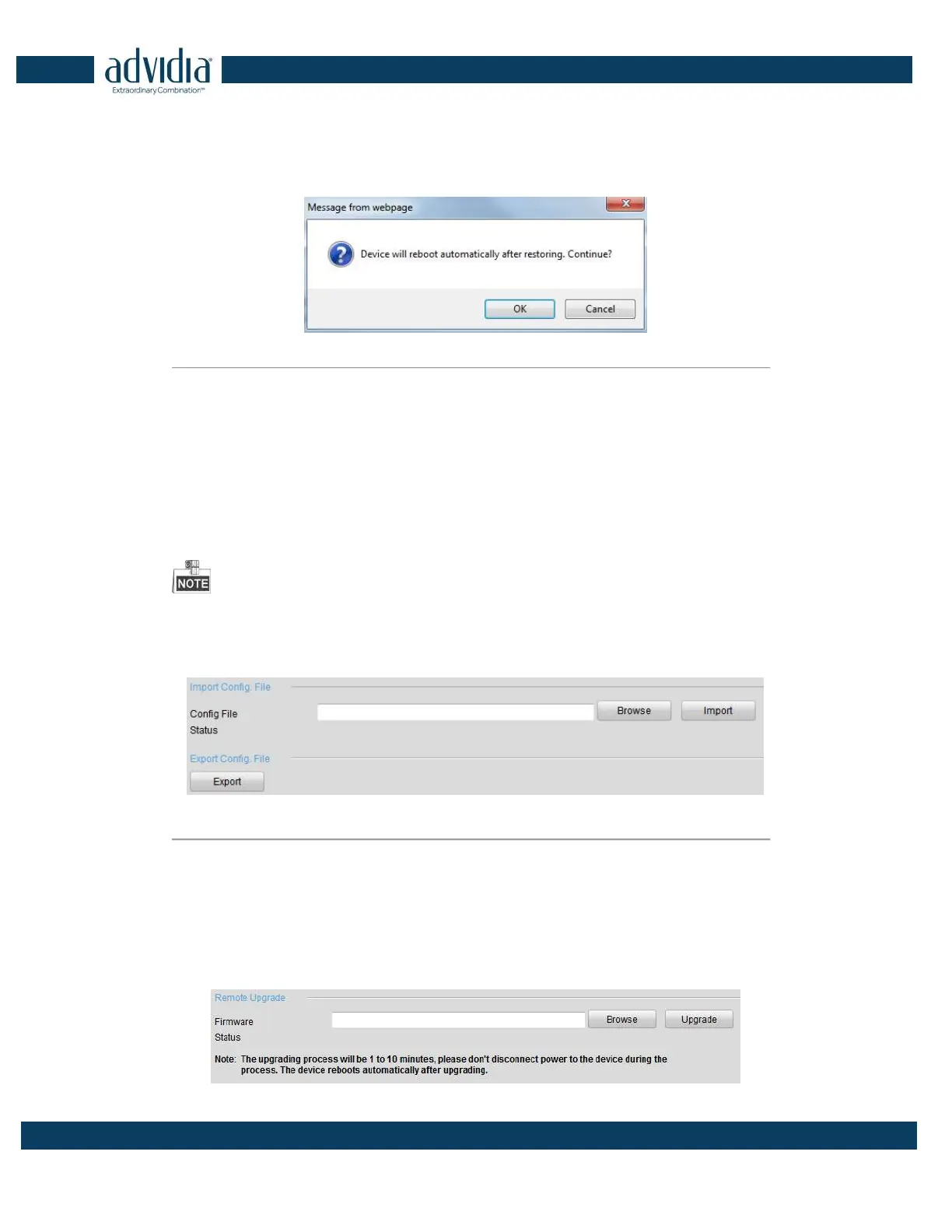
On the pop-up message box, click OK to restore and reboot the device to validate the settings.
Figure 7. 5 Pop-up Message Box
7.2.3 Importing/Exporting Configuration Files
The configuration files of the device can be exported to local device for backup, and the configuration files of one
device can be imported to multiple devices if they are to be configured with the same parameters.
On the Maintenance> Import Config File interface, click Browse to select the file from the selected backup
device and then click the Import button to import a configuration file.
After having finished the import of configuration files, the device will reboot automatically.
On the Maintenance> Export Config File interface, click the Export button to export configuration files to
the selected local backup device.
Figure 7. 6 Import/Export Config Files
7.2.4 Upgrading the System
On the Maintenance> Remote Upgrade interface, click Browse to select the local update file and then click
Upgrade to start remote upgrade.



 To Next Page