VP-8-V2 and VP-16-V2 Series Encoder
·
User Manual
30
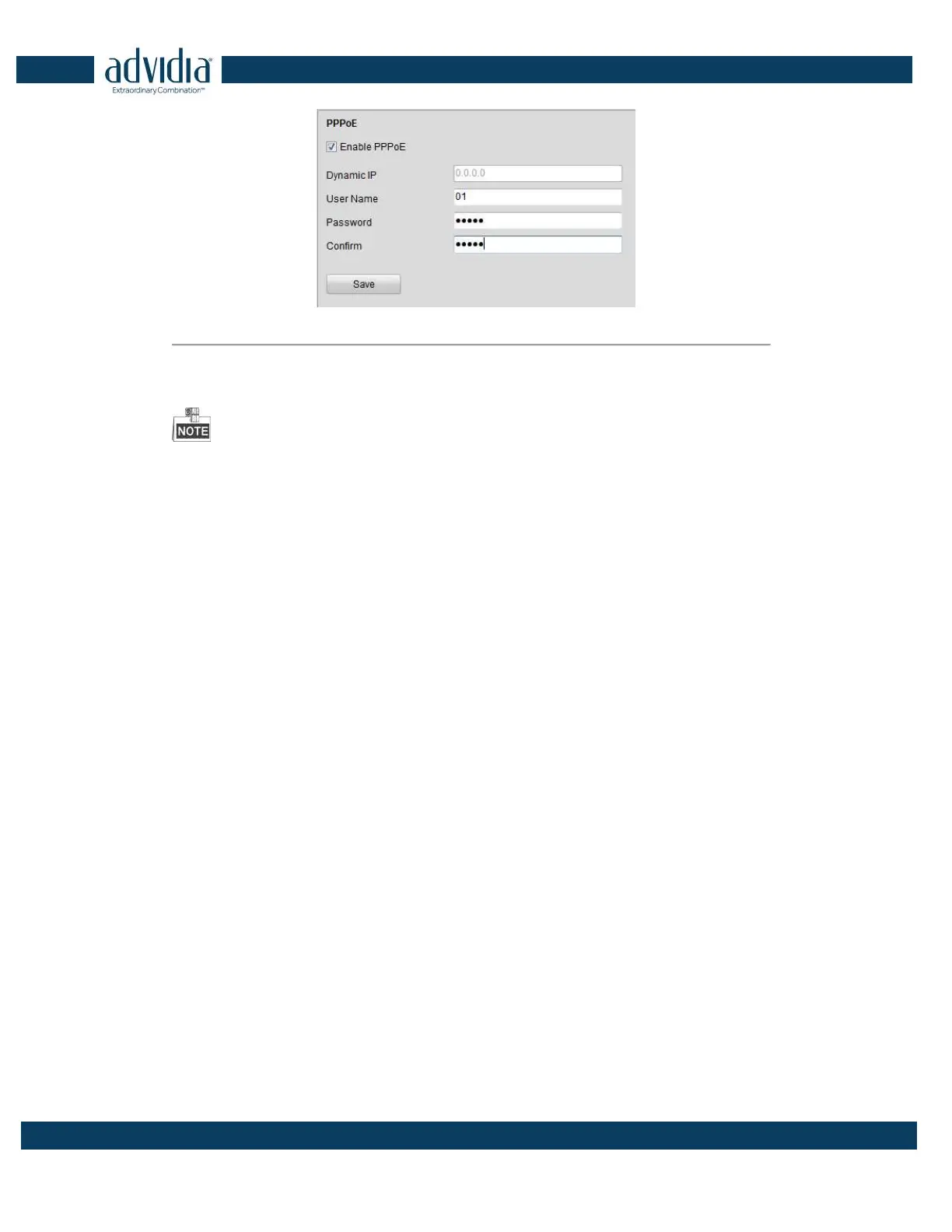
Figure 4. 15 PPPoE Settings
2. Check the PPPoE checkbox to enable this feature.
3. Enter User Name, Password, and Confirm Password for PPPoE access.
The User Name and Password should be assigned by your ISP.
4. Click the Save button to save and exit.
4.3.5 Configuring Email Settings
Purpose:
The device can be configured to send an Email notification to all designated receivers if an alarm event is
detected, e.g., motion detection event, video loss, tamper-proof, etc.
Before you start
1. Before configuring the Email settings, the device must be connected to a local area network (LAN) that
maintains an SMTP mail server. The network must also be connected to either an intranet or the Internet
depending on the location of the e-mail accounts to which you want to send notification.
2. Please configure the DNS Server settings under Remote Settings>Network Settings>TCP/IP before using the
Email function.
Steps:
1. Enter the
Basic Network Settings (
Remote Configuration > Network Settings > TCP/IP) to set the IPv4
Address, IPv4 Subnet Mask, IPv4 Default Gateway and the Preferred DNS Server.
2.
Click the
Remote Configuration > Network Settings > Email to enter the Email settings interface:



 To Next Page