36
Megohmmeter Models 5050/5060
CHAPTER 6
MEMORY / RS-232 (5060)
6.1 RS-232 Specifications
TheBaudRatecanbesetto300,600,1200,2400,4800,9600,or“Parallel”for
printingresultsonparallelprintersviatheoptionalserial-to-paralleladapter.
ThissettingiscarriedoutintheSET-UPmenu(see§2.5.7).
Dataformat:8databits,1stopbit,noparity,Xon/Xoprotocol.
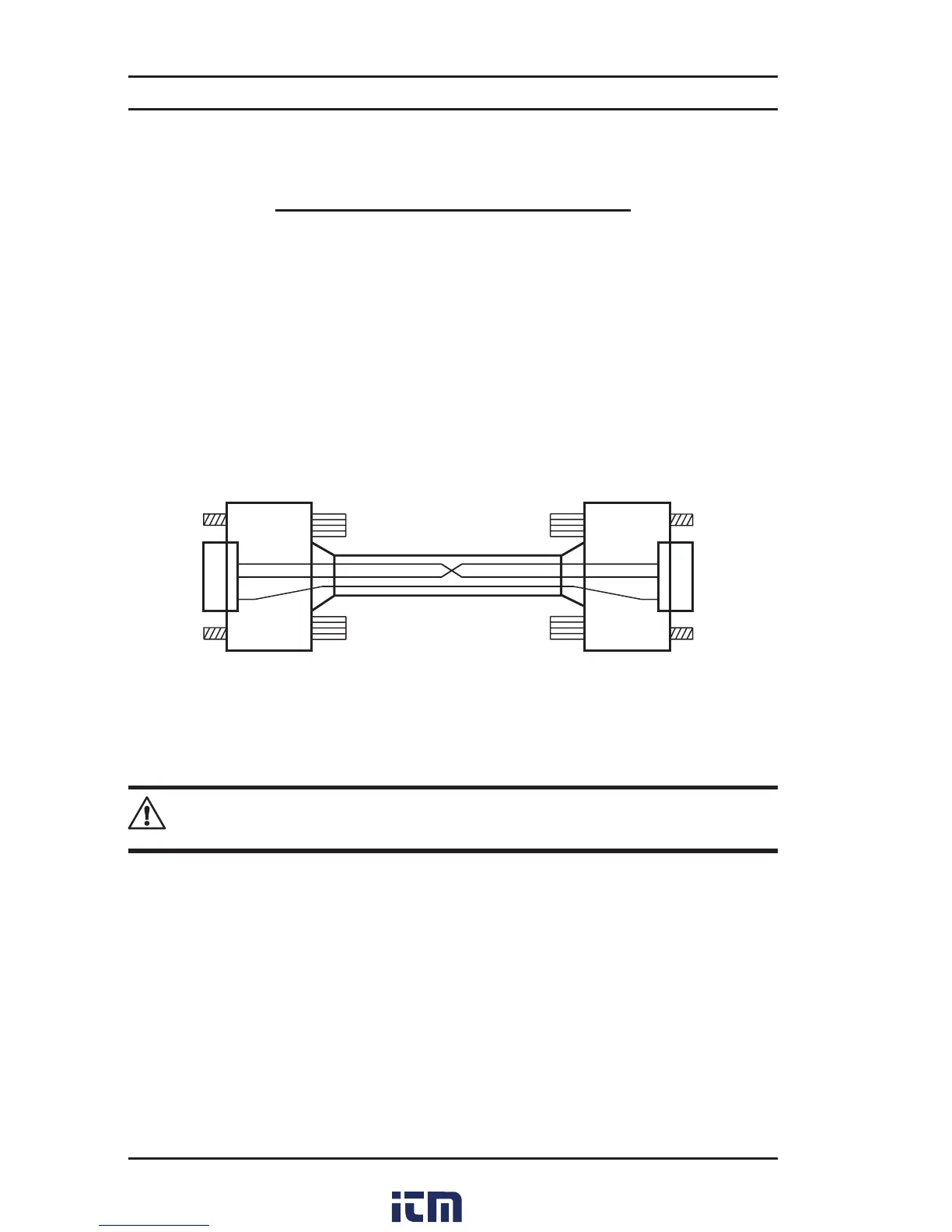
Connection to a PC or to a Parallel Printer
Cable,PCRS-232,DB9F/F6ftNullModemCable(5060)............. Cat. #2119.45
2
2
3
3
5
5
to serial printer
6.2 Saving / Recalling Values (MEM/MR Button)
NOTE: After replacing or completely discharging the battery, the message
“Memory OFF” appears when you try to save a measurement in memory.
To be able to save your measurements, you will need to do the following:
SettheinstrumenttoSET-UPandpresstheMEMbutton(thedisplayshows“MEM
Allclr”).PresstheMEMbuttonfor2s(thedisplayshows“MEMALLFrEE”).Mea-
surementsarenowreadytobesaved.
First Function - MEM (Save)
Results can be recorded in the instrument’s memory and stored along with
addressesdenedbyanobjectnumber(OBJ)andatestnumber(TEST).
Anobjectrepresentsa‘box’intowhichwecanplace99tests.Thus,anobjectcan
representamachineoraninstallationuponwhichacertainnumberofmeasure-
ments(insulation,resistanceandcontinuity)arecarriedout.
w ww . . co m
information@itm.com1.800.561.8187



 To Next Page