48
Megohmmeter Models 5050/5060
NOTE: The instrument must be configured for the same communications rate
specified in Figure 7-5. If it is not, then you must either select the corresponding
rate or change the instrument’s rate.
When a serial communication link is established, DataView
®
will automatically
identifytheinstrumentthatitisconnectedto.Aninstrumentselectionscreenwill
appearforafewsecondswhilethistakesplace.
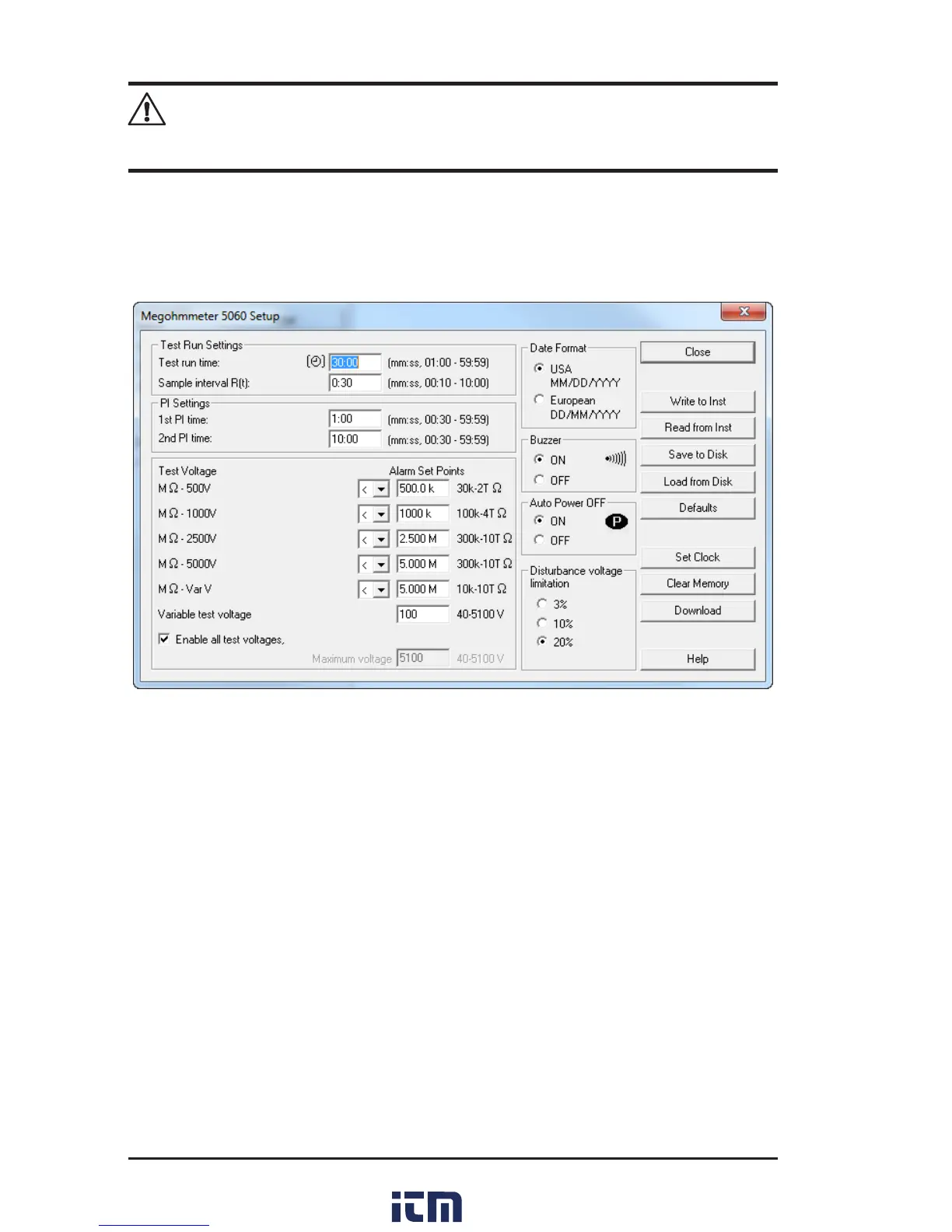
Onceidenticationiscomplete,theSetupdialogboxwillappearonthescreen.
Figure 7-6
ThisdialogboxletsyoucongureeveryaspectoftheModel5060megohmmeter.
Each eld in thedialogboxisidenticaltothe programmable features available
fromtheinstrumentfrontpanelitself.Referto§2.5foracompletedescriptionof
eachcongurablefunction.
Severalofthefunctionsareconguredbytypingtheappropriatevalueintheeld
provided,suchastestruntime,whichmaybeprogrammedfromavalueofone
minuteto59minutes59seconds.
Othersareconguredbyclickingontheappropriateradiobutton,suchas,activat-
ingordeactivatingthebuzzerbyeitherselectingONorOFF.
Therighthandsideofthissetupdialogboxcontainsninecommandbuttons:
• Close:ClosestheCongurationdialogboxandwillbringuptheControl
Panel.
• Write to Inst:Programsthemegohmmeterusingthecurrentsettings.
• Read from Inst:Reads thecurrentcongurationofthemegohmmeter
attachedviatheserialcable.
w ww . . co m
information@itm.com1.800.561.8187



 To Next Page