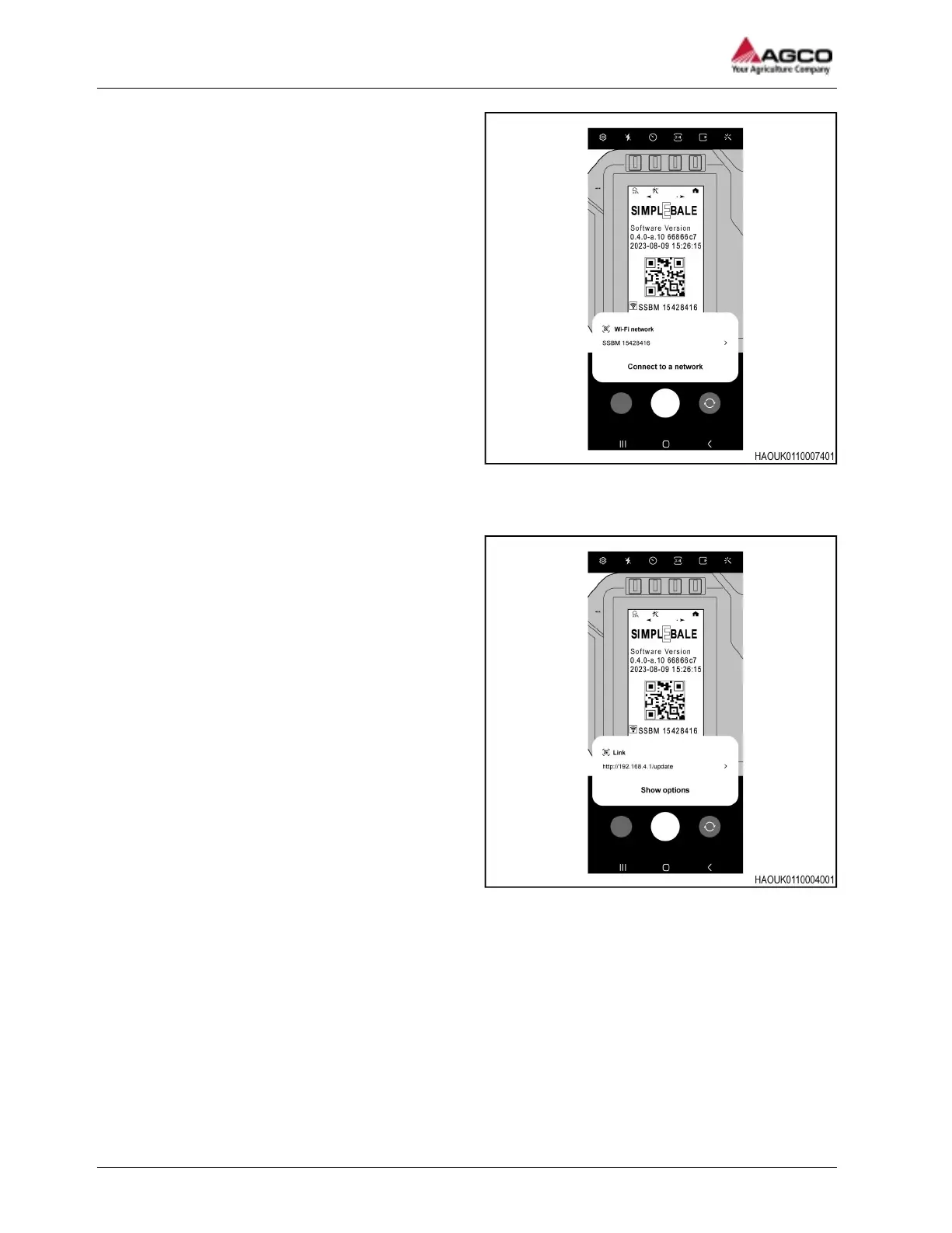
Fig. 21
3. Scan the QR code shown on the information
screen of the Ag Co-Pilot terminal.
IMPORTANT: Use the same wireless device
that you used to download the software update.
4. When the QR code is scanned, a message will
appear to Connect to a network that is
transmitted from the Ag Co-Pilot terminal.
IMPORTANT: The SSBM information shown on
the Ag Co-Pilot terminal and the one shown on
the wireless device must be the same.
Fig. 22
5. When the wireless device is connected to the Ag
Co-Pilot terminal wireless network the QR code
will change to a different code.
a) Scan the new QR code on the Ag Co-Pilot
terminal with the wireless device and you
will be asked to Show options.
b) When you press Show options on the
wireless device, it will automatically copy
the link provided by the QR code on the Ag
Co-Pilot terminal.
4 Maintenance
66
SimplEbale




 To Next Page