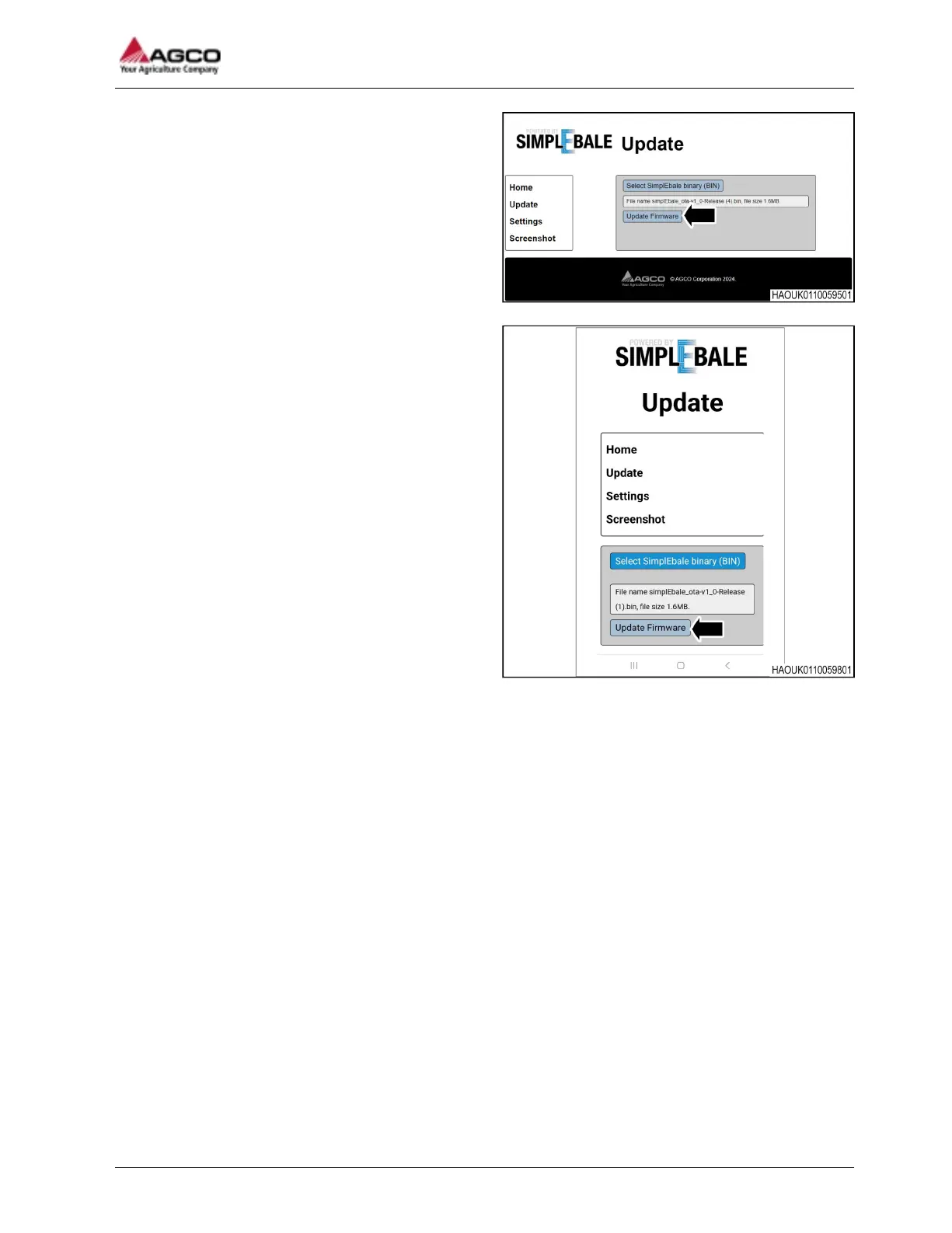
Fig. 27 Update the software with a PC
Fig. 28 Update the software with an Android phone
9. When the applicable file is selected the Update
Firmware button can be selected.
10. The status of the software update is shown as the update is in progress. When the update is complete
the Ag Co-Pilot terminal will automatically restart.
NOTE: Check the new software version number on the Ag Co-Pilot terminal information screen.
11. After the software update is complete, disconnect the wireless device from the Ag Co-Pilot terminal.
4 Maintenance
SimplEbale
69




 To Next Page