Performance Tests and Calibration 4
34405A User’s and Service Guide 105
Frequency Gain Adjustment Procedure
Review the “Test Considerations” on page 71 and “Gain
Adjustment Considerations” on page 95 sections before
beginning this procedure.
1 Press to enter Frequency Gain Calibration.
2 The primary display will show the calibration value and
the secondary display will show the reference value of Cal
Item.
3 Configure each Cal Item shown in the adjustment table
below.
4 Use (Auto) or (Range) to select the Cal
Item.
5 Apply the input signal shown in the Input Voltage and
Frequency column of the table.
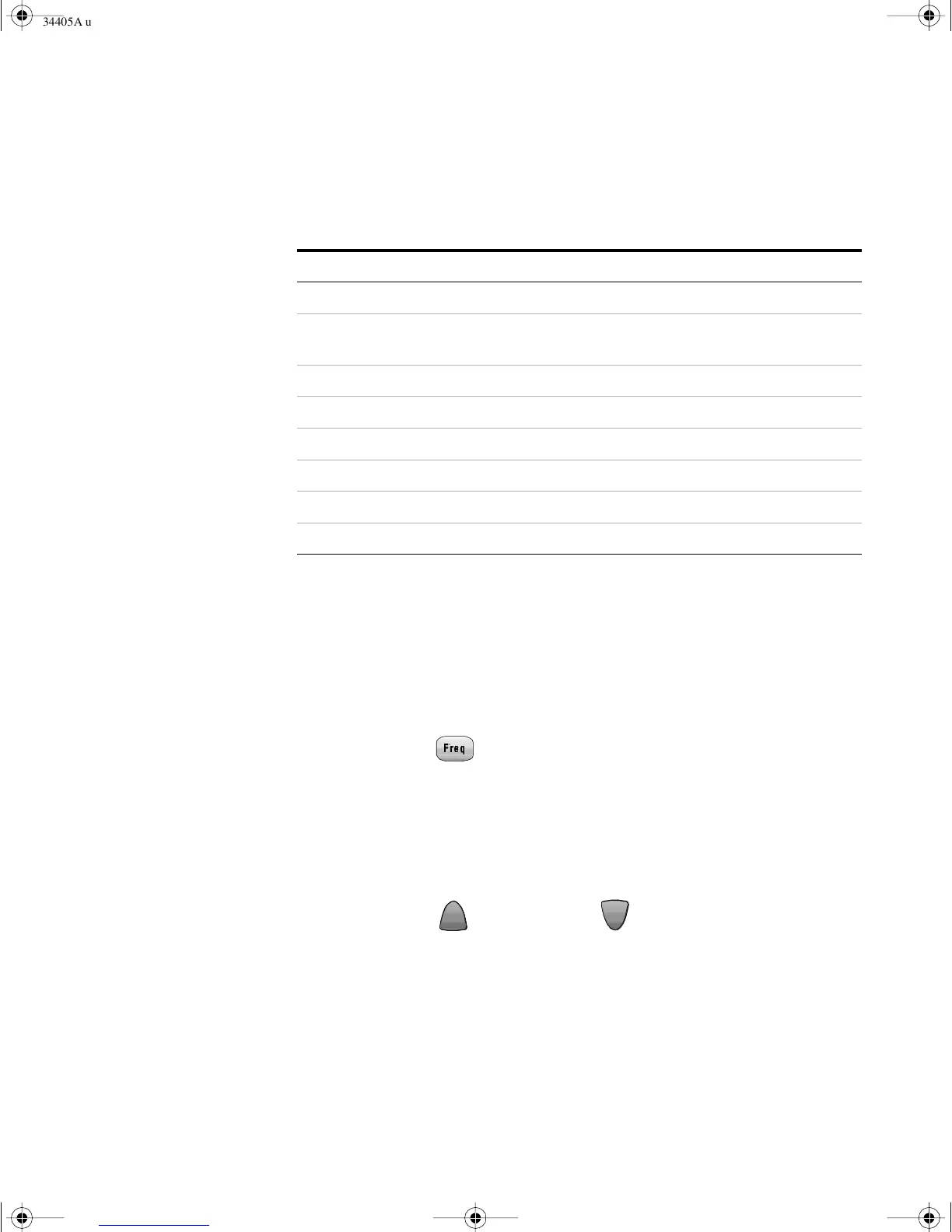
Ta ble 1 9 Ohms Gain Adjustment
Input Function Cal Item
Dual Banana Plug with copper wire short between 2 terminals 2 - Wire Ohms Short
Input terminals open (remove any test leads or shorting plugs
from the input terminals)
Open
10 M Ω 10 MΩ
1 M Ω 1 MΩ
100 k Ω 100 k Ω
10 k Ω 10 k Ω
1 k Ω 1 k Ω
100 Ω 100 Ω
Freq
Freq
34405A users guide.book Page 105 Saturday, September 2, 2006 3:38 PM

 To Next Page
 Loading...