How to Measure Power Power Measurement
Agilent 8163A/B, 8164A/B & 8166A/B Mainframes, Sixth Edition 103
How to Turn Off MinMax Mode
To turn off MinMax mode, and return to continuous power measurement:
1 Move to the Power Meter channel and press the [Details] softkey.
2 Move to the [MinMax Mode] parameter and press Enter.
3 Move to <Off>, by using the cursor key, and press Enter.
How to Hold the Screen
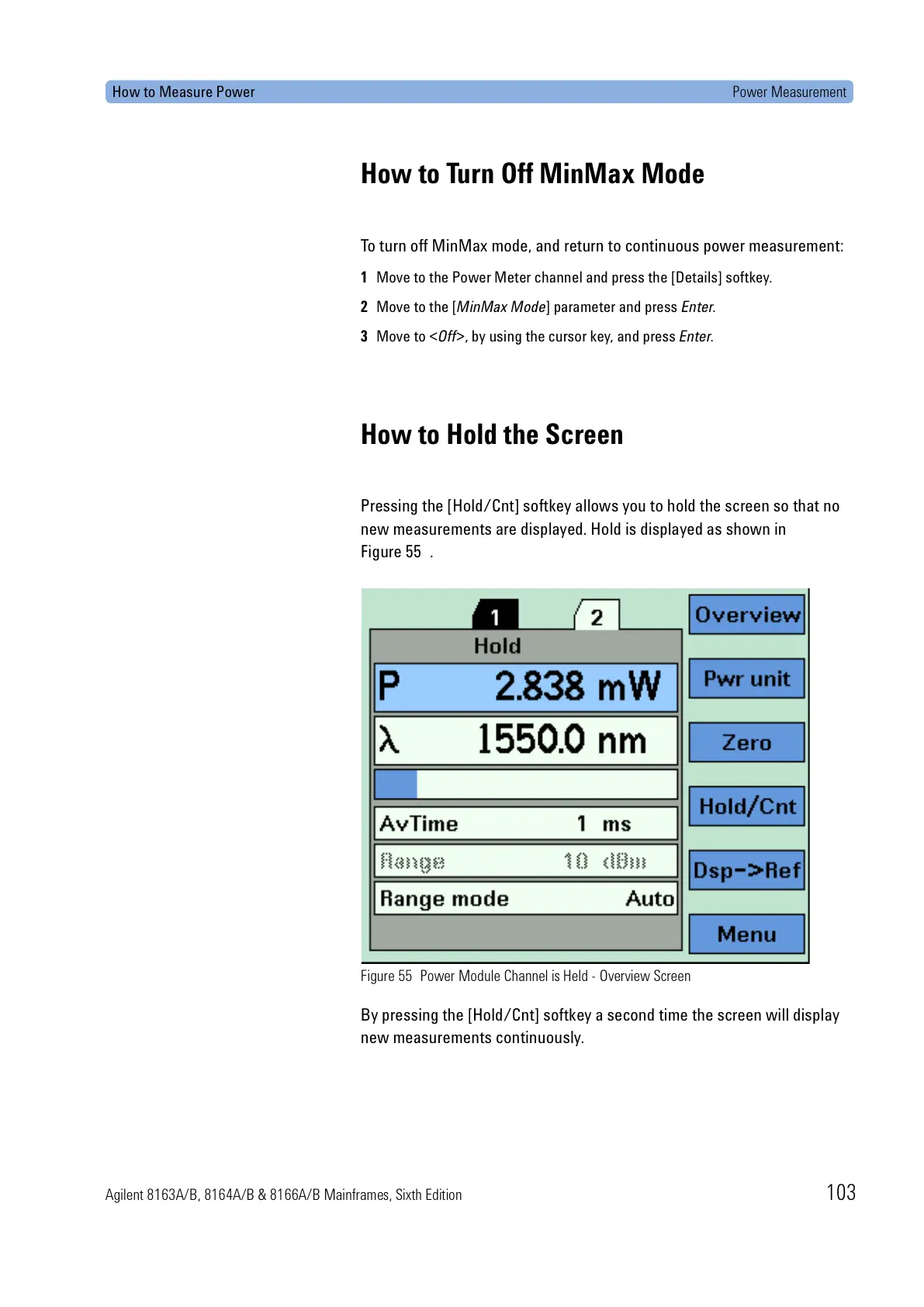
Pressing the [Hold/Cnt] softkey allows you to hold the screen so that no
new measurements are displayed. Hold is displayed as shown in
Figure 55 .
Figure 55 Power Module Channel is Held - Overview Screen
By pressing the [Hold/Cnt] softkey a second time the screen will display
new measurements continuously.









 To Next Page