EasyManua.ls Logo

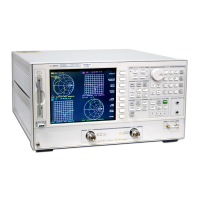
Agilent Technologies 8753ET - User Manual

Agilent Technologies 8753ET
479 pages
Print Icon
To Next Page IconTo Next Page
Loading...
User’s Guide
Agilent Technologies
8753ET and 8753ES
Network Analyzers
Part Number 08753-90472
Printed in USA
April 2012
Supersedes June 2002
© Copyright 1999 2002, 2012 Agilent Technologies, Inc.

Table of Contents

Other manuals for Agilent Technologies 8753ET

Questions and Answers

  • C
    Charles StewartAug 2, 2025
    What to do if overload on input error messages appear on Agilent Technologies Measuring Instruments?
    • L
      Latoya FloresAug 2, 2025
      If you see 'Overload on input' error messages on your Agilent Technologies Measuring Instruments, it means you've exceeded approximately +14 dBm at one of the test ports. To resolve this, press the Power button and enter a lower power level. Then, press SOURCE PWR ON to switch the power back on.
  • T
    tannerrachelAug 12, 2025
    What does it mean if trace data is below the noise floor of Agilent Technologies Measuring Instruments?
    • C
      Cheryl BuchananAug 12, 2025
      If the trace data appears below the noise floor of the Agilent Technologies Measuring Instruments analyzer, this indicates a receiver failure.
  • J
    Joel LarsenAug 22, 2025
    Why am I getting phase lock error messages on my Agilent Technologies 8753ET Measuring Instruments?
    • N
      Natalie FergusonAug 22, 2025
      Phase lock error messages on Agilent Technologies Measuring Instruments can be caused by a source failure or improper instrument configuration. Consult Chapter 7, “Source Troubleshooting.”

Summary

1 Making Measurements

Making a Basic Measurement

Step-by-step guide to performing a fundamental measurement on the network analyzer.

Measuring Magnitude and Insertion Phase Response

Example procedure for measuring magnitude and phase response of a device.

Using Markers

Covers using markers for obtaining readings, changing stimulus, and analyzing traces.

Measuring Amplifiers

Covers techniques for measuring transmission and reflection characteristics of amplifiers.

Using Test Sequencing

Automates repetitive measurement tasks by recording and replaying keystrokes.

2 Making Mixer Measurements

Mixer Measurement Capabilities

Details the parameters the analyzer can measure for mixers and frequency converters.

Measurement Considerations

Highlights challenges and factors to consider for successful mixer measurements.

3 Making Time Domain Measurements

4 Printing, Plotting, and Saving Measurement Results

5 Optimizing Measurement Results

Increasing Measurement Accuracy

Discusses factors affecting accuracy and techniques to improve it, like cable care and calibration.

6 Calibrating for Increased Measurement Accuracy

Procedures for Error Correcting Your Measurements

Details various error correction types and their purposes.

7 Operating Concepts

Measurement Calibration

Discusses measurement calibration, accuracy enhancement, and error sources.

8 Safety and Regulatory Information

Safety Symbols

Explains safety symbols used throughout the manual and their meanings.

Safety Considerations

Details precautions for safe operation, grounding, and power application.

Agilent Technologies 8753ET Specifications

General IconGeneral
BrandAgilent Technologies
Model8753ET
CategoryMeasuring Instruments
LanguageEnglish

Related product manuals