Working with Application Graphs Applications
Agilent 8163A/B, 8164A/B & 8166A/B Mainframes, Sixth Edition 241
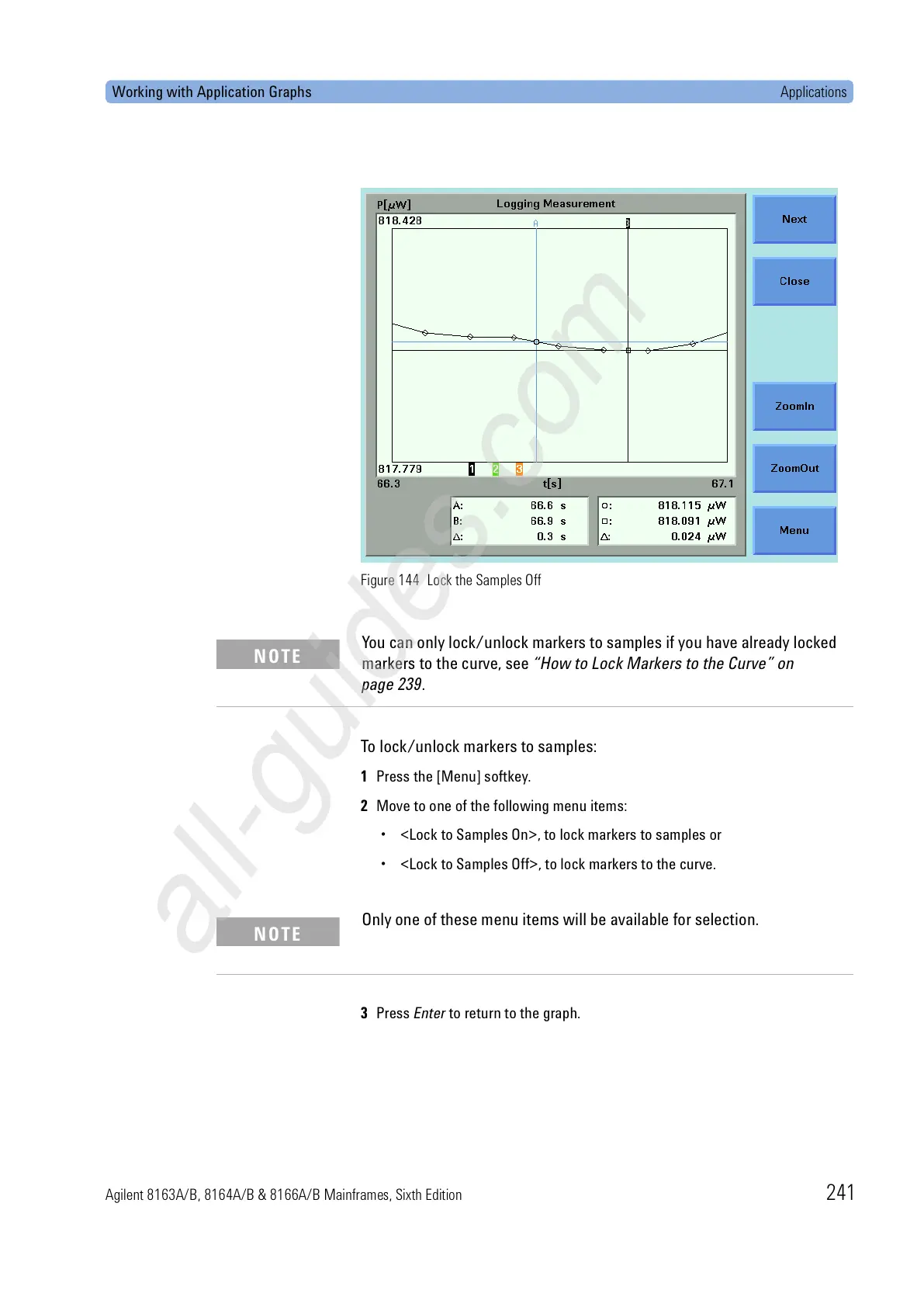
Figure 144 Lock the Samples Off
To lock/unlock markers to samples:
1 Press the [Menu] softkey.
2 Move to one of the following menu items:
• <Lock to Samples On>, to lock markers to samples or
• <Lock to Samples Off>, to lock markers to the curve.
3 Press Enter to return to the graph.
You can only lock/unlock markers to samples if you have already locked
markers to the curve, see “How to Lock Markers to the Curve” on
page 239.
NOTE
Only one of these menu items will be available for selection.
NOTE


 To Next Page
 Loading...