Getting Started 1
E4418B Power Meter User’s Guide 5
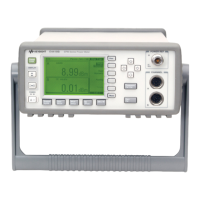
The Front Panel at a Glance
1
This key allows you to preset the power meter if you are currently working
in local mode (that is, front panel operation). In local mode, a confirmation
pop- up window is displayed prior to a preset being carried out. However, if
you are in remote mode (that is, GPIB, RS232, or RS422 operation), then
pressing this key places the power meter in local mode provided local lock
out (LLO) is not enabled.
2 Keys relating to the display layout.
This key allows you to select the upper or lower measurement
window on the power meter’s display. The window which is selected is
highlighted by a shadowed box. Any measurement setup you create is
implemented in the selected window.
This key allows you to choose either a one or a two window display.



 To Next Page

