3.3.2 Using the AIM Network Detection Tool
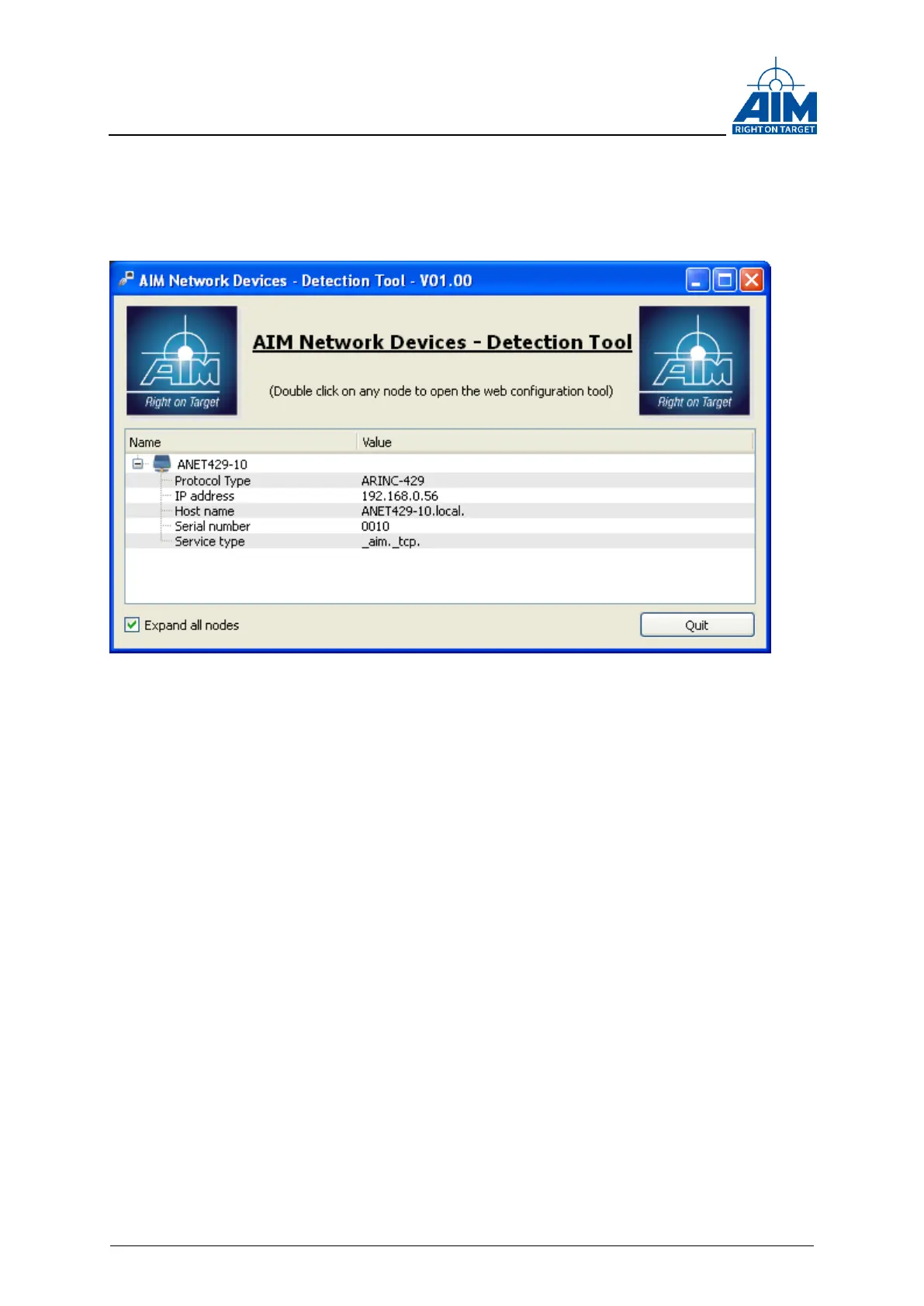
You will find the AIM Network Detection Tool in the BSP installation directory. When
running, it will show all ANET429 modules visible in your network:
Figure 3-3 AIM Network detection Tool
A double-click on any ANET429 module in the list will open the default web browser of
the system and forward you to the web configuration page of the corresponding
ANET429 module.
The module’s IP address can also be resolved by the board’s alias which is shown left
to the IP address. In this example the alias is ANET429-10 (ANET429-<x>
x= Serial Number).
Just enter the alias in the address bar of the Web Browser appended by a “.local” (e.g.
ANET429-10.local) to connect to the module’s corresponding web configuration page.
3.3.3 Configuring the ANET429
Configuration of ANET429 modules is solely performed with a web browser.
Enter the IP address or the board alias name in the web browser address bar to
connect to and to configure the ANET429.
First of all you have to enter a user name and password on the login screen, the default
login is:
User Name: ‘user’
Password: ‘aim’.
After a successful login, you will be forwarded to the System Overview page.
This page shows a summary of the current system status as shown in Figure 3-4 ANET
Web Configuration Tool “System Overview”



 To Next Page