4. Using Arinc 429 Functionality
4 USING ARINC 429 FUNCTIONALITY
4.1 Connecting Applications running on Host System to ANET429
The following chapters describe how to connect PBA.pro or any customer specific
application running on a host system to your ANET429.
4.2 Connect to a ANET429 with PBA.pro
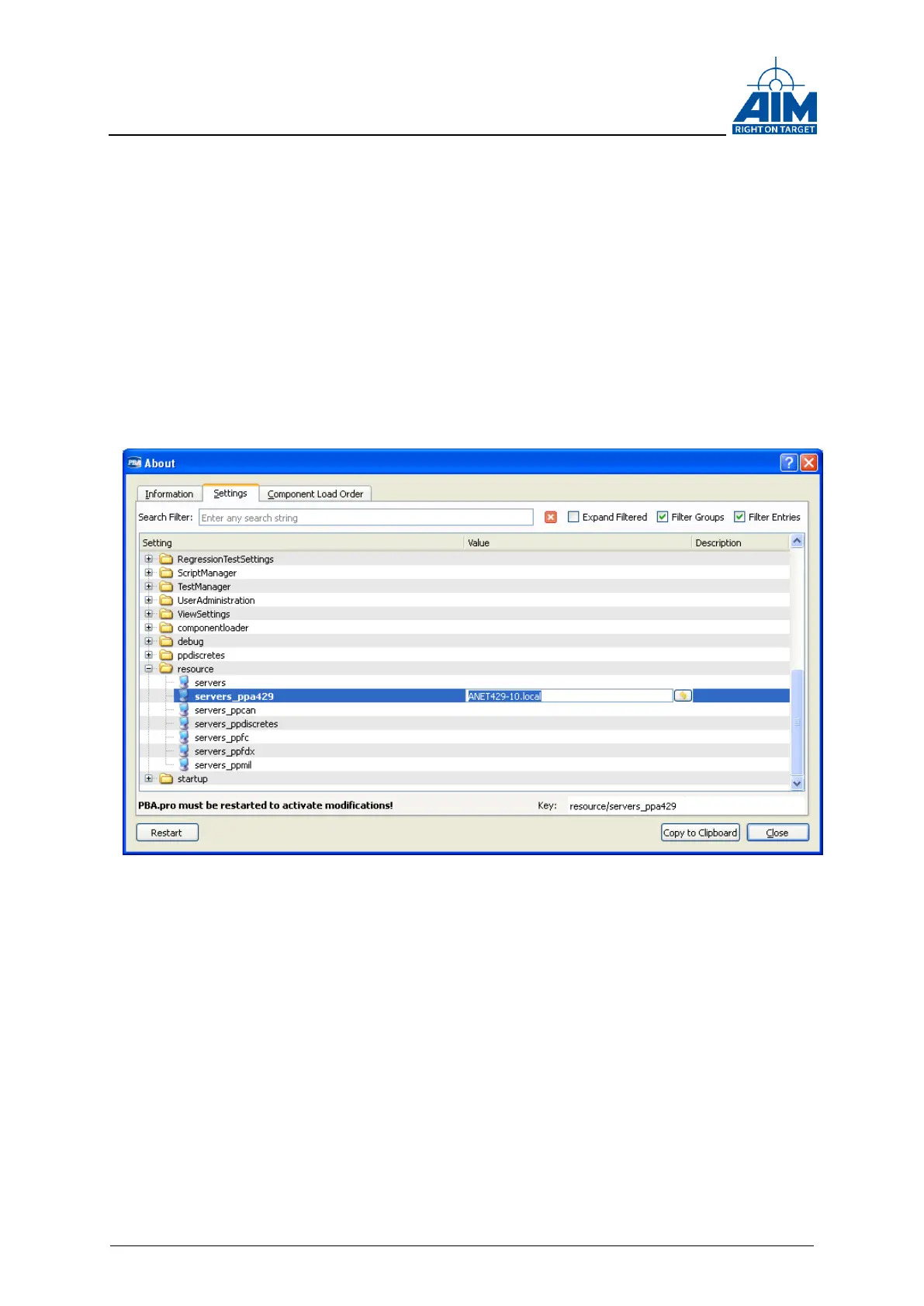
Open the “Help\About\Settings” tab in PBA.pro and setup the “servers_ppa429” setting
to the alias name or IP address used for your ANET429, e.g. “ANET429-3.local” (see
figure “Figure 4-1 Connect to ANET429 with PBA.pro” below) and re-start the PBA.pro.
Figure 4-1 Connect to ANET429 with PBA.pro
After a re-start, PBA.pro should show the available ANET429 ARINC-Resources. The
figure below shows how it looks like for an ANET429-16. (For the -4 or -8 Versions, 4
respectively 8 channels are shown in the resources window)



 To Next Page