4. Using Arinc 429 Functionality
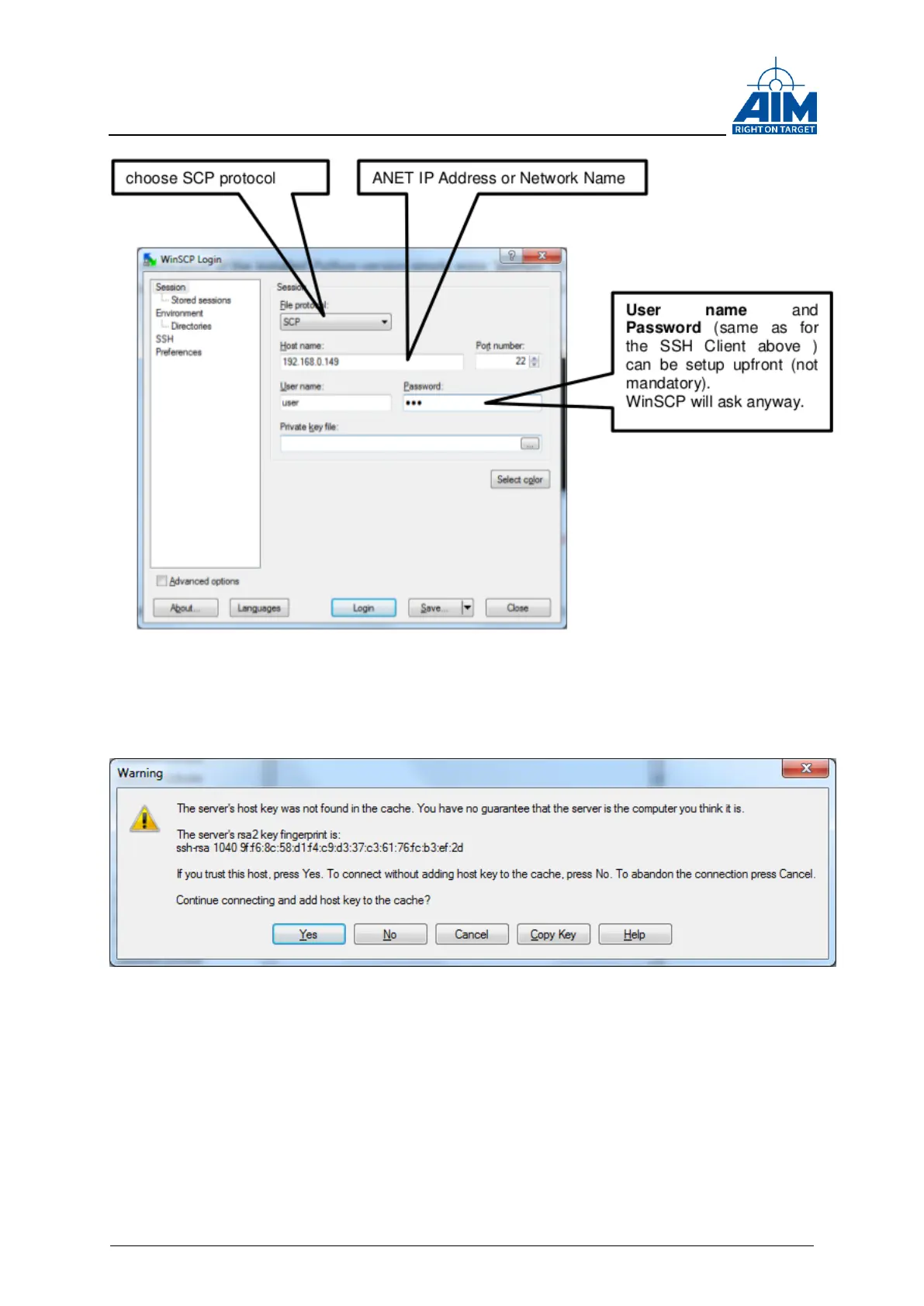
Figure 4-8 Establishing a SCP connection using WinSCP
When establishing a SCP Session to a new IP address for the very first time, the
following message box needs to be confirmed with ‘Yes’.
Figure 4-9 Add Server's SSH key
Before the WinSCP GUI is opened, following Message Box may appear and needs to
be confirmed with OK (see Figure 4-10).



 To Next Page