8.2.4.2 Powering the module
In general any external power supply which is providing the specified input voltage (see
Technical Data chapter) can be used to power the module. All onboard voltages are
generated from this voltage.
- When applying the external power for the first time, the module will start up
immediately.
- as long as the external power supply is present, the module can be powered
down and powered up by making a shortcut between Pin3 and Shield (Connector
Case) at the “Power- and Reset-Control Connector” for a short time (no longer
than 3 seconds).
- Interrupting the external power or making a shortcut between Pin3 and Pin6
longer than 3 seconds at the “Power- and Reset-Control Connector”, will force a
power off without shutdown of the OS (see also chapter “Connectors”).
Note: It is recommended, but not mandatory to shutdown (power down) the module via
the ANET web frontend (‘maintenance’ page) or SSH shell command (‘power off’
as user ‘root’) to avoid any user data corruption, especially when having
customer applications/scripts active on the module.
Further help on how to get the module started and all the tools provided to work with the
module can be found in chapter “Getting started” in this manual.
8.2.4.3 Power Debug Cable
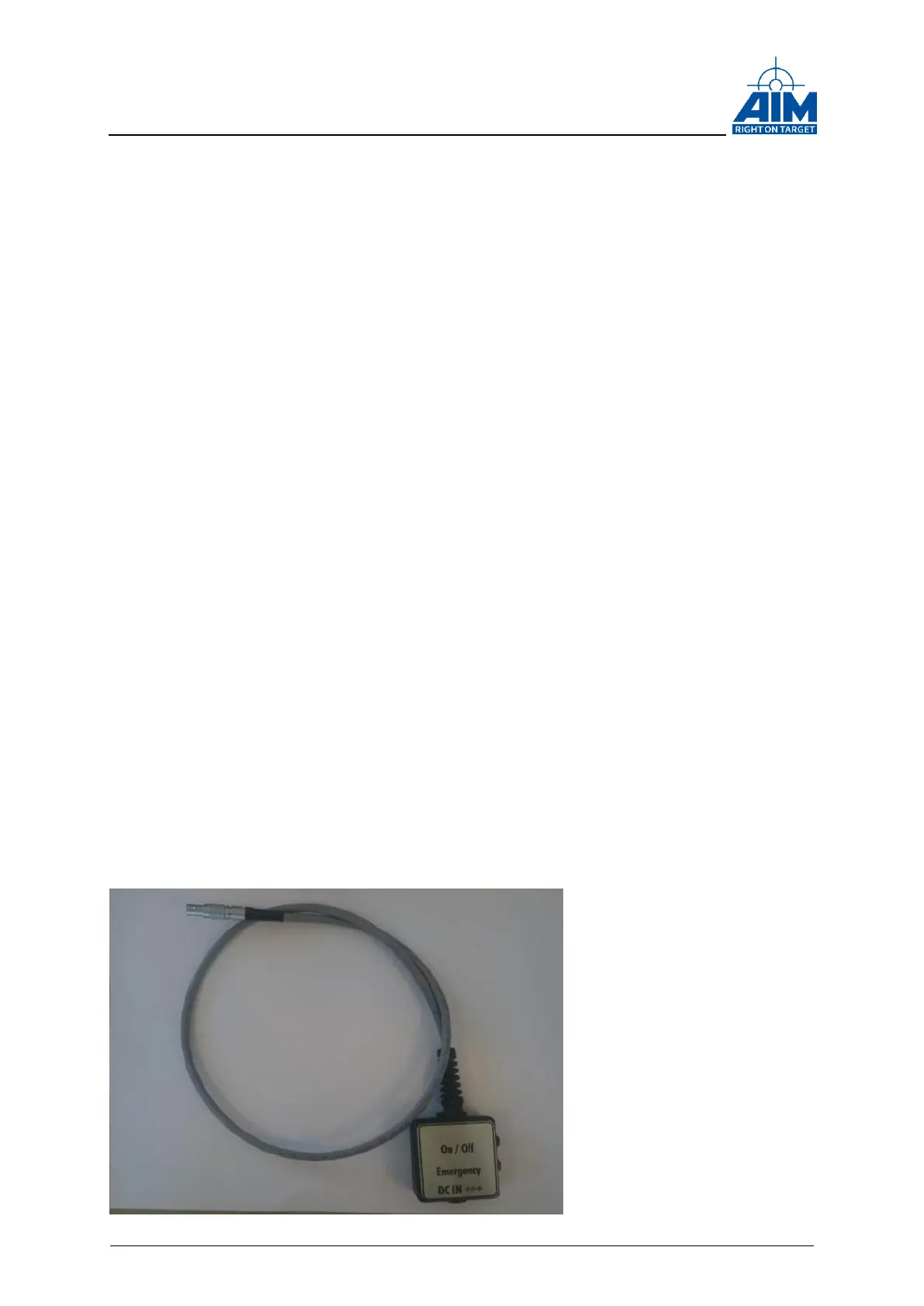
The Power Debug cable is available for testing the rugged module variant. The cable
provide a DC IN Connector, a Power push button and an Emergency push button.



 To Next Page