FS2 v2.1r1 www.aja.com
26
7. Connect the FS2 to system audio and video sources, including VTRs, monitors, DVD
players, video switchers, and audio mixers. For details, see “System Cabling” on
page 35.
8. Test the FS2 with all of your devices to verify everything is working.
Unpacking
Shipping Box
Contents
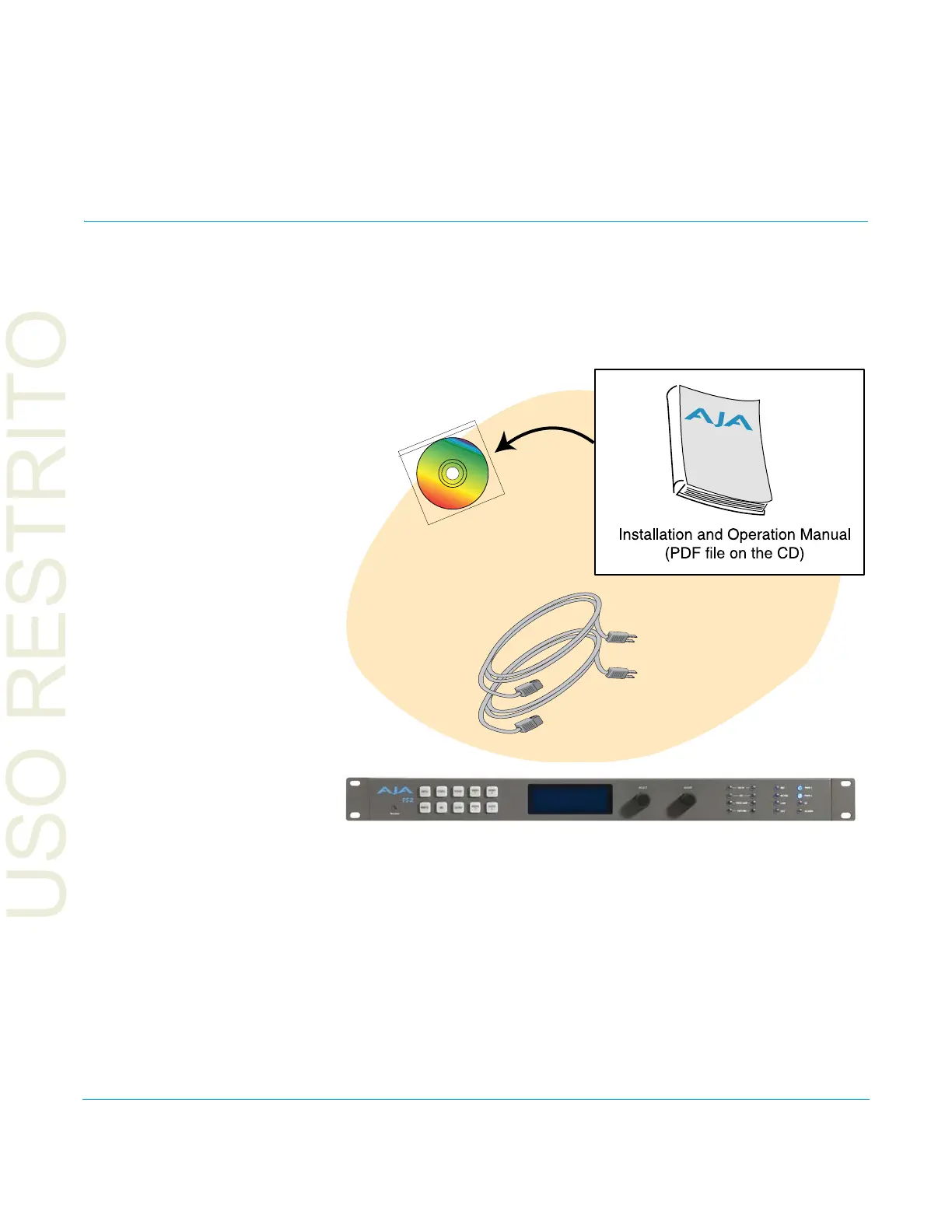
An FS2 chassis is shipped with two AC power cords, a user manual CD, and any late-
breaking news bulletins (if applicable). Chassis rackmount brackets are provided as part
of the chassis with screws.
Figure 3. Shipping Box Contents
As you unpack the shipping box, carefully examine the contents. Ensure you received
ev
erything and that nothing was damaged during shipment. If you find any damage,
immediately notify the shipping service and supply them with a complete description of
the damage. AJA will repair or replace damaged items.
If you find shipping damage, contact your AJA dealer or distributor for details on how to
h
ave your FS2 repaired or replaced.
NOTE: Save packing materials and the shipping box. If your FS2 ever requires service or you move
y
our system, use the packaging materials and box for safe shipment.
AC Power Cords (2)
AJA FS2 Panel Chassis



 To Next Page