FS2 v2.1r1 www.aja.com
98
• Loss of Input (see “5 Loss of Input” on page 64)
•Upconvert Mode “6 Upconvert Mode” on page 64)
• Downconvert Mode (see “7 Downconvert Mode” on page 65)
• SD Aspect Ratio (see “8 SD Aspect Ratio Convert” on page 67)
•Sidebar Edge (see “9 Sidebar Edge” on page 68)
• Matte Luma, Chroma, and Hue controls (see “Matte of Background Fill” on page 69)
• Proc Amp controls (see “Proc Amp Controls (YUV)” on page 69)
• Color Corrector controls (see ““Color Corrector (RGB)” on page 70)
•Custom Size/Pos controls (see “Custom Conversion Settings” on page 70)
• Region of Interest controls (see “Region of Interest (ROI)” on page 72)
• Output Timing and Extra Frame Delay controls (see “Timing and Delay” on page 73)
• Video Legalizer controls (see “Video Legalizer” on page 73)
• AFD controls (see “AFD” on page 74)
• Caption Xlator (see “18 Caption Xlator” on page 75)
• Input Scan Format (see “19 Input Scan Format” on page 76)
• SD Line 21 Blanking (see “20 SD Line 21 Blanking” on page 76)
• Test Pattern Video (see “21 Test Pattern Video” on page 77)
• Freeze Output (see “22 Freeze Output” on page 77)
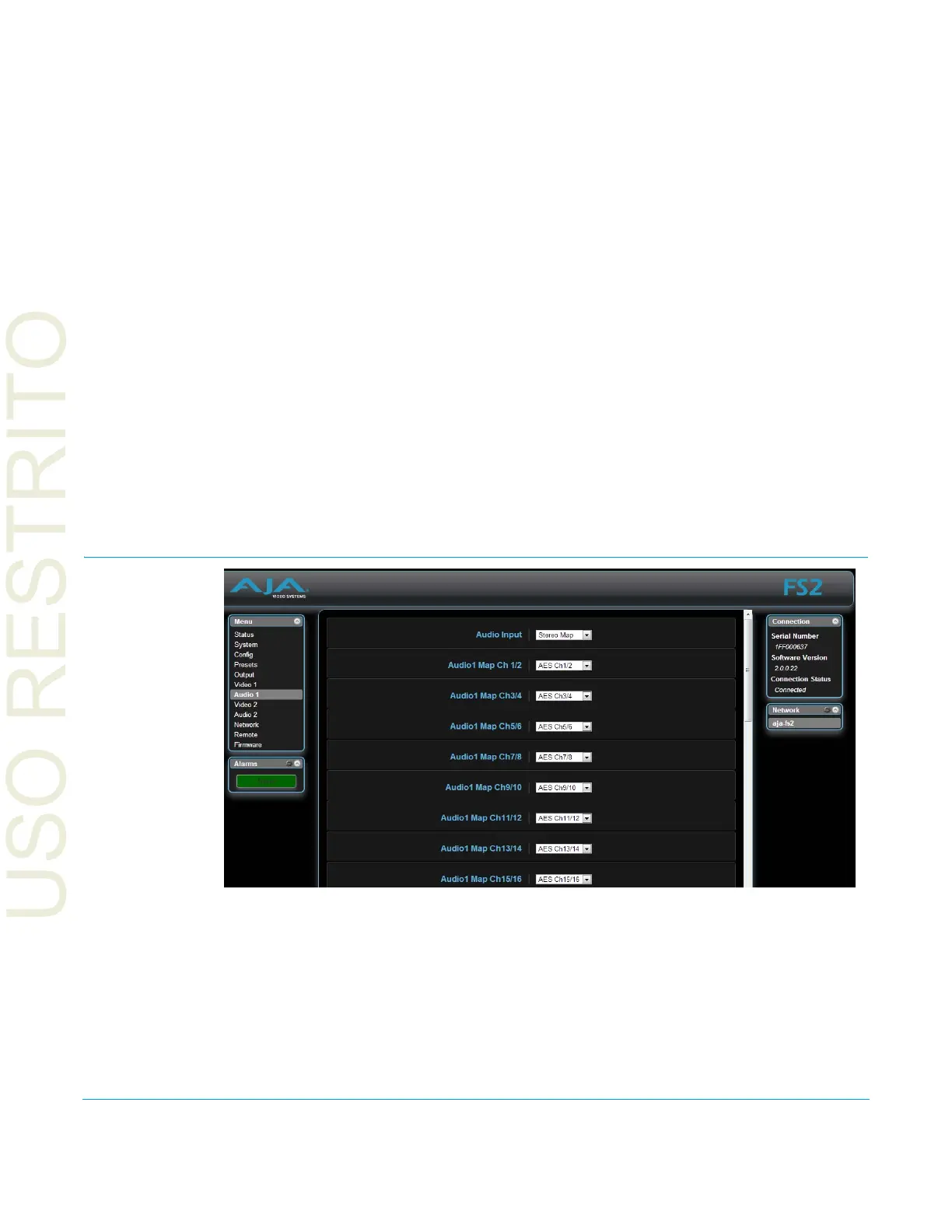
Audio 1 and 2 Screens
The Audio 1 and Audio 2 browser screens display the audio control selections for the
audio inputs and outputs, for control of the FS2’s audio routing and signal processing.
The parameters available on the Audio 1 and 2 br
owser screens are identical to the front
panel display menus. Complete descriptions of these parameters are accessible using the
following cross references:
•Audio Input (see “1.0 Audio Input” on page 78)
• Audio Map Ch1–16 (see “1.1–1.16 Audio Map Ch1–16” on page 79)
• Audio Map Ch 1/2–15/16 (see “1.17–1.24 Audio Map Ch 1/2–15/16” on page 80)



 To Next Page