FS2 v2.1r1 www.aja.com
27
Installing Optional Fiber Optic I/O Modules
The optional AJA Fiber Optic I/O modules are purchased separately from the FS2. These
AJA fiber modules work with the FS2:
•Single-channel LC connec
tor modules
• Single-channel SC connector modules
• Dual-channel LC connector modules
Install the optional fiber I/O modules
by inserting them into the rectangular holes
marked Fiber on the back panel with the electrical connectors facing downward. Press
gently but firmly until the modules seat in the inside connectors. For additional
installation and operation details, see the instructions provided with the fiber modules.
Installing Optional Cards
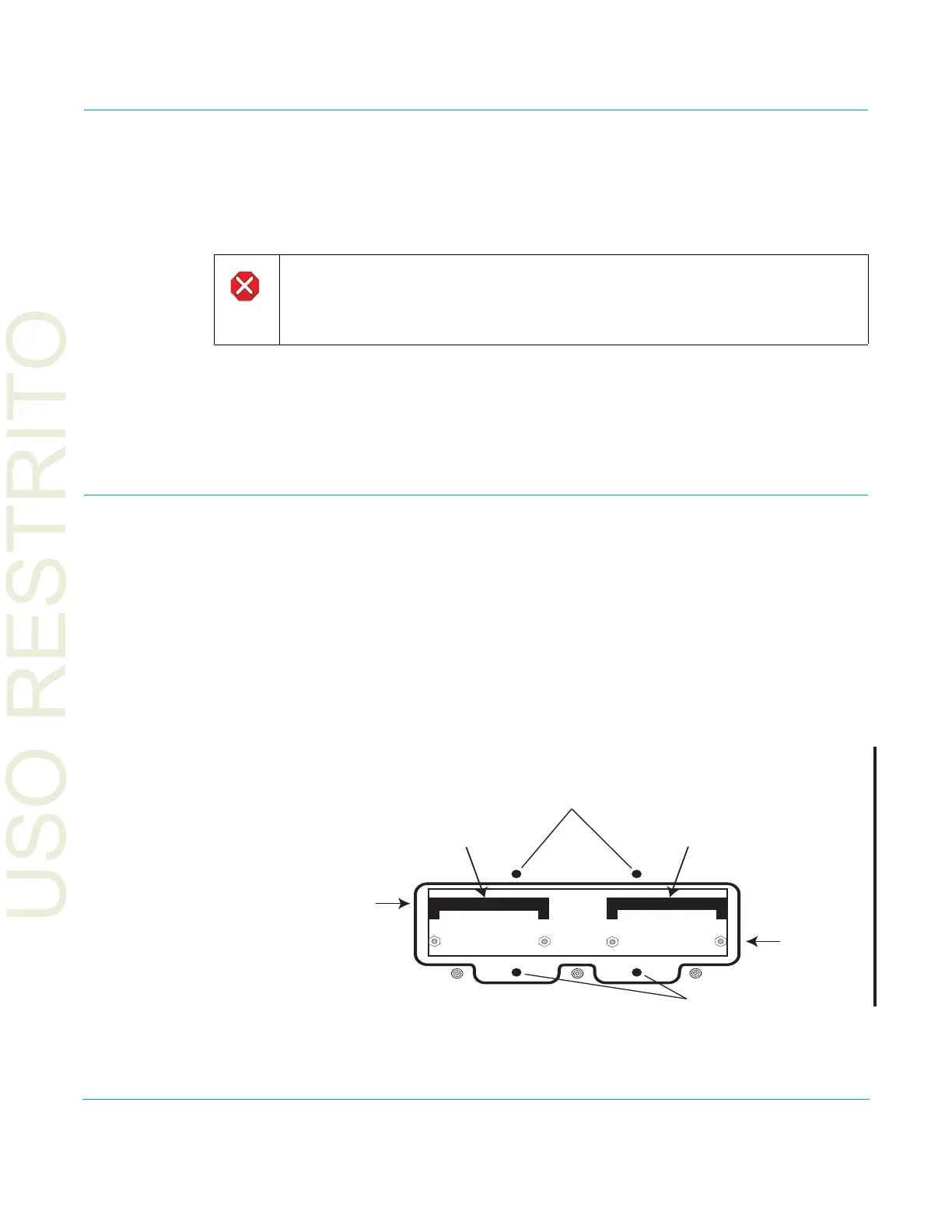
Optional cards install in the two option slots on the FS2 circuit board. Access them by
removing the small top cover as explained and illustrated below:
1. Disconnect AC power.
2. Remove the four screws securing the
small cover on top of the FS2.
3. Insert the cards into the card-edge connectors on the FS2 circuit board.
4. Insert the two supplied screws (with washers) thr
ough the holes in the cards into the
mounting standoffs. Tighten the screws, being careful not to over tighten and
damage the cards.
5. Replace the small cover and tighten down the screws holding it in place
Figure 4. Option Card Installation.
Caution!
Only AJA fiber optic I/O option modules may be inser
ted into the FS2 Fiber slots. DO
NOT USE fiber modules from other manufacturers; they will damage the FS2
connectors and circuits.
Remove cover screws
Remove cover screws
Standoffs
Connectors
FS2 Top View
Dolby E Decoder
Option Card
Dolby E Encoder
(future) Option Card



 To Next Page