10
Insert PROGRAMMING CARD FOR REGULAR
EMPLOYEES #3.
<PROGRAMMING FOR REGULAR EMPLOYEES>
The MX-300 is capable of using a specified "rounding unit"
to round off the IN, OUT and Out-for-Personal-Errand
times for calculation of work hours on a daily basis.
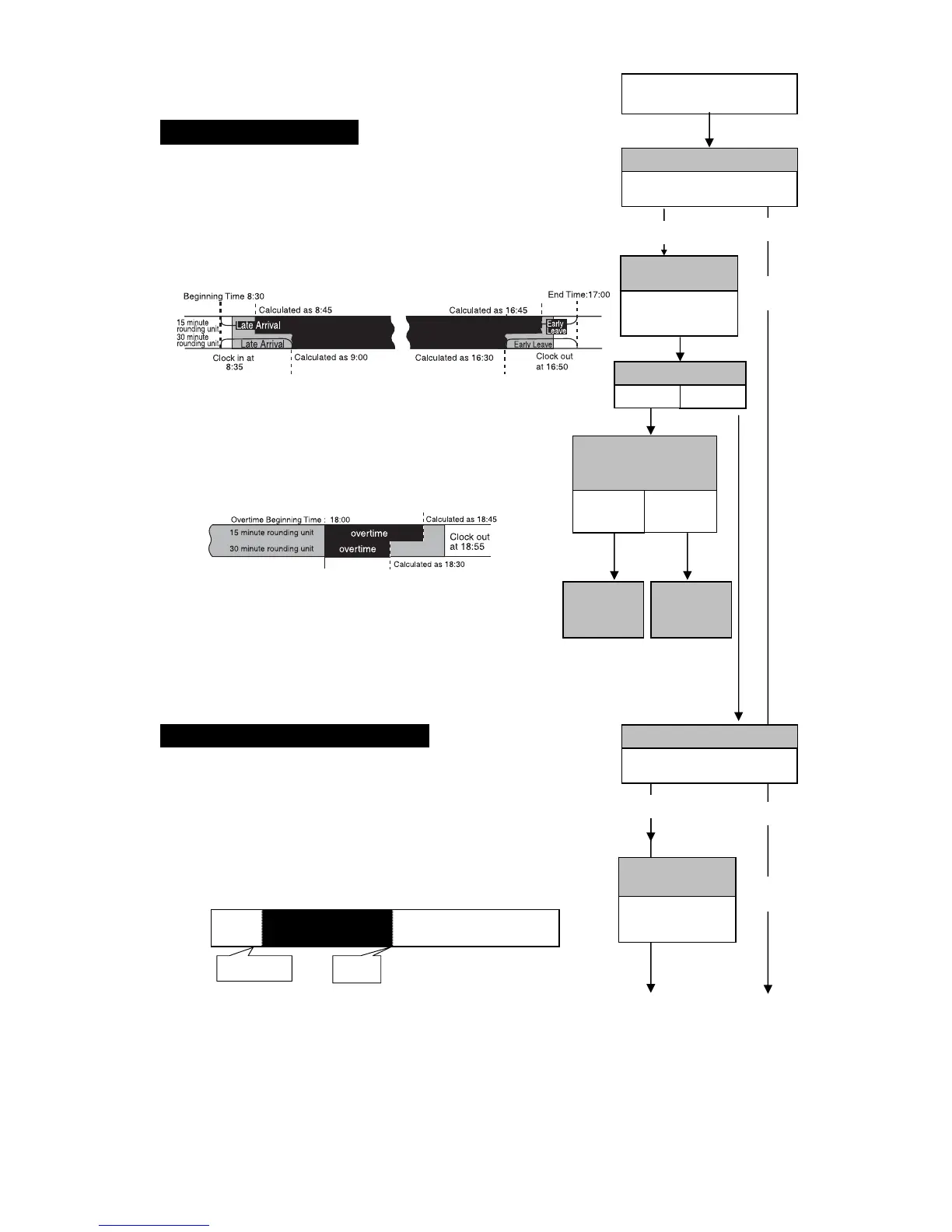
●Calculating Late-Arrivals and Early-Leaves
(
e.g.
, IN: 8:35, OUT: 16:50)
The difference between the Shift Beginning Time
and Late-Arrival Time and the difference between
the Shift Ending Time and the Early-Leave Time are
rounded up.
●
Calculating Overtime
The time from Overtime Beginning Time (if not
configured then Shift End Time is used) to the Clock Out
Time is rounded down to the rounded unit.
Example: Overtime Beginning Time = 18:00; Clock Out
Time = 18:55
If the rounding unit is 15 minutes: Overtime = 45 minutes
If the rounding unit is 30 minutes: Overtime = 30 minutes
●Calculating Time Spent on Personal Errands
(during normal hours on weekdays)
The time spent on personal errands (time from GO-OUT
to BACK) is calculated in single minute units. This time
is rounded up.
Example: GO OUT: 10:10 BACK: 10:51 Ö The net
errand time = 41 minutes
If the rounding unit is 15 minutes: Errand time = 45 minutes
If the rounding unit is 30 minutes: Errand time = 60 minutes
The Regular Hours Time Zone for regular employees is
determined by the Shift Beginning and End Times. If the
Overtime Beginning Time isn't configured, then by default,
the time from Shift End Time to one minute before Day
Change Time is treated as an Overtime Zone.
Time Rounding
30 minutes
Factory Setting
Adjust
Don't adjust
"How to Adjust the
Rounded Unit
for Time Rounding"
Go to Page 28
Shift Be



 To Next Page