30 User Guide EN Dansensor® MAP Mix Provectus
P/N 300862-K
11/2019
Selecting a product for mixing
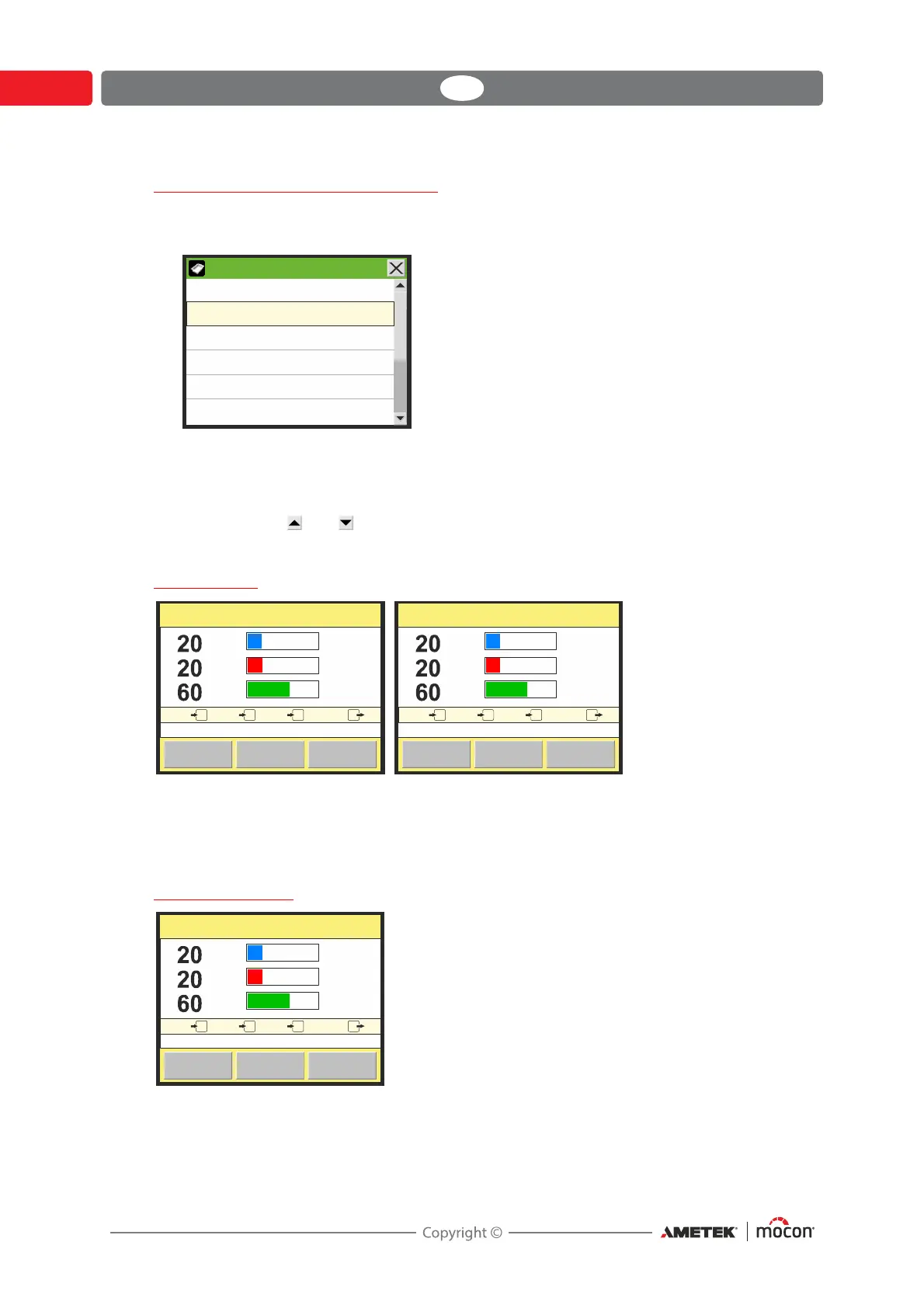
Select a product for measuring by selecting it from the Products list as described below:
1. From the main screen press the Product key to bring up the Products screen.
The Products list holds a fixed amount of products (10) and you cannot delete a product
or add new products.
Blue text indicates that the product has logged data.
2. Use scroll keys and to locate the appropriate product then press product to select it
and return to the measuring screen.
Start mixer
The mixer can be started and stopped manually using the Start/Stop key in the main screen.
If the device has been setup for external start/stop control, the external control signal from
the packaging machine determines when the mixer starts and stops and the Start/Stop key
will be disabled in the main screen.
Analog control
If mixer has been set-up for analog control (see "Mixer configuration" on page 52 for details) the
mix is controlled by the packaging machine and thus the Product key for selection of
products is disabled.
Products
Product 1
Product 2
Product 3
Product 4
Product 5
Product 6
2: Product 2
Start
Flow
l/min
500
MenuProduct
6.1 bar 6.0 bar 6.2 bar 4.0 bar
12:37
28/03/11
123
O
2
CO
2
N
2
O
2
N
2
CO
2
%
%
%
2: Product 2
Start
Flow
l/min
500
MenuProduct
6.1 bar 6.0 bar 6.2 bar 4.0 bar
12:37
28/03/11
123
O
2
Analog control
Stop
Flow
l/min
500
MenuProduct
6.1 bar 6.0 bar 6.2 bar 4.0 bar
12:37
28/03/11
123
2
CO
2
N
2
O
2
N
2





 To Next Page