50 User Guide EN Dansensor® MAP Mix Provectus
P/N 300862-K
11/2019
Data log
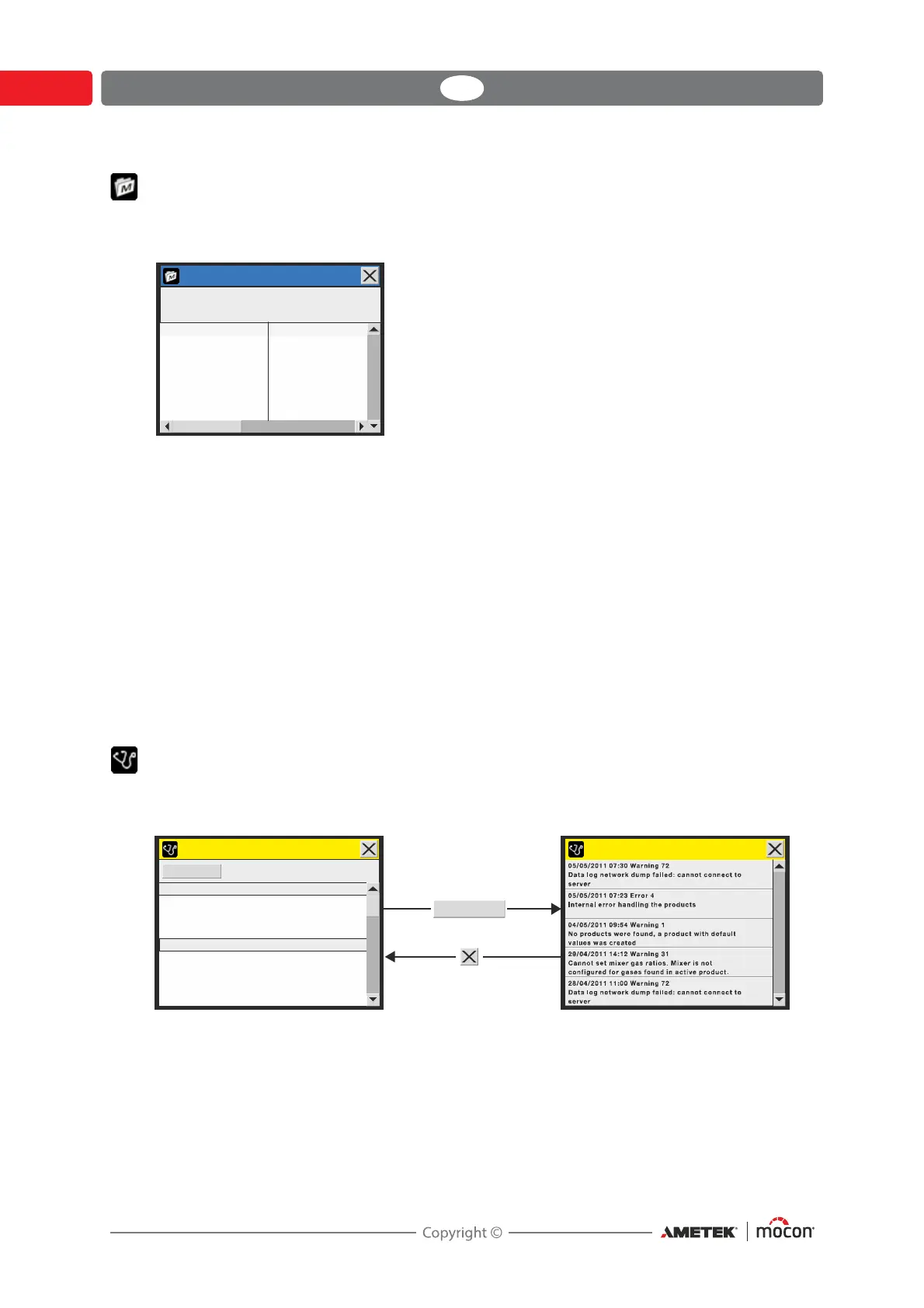
Selecting Data log from the Main menu will display a screen with a list of all the logged data
for the currently selected product.
Here all logs stored on the device can be examined. Use the two scroll bars to navigate the
window.
Logged data can be exported (see "Export/Import" on page 62 for details) or deleted (see
"Product menu" on page 48 for details).
Data logging parameters are set in “General setup” - see page 51 for details.
Data log memory full
If data log memory is full an error will occur (Warning 23 - see "Error/Warning list" on page 32
for details).
In this case you must empty data log by using the functions for deleting of data collections -
see "Product menu" on page 48 for details.
Please note that new measurements will not be logged until current data logs have been
deleted.
Diagnostics menu
Selecting Diagnostics menu from the Main menu will display a screen showing the internal
parameters of the device.
These are values such as device’s internal temperature, gas flow and pressures, day/hour
counters, and software versions, etc. The parameters can only be read and not changed.
Pressing the Error log key brings up an Diagnostics error log screen with a list of all errors
for the selected product.
Data log
Product: Product 1
Data collection: 3
Sample time
28/04/11 16:13:42
29/04/11 11:44:35
03/05/11 14:33:23
1: Product 1
1: Product 1
1: Product 1
Product
Diagnostics error log
Device serial number
Device temperature
External easure signal statem
O consumption
2
CO consumption
2
N consumption
2
Air consumption
12345678
32 3. °C
Low
2282 l
9156 l
27062 l
10627 l
General information
Gas consumption
Error log
Error log




 To Next Page