Dansensor® MAP Mix Provectus EN User Guide 31
P/N 300862-K
11/2019
Errors/Warnings
Error/Warning messages
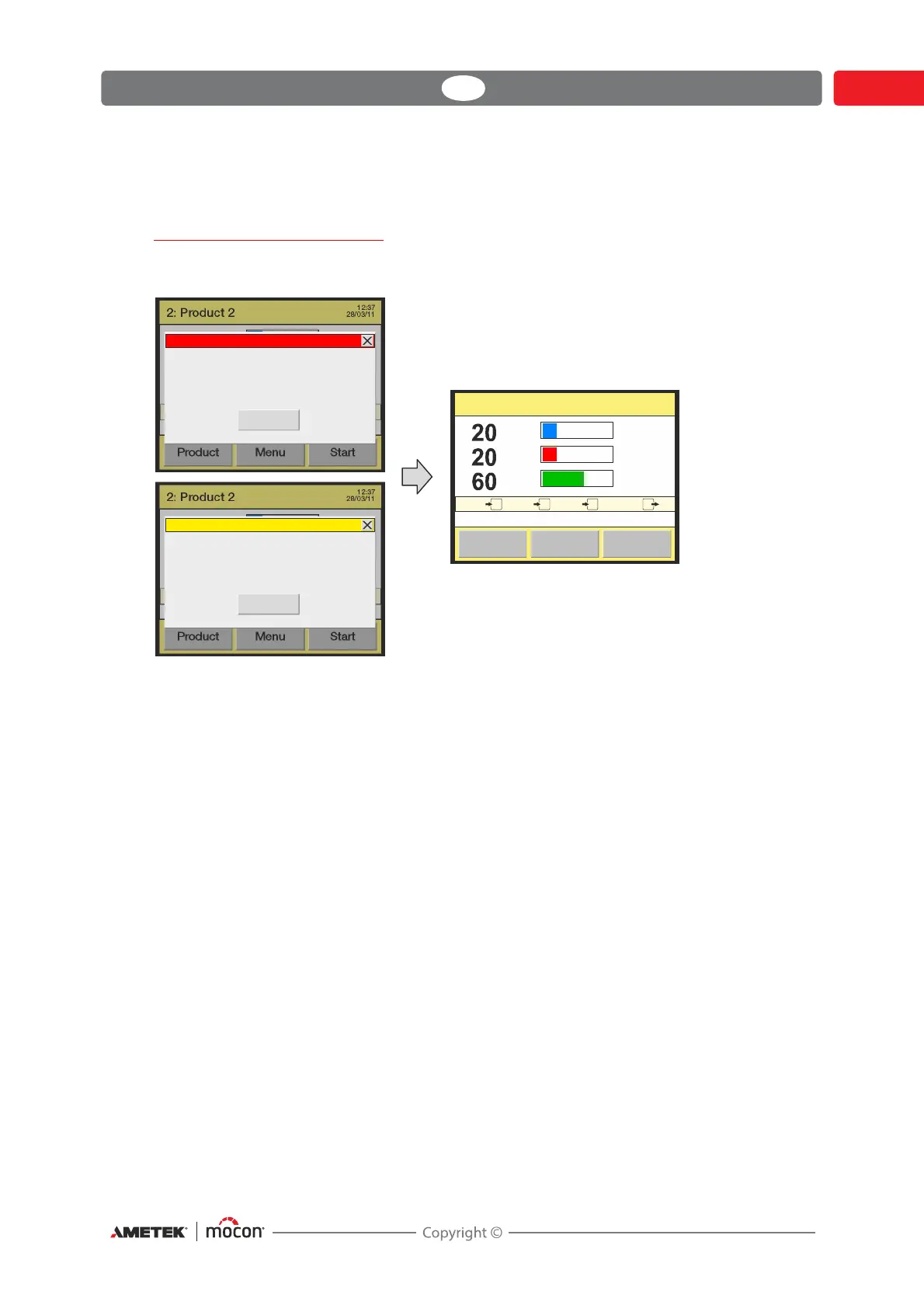
In case a device error or warning occurs, a pop-up window appears on the display. An error
will stop the mixer as well (a warning will not).
The window shows the type (error or warning), the error/warning number and a brief
description of the error/warning.
To acknowledge the error/warning and close the pop-up window either press the Close
button or the X button in the upper right corner.
Before you can start mixer again you must clear the error by pressing the Fault button.
The error/warning number may be reported to a Service Technician to correct any errors.
See the complete "Error/Warning list" on page 32.
A list of the most recent errors/warnings is available from the Diagnostics menu - see
"Diagnostics menu" on page 50 for details.
“Black Box“ models
In case of an error/warning the indicator lamp on the device front changes to red (error =
steady, warning = flashing) and an error signal is sent to the packaging machine.
A description of the error/warning can only be displayed on the packaging machine’s display
if the packaging machine has been prepared with the necessary communication software.
2Product 2
:
Fault
Flow
l/min
500
MenuProduct
6.1 bar 6.0 bar 6.2 bar 4.0 bar
12:37
28/03/11
123
O
2
CO
2
N
2
O
2
N
2
CO
2
%
%
%
2Product 2:
Start
Flow
l/min
500
MenuProduct
6.1 bar 6.0 bar 6.2 bar 4.0 bar
12:37
28/03/11
123
O
2
CO
2
N
2
O
2
N
2
CO
2
%
%
%
2Product 2:
Start
Flow
l/min
500
MenuProduct
6.1 bar 6.0 bar 6.2 bar 4.0 bar
12:37
28/03/11
123
O
2
CO
2
N
2
O
2
N
2
CO
2
%
%
%
Close
Error 76
Mixer low pressure alarm on gas input 2
Close
Warning 23
Internal memory full. Data logging stopped




 To Next Page