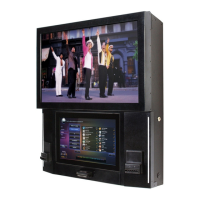
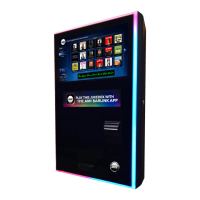
NiteHAWK Internet Jukebox Table of Contents
22022613 Rev B iii
Table of Contents
SECTION: 1 UNPACKING & SYSTEM DESCRIPTION ................................................................................. 1-1
Introduction ............................................................................................................................................... 1-1
NiteHAWK Jukebox Features .................................................................................................................. 1-1
General Features: ............................................................................................................................... 1-1
Service Features: ................................................................................................................................ 1-1
Unpacking Instructions ............................................................................................................................. 1-2
Door .......................................................................................................................................................... 1-2
Visual Inspection ...................................................................................................................................... 1-2
Handy Case .............................................................................................................................................. 1-2
Warranty Registration Card ...................................................................................................................... 1-2
Installation Instructions ............................................................................................................................. 1-3
Installing the Hanger Bracket ................................................................................................................... 1-3
Hanging the NiteHAWK on a Bracket ...................................................................................................... 1-5
Major Components of the NiteHAWK ....................................................................................................... 1-6
Computer Core Assembly ................................................................................................................... 1-6
Touchscreen 19” LCD Monitor ............................................................................................................ 1-6
System Power Supply ......................................................................................................................... 1-6
Transformer Assembly ........................................................................................................................ 1-6
LED Controller ..................................................................................................................................... 1-6
Router.................................................................................................................................................. 1-6
Volume Control Unit ............................................................................................................................ 1-7
4-Channel Pre-amplifier ...................................................................................................................... 1-7
1000-Watt Audio Digital Power Amplifier ............................................................................................ 1-7
Audio Output Transformers ................................................................................................................. 1-7
Bill Acceptor ........................................................................................................................................ 1-7
NiteHAWK Specifications ....................................................................................................................... 1-10
Sound System ................................................................................................................................... 1-10
Fuses and Circuit Breakers ............................................................................................................... 1-10
Lighting .............................................................................................................................................. 1-10
SECTION: 2 INITIAL SET UP AND TESTING ................................................................................................ 2-1
Initial Set Up ............................................................................................................................................. 2-1
Testing the Network ............................................................................................................................ 2-1
Calibrating the Touchscreen ............................................................................................................... 2-1
Credit Test ........................................................................................................................................... 2-2
Audio Test ......................................................................................................................................... 2-33
Connection Rules ..................................................................................................................................... 2-3
SECTION: 3 SOUND SYSTEM SETUP .......................................................................................................... 3-1
Introduction ............................................................................................................................................... 3-1
Extension Speaker Operation .................................................................................................................. 3-1
Selecting Speaker Power ......................................................................................................................... 3-3
General Instructions ............................................................................................................................ 3-3
Selection Procedures .......................................................................................................................... 3-3



 To Next Page