3-7 50 MHz Calibrator Power Level (All Models) Chapter 3 — Performance Verification
3-10 PN: 13000-00164 Rev. K ML248xx, ML249xA MM
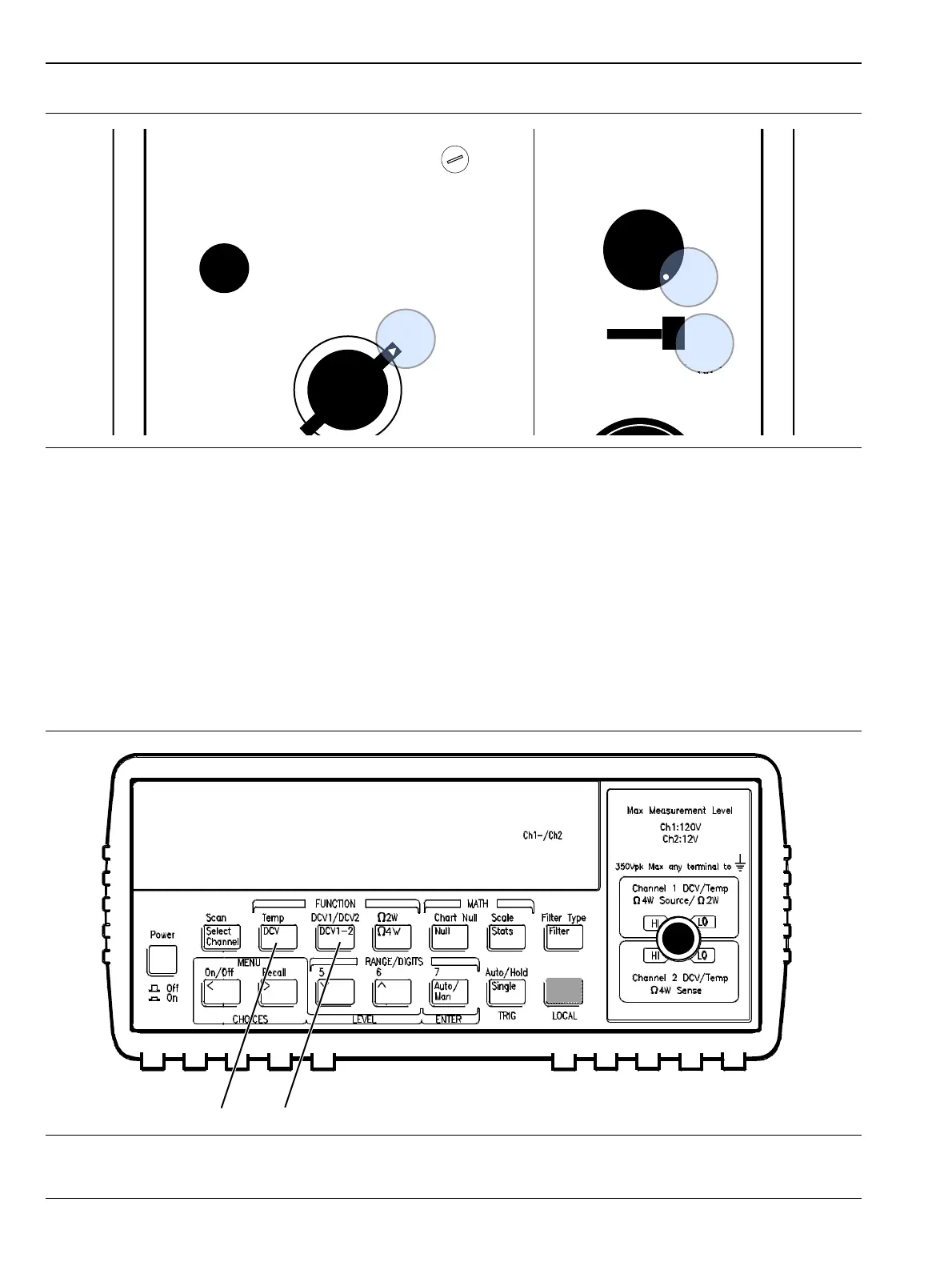
12. Press DCV 1-2 on the Agilent 34420A as shown in Figure 3-5.
Record the number shown in the display of the 34420A as V0.
V
0
= ______________ Volts
13. On the ML248xx or ML249xA power meter, turn on the RF calibrator by pressing the Cal / Zero key, then
the Calibrator soft key, then the RF Calibrator soft key. (Ensure the 50 MHz calibrator is selected.)
14. Record the reading on the Agilent 34420A as V1.
V
1
= ______________ Volts
15. While the RF is still on, press the DCV key on the 34420A and record this number as V
comp
.
V
comp
= ______________ Volts
Figure 3-4. Power Meter Settings
Figure 3-5. Measurement Sequence on Agilent 34420A
432 A POWER METER
FINE ZERO
mW - RANGE - dBm
CALIBRATION FACTOR
MOUNT RESISTANCE














 To Next Page