21
10. ANZ POS MOVE TERMINAL
This Merchant Operating Guide provides important information you need to know
about processing debit and credit transactions using your ANZ POS Move terminal. This
terminal is designed to accept payments using contactless, magnetic stripe and chip
cards as well as smartphones and wearables.
Please take time to read it thoroughly and ensure that your sta read it too.
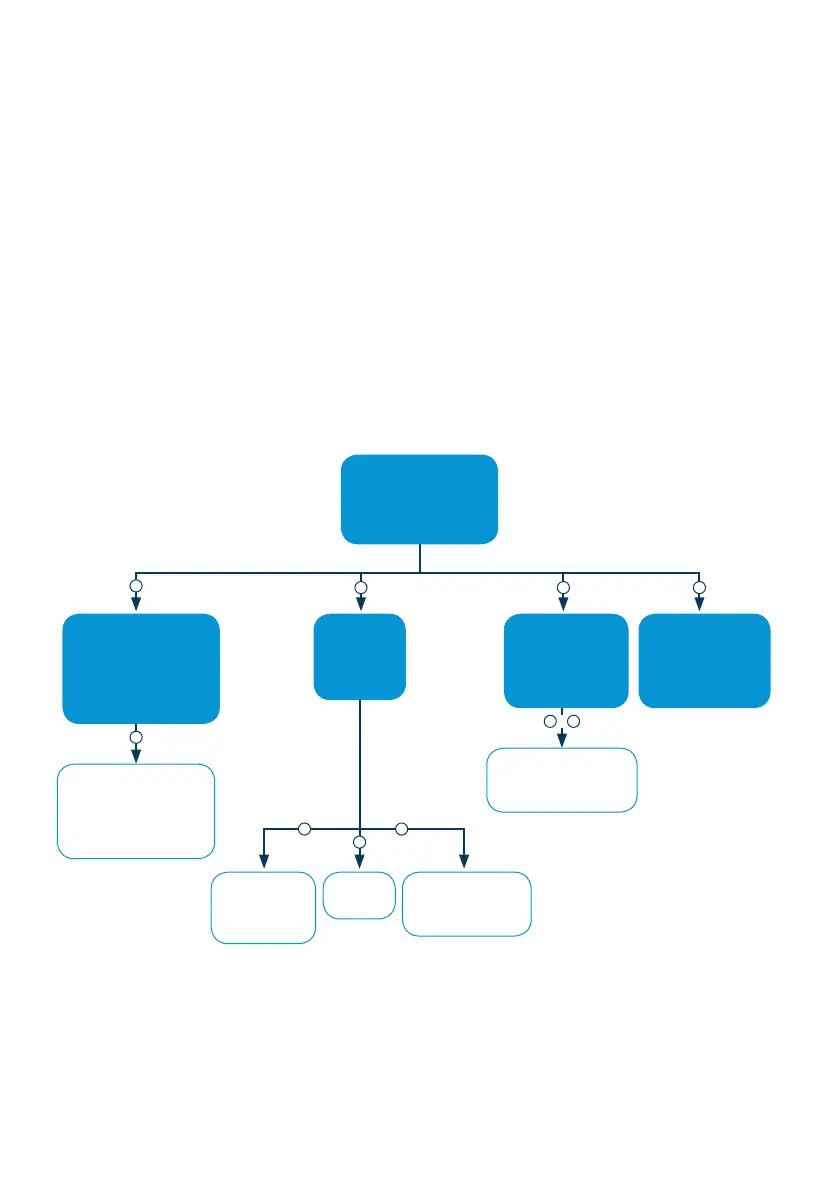
10.1 ANZ POS MOVE TERMINAL MENU STRUCTURE
Below is the ANZ POS Move menu structure to assist you with navigating through
the terminal
MAIN MENU
1. TRANSACTION
2. PRINT
3. BATCH
4. TERMINAL
TRANSACTION MENU
1. SALE
2. CASH OUT
3. REFUND
4. PREAUTH
5. MOTO
PRINT MENU
1. TRANSACTION
2. REPORT
3. SETTING
BATCH MENU
1. SETTLE
2. LAST SETTLEMENT
3. TOTAL
4. REVIEW BATCH
TERMINAL MENU
1. ADMINISTRATION
2. LOGON
3. OTHERS
4. HOST COMMS
1
2 3 4
4
PREAUTH MENU
1. PREAUTH
2. COMPLETION
3. PREAUTH CANCEL
4. PREAUTH ENQUIRY
TRANSACTION
MENU
1. LAST
2. INVOICE
SETTING MENU
1. MERCHANT RECEIPT
2. CUSTOMER RECEIPT
SETTLE/TOTALS MENU
1. SUMMARY TOTAL
2. SUB TOTAL
REPORT
1. AUDIT
&
1 3
2
1 3



 To Next Page