Chapter 2 Design the Standard Curve Experiment
Review the Reaction Setup
Applied Biosystems 7500/7500 Fast Real-Time PCR System Getting Started Guide for Standard Curve
Experiments
34
Notes
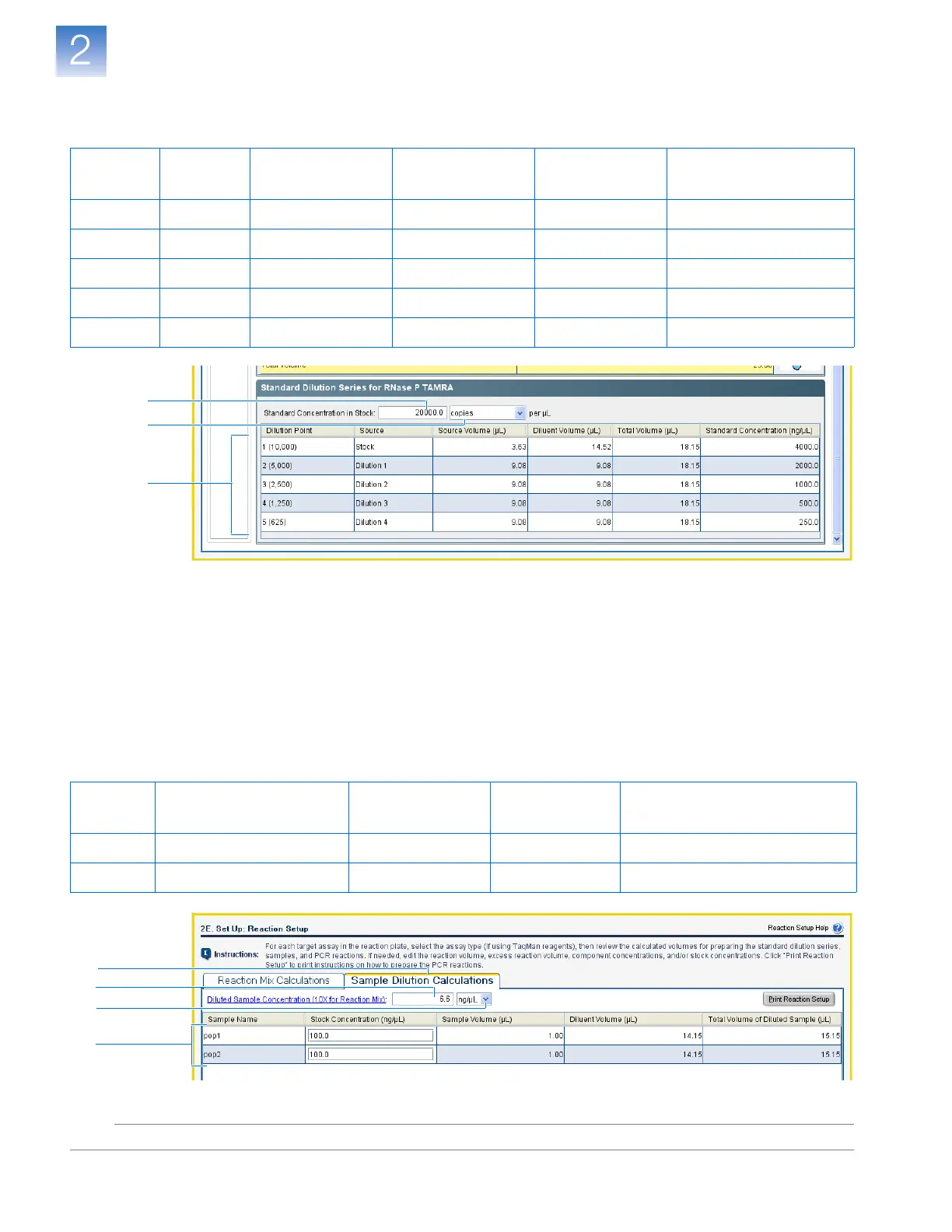
c. Review the calculated volumes for preparing the standard dilution series:
Complete the Sample Dilution Calculations Tab
1. Select the Sample Dilution Calculations tab.
2. Click the Diluted Sample Concentration (10✕ for Reaction Mix) field, then
enter 6.6.
3. In the unit drop-down list, select ng/µL (default).
4. Review the calculated volumes for the sample dilutions:
Dilution
Point
Source
Source Volume
(µL)
Diluent Volume
(µL)
Total Volume
(µL)
Standard Concentration
(ng/µL)
1 (10000) Stock 3.63 14.52 18.15 4000.0
2 (5000) Dilution 1 9.08 9.08 18.15 2000.0
3 (2500) Dilution 2 9.08 9.08 18.15 1000.0
4 (1250) Dilution 3 9.08 9.08 18.15 500.0
5 (625) Dilution 4 9.08 9.08 18.15 250.0
7b
7a
7c
Sample
Name
Stock Concentration
(ng/µL)
Sample Volume
(µL)
Diluent Volume
(µL)
Total Volume of Diluted Sample
(µL)
pop1 100.0 1.00 14.15 15.15
pop2 100.0 1.00 14.15 15.15
1
2
3
4












 To Next Page