20
SETTING
- Access the selected menu
- Confirm changes and go back to previous menu
- Go back to previous menu
- Quit without confirming the changes
Pressed in sequence:
- Scroll the pages of a menu
- Change a value (increase)
Move the cursor during a change (press a
few times)
PROGRAMMING KEYSPROGRAMMING KEYS
12.1.4 Funct. Definition
• Headland detection
It allows setting the control that communicates the headland area to the hydraulic control unit.
Operating details in par.
15.3 Automatic control A.
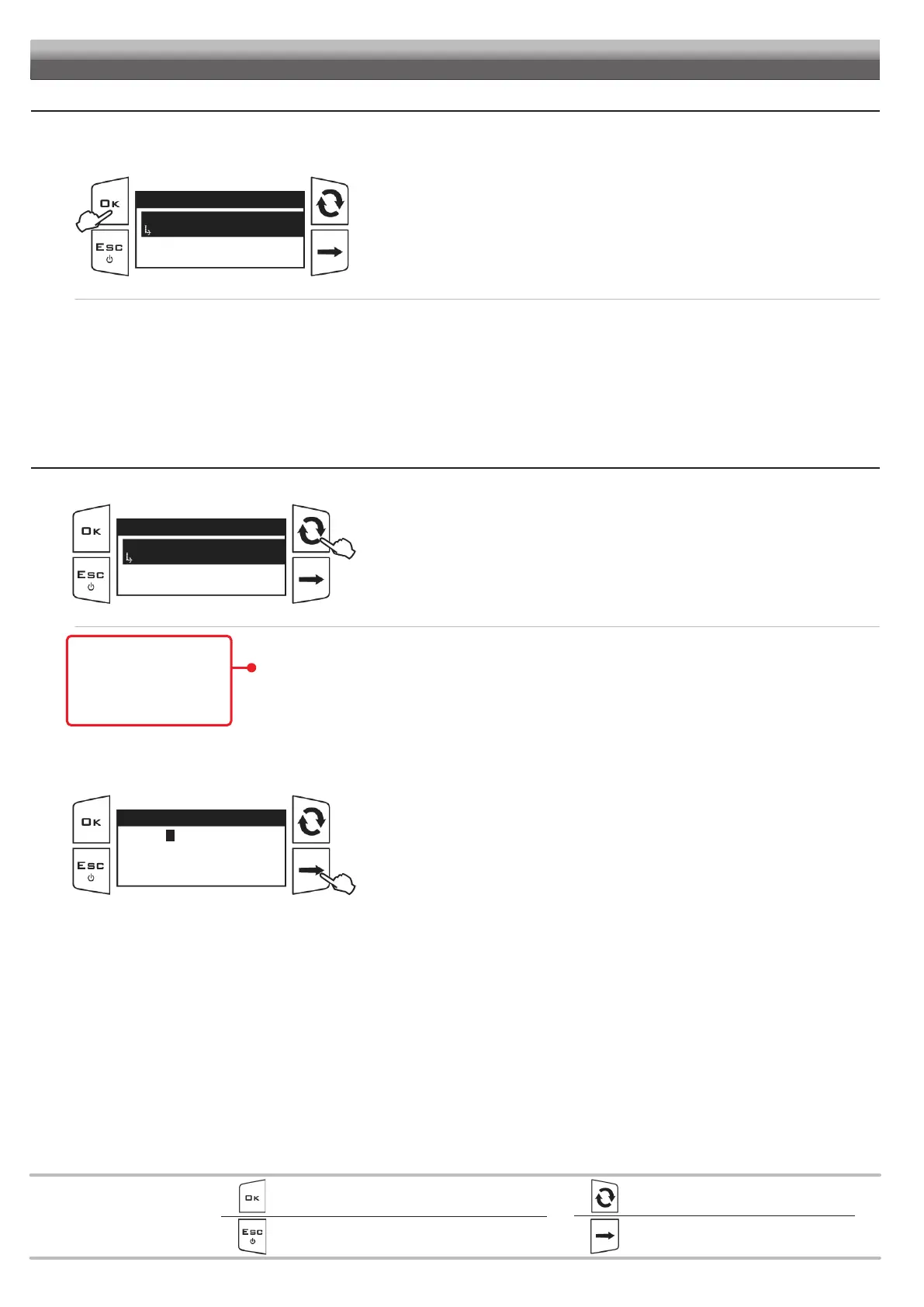
Fig. 41
Funct. Definition
Headland detection
HL Button
Access the BLC settings > Funct. Definition menu.
Press OK to edit the selected menu item.
The display will show the current setting below the selected item.
Use of the keys at the bottom of the page.
• HL Button: the headland control is provided by an external switch or by the Visio keyboard, based on setting made in par. 12.1.1.
• “Height” switch: the headland control is provided by the boom lifting switch.
•
HL Button/Height: the headland control is provided both by the external switch / keyboard and by the pre-existing control panel.
• OFF: The IBX100 unit will perform ONLY the corrections required to keep the boom to the spraying height HS.
12.1.5 IBX Properties
It allows consulting the hardware and firmware information of the IBX100 hydraulic unit.
Fig. 42
IBX Properties
Device name
Hydraulic Arag
Hardware version
Firmware version
Access the BLC settings > IBX Properties menu.
Press the key on the side to scroll the items.
The display will show the current setting below the selected item.
Use of the keys at the bottom of the page.
• Device name.
• Hardware version. READ ONLY ITEMS
• Firmware version.
• Serial number.
• Activation code: Use this menu to activate a spare hydraulic control unit*.
* Usually, the hydraulic control unit supplied with the kit is already activated (par. 15.3 Automatic control A).
Fig. 43
Activation code
0000001234567890
[Arrow D] to delete
Access the IBX Properties > Activation code menu.
Hold the key on the side pressed to delete the old code:
release the key when all digits are zero.
Enter the new code.



 To Next Page