17
SETTING
- Access the selected menu
- Confirm changes and go back to previous menu
- Go back to previous menu
- Quit without confirming the changes
Pressed in sequence:
- Scroll the pages of a menu
- Change a value (increase)
Move the cursor during a change (press a
few times)
PROGRAMMING KEYSPROGRAMMING KEYS
12.1.2 Boom settings
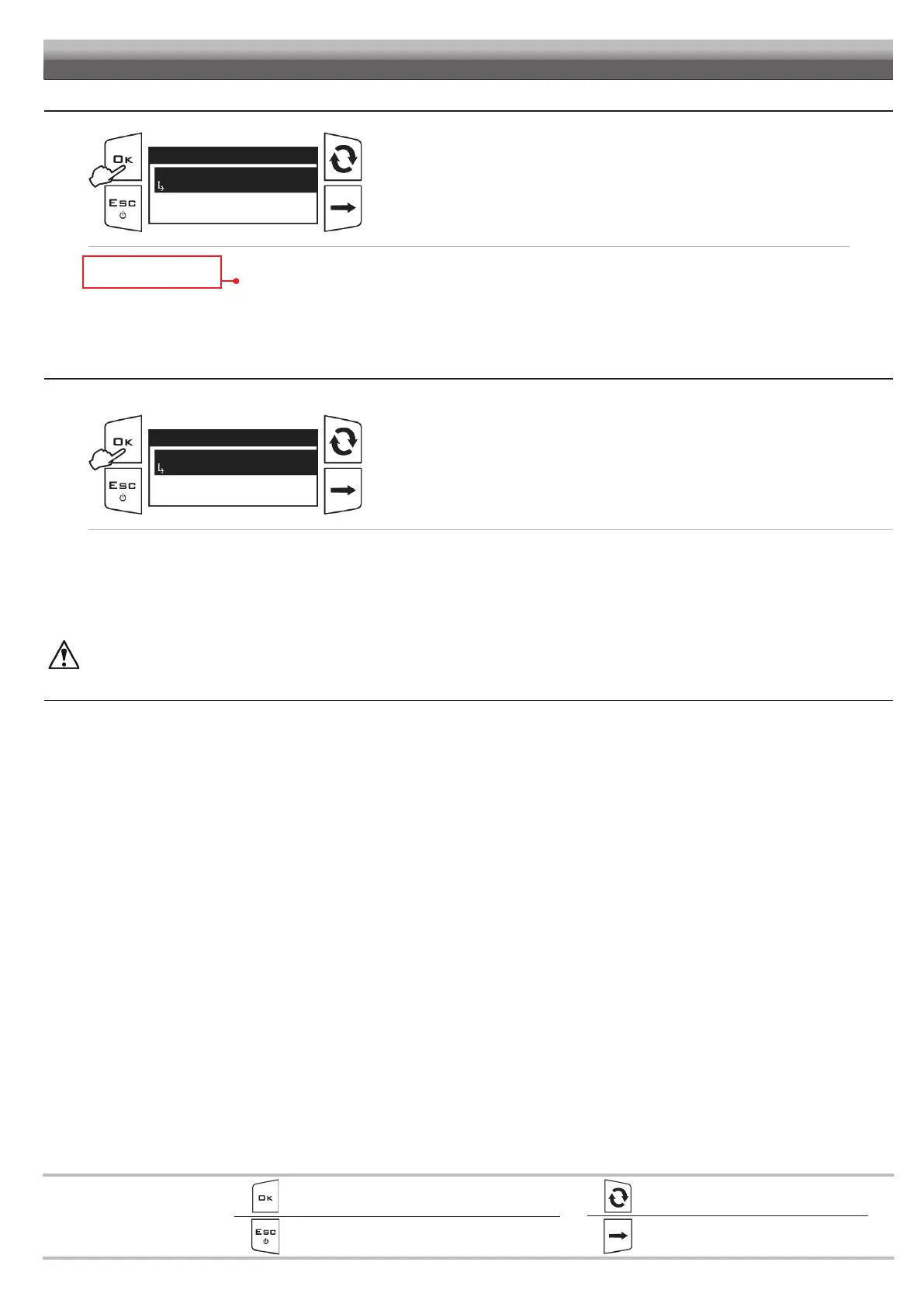
Fig. 35
Boom settings
Boom geometry
Fixed
Actuators
Boom width
Access the BLC settings > Boom settings menu.
To modify these settings, see
Operating mode. par.12.2.7
The display will show the current setting below the selected item.
Use of the keys at the bottom of the page.
• Boom geometry
• Actuators READ ONLY ITEMS
• Width boom
12.1.3 Adjustment parameters
This menu allows entering the boom dynamic characteristics.
Fig. 36
Parameters adjust.
Height ctrl aggr.
10.0
Tilt. ctrl aggress.
Height error gain
Access the BLC settings > Parameters adjust. menu.
Press OK to edit the selected menu item.
The display will show the current setting below the selected item.
Use of the keys at the bottom of the page.
• Height ctrl aggr.: boom height control aggressiveness (page18).
• Tilt ctrl aggress.: boom leveling control aggressiveness (page18).
• Height error gain: proportional gain on boom height (page19).
• Tilt. speed damping: damping derived from the boom leveling speed (page19).
The values must be detected directly on the machine because strictly linked to the hydraulic / mechanical system of the machine.
All parameters are explained in detail in the following pages.
CONTINUES > > >


 To Next Page