28
JOB FUNCTIONS
15 USE
15.1 Start-up
Before starting the BLC system, set the working and headland heights, described in par. 13.1 Quick settings on page 26.
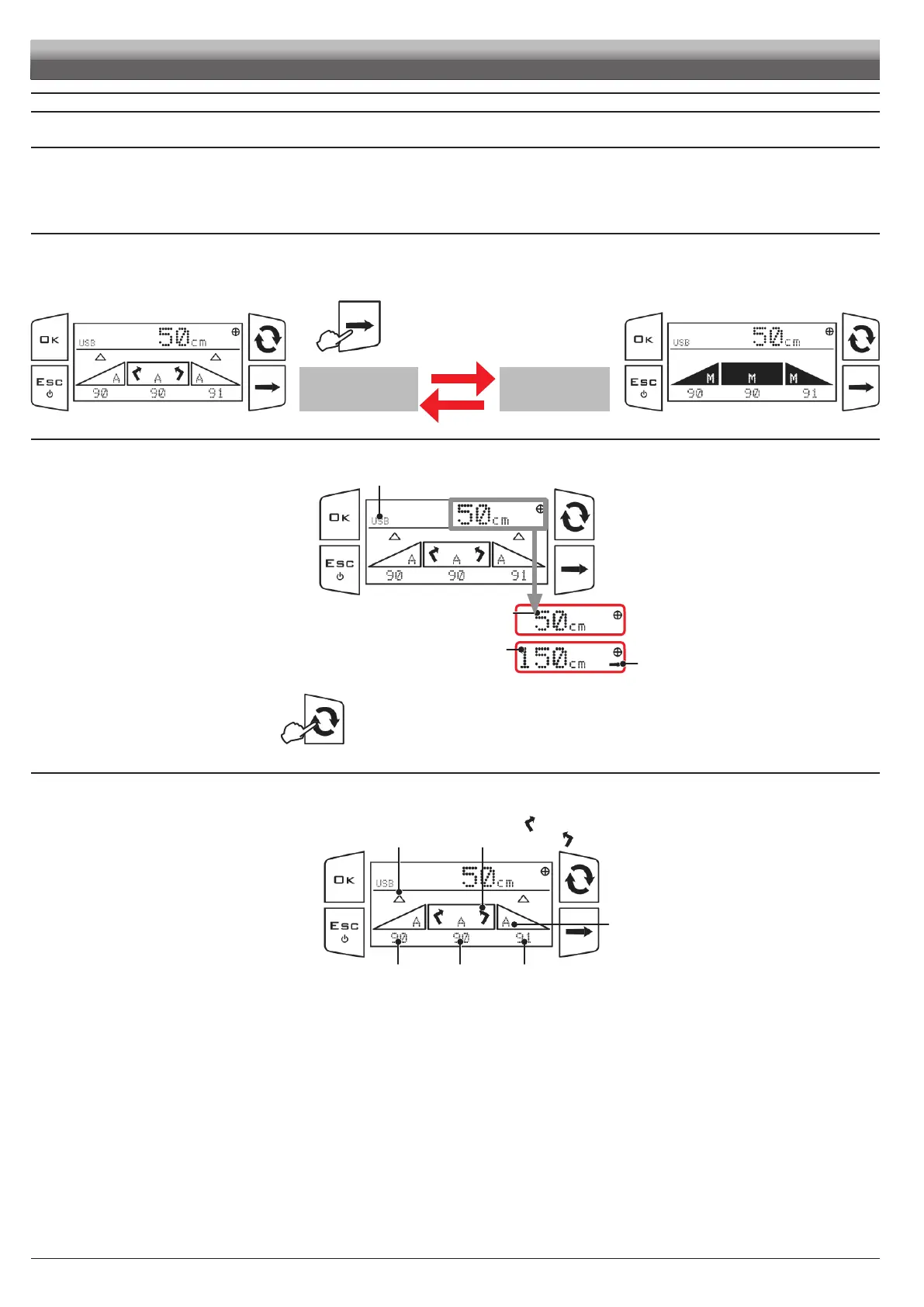
- To activate the BLC control, set the control mode to AUTOMATIC A.
- To deactivate the BLC control, set the control mode to MANUAL M.
15.2 AUTOMATIC and MANUAL mode
- To activate the BLC control, set the control mode to AUTOMATIC A (hold key
pressed to activate it).
- To deactivate the BLC control, set the control mode to MANUAL M (hold key
pressed to activate it).
Press the key to activate the desired
control mode.
A
AUTOMATIC
MODE
M
MANUAL
MODE
Press and hold the key (a few seconds) to switch from HS to HH height (only if the
Keyboard option has been set in par. 12.1.1).
Fig. 74
Headland height
indicator
Headland height
HH programmed Only
with the indicator
active on the side
Par.
13.1
Programmed spraying height HS Par.
13.1
USB pendrive inserted
Boom leveling:
clockwise
counter-clockwise
Active mode:
A AUTOMATIC
M MANUAL
Boom height
L
LEFT SIDE
Boom height
R
RIGHT SIDE
Boom height
C
CENTRAL
Boom lifting
Boom lowering
Fig. 75


 To Next Page