29
JOB FUNCTIONS
15.3 Automatic control A
In this mode, the BLC control AUTOMATICALLY ACTIVATES the hydraulic valves duly adjusting the height and tilting of the spraying boom.
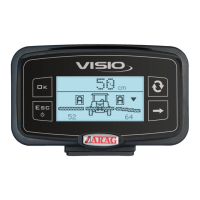
During spraying, boom positioning (estimated) is displayed on the monitor.
When the BLC system works in automatic mode, the IBX100 hydraulic unit:
- shows boom height on the left (
L) and on the right (
R) (par. 14.1);
- calculates the optimal spraying height HS (distance between nozzle outlet and crop);
- activates the boom correction functions, adjusting rotation angle and height (par. 12.1.3);
- tries to reach the set height HS and orientation within a specified tolerance.
HEADLAND DETECTION
The headland detection - set in par. 12.1.4 - will use the preset control to manage spraying height HS and the headland height HH, by performing
the suitable corrections. Control types:
1 HL Button
Headland control provided by an external switch or by the Visio keyboard, based on setting made in par. 12.1.1.
• CLOSED CONTACT (EXTERNAL SWITCH) OR KEY PRESSED
The IBX100 unit moves the boom to the headland height HH (Headland height, par. 13.1).
• OPEN CONTACT (EXTERNAL SWITCH) OR KEY PRESSED
The IBX100 unit moves the boom to the set spraying height HS (Spraying height, par. 13.1).
2 “Height” Switch
Headland control provided by the boom lifting switch (pre-existing control panel), as follows:
• SHORT PRESS OF THE "HEIGHT" SWITCH (UP):
The IBX100 unit moves the boom to the headland height HH.
• SHORT PRESS OF THE "HEIGHT" SWITCH (DOWN):
The IBX100 unit moves the boom to the set spraying height HS.
3
HL Button/Height
Headland control provided both by the external switch / keyboard and by the pre-existing control panel, as follows:
• CLOSED CONTACT (EXTERNAL SWITCH) / KEY PRESSED
OR SHORT PRESS OF THE "HEIGHT" SWITCH (UP)
The IBX100 unit moves the boom to the headland height HH.
• OPEN CONTACT (EXTERNAL SWITCH) / KEY PRESSED
OR SHORT PRESS OF THE "HEIGHT" SWITCH (DOWN)
The IBX100 unit moves the boom to the set spraying height HS.
4 OFF: The IBX100 unit will perform ONLY the corrections required to keep the boom to the spraying height HS.
15.4 Semi-automatic mode
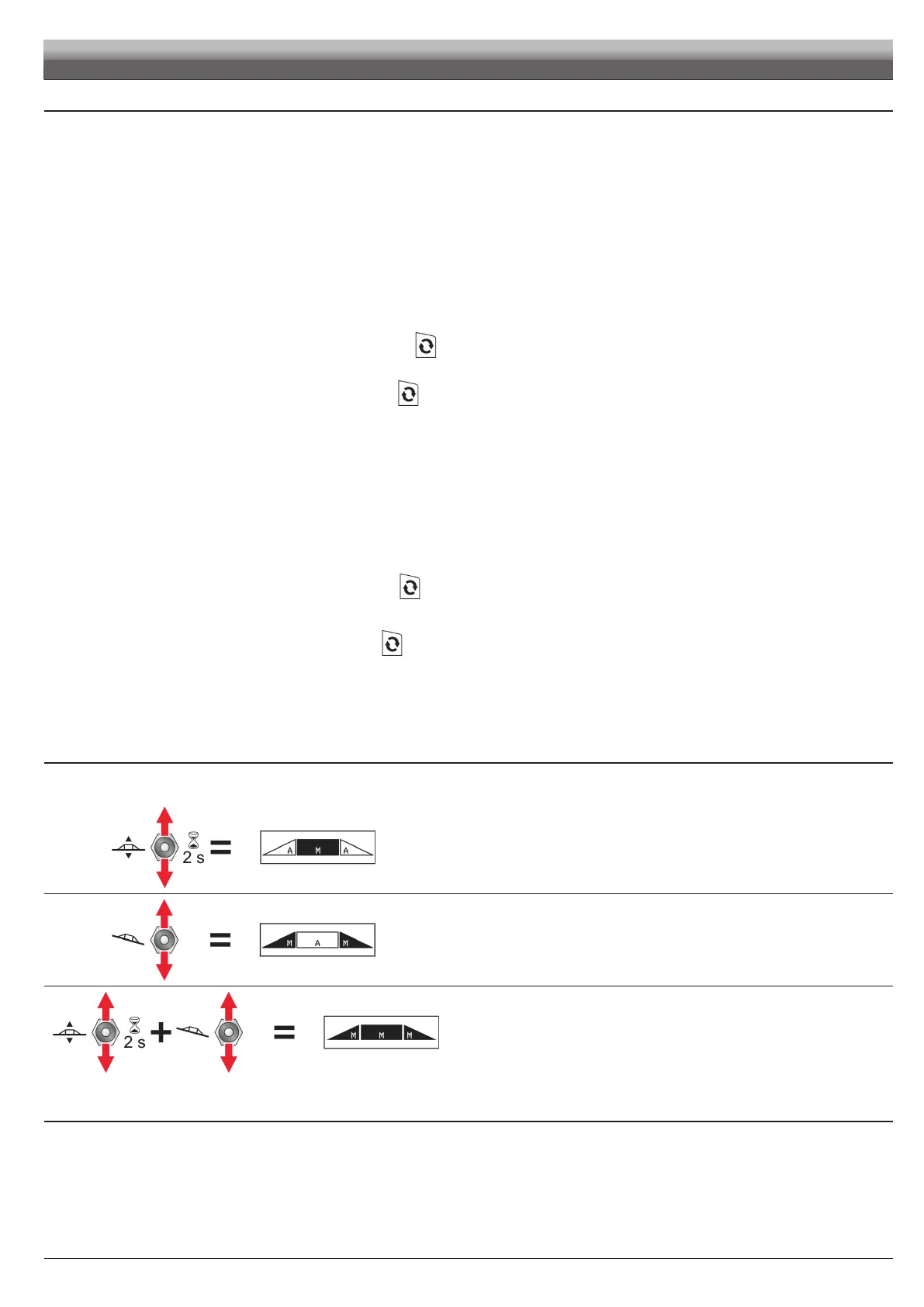
Once the BLC function is in AUTO mode, the boom height and inclination control can be manually managed by the pre-existing control panel,
independently of each other.
• If the operator keeps the switch controlling boom height pressed for
approximately 2 seconds, this movement (ONLY) becomes MANUAL.
• If the operator presses the switch controlling leveling, this movement (ONLY)
becomes MANUAL.
• If the operator presses both switches (one after the other), the SYSTEM shifts
to MANUAL mode.
The MANUAL movement is active until a new automatic enabling is
provided.
15.5 Manual control
M
In this mode, the BLC control DOES NOT PERFORM ANY ADJUSTMENT.
The hydraulic valves are activated by the operator with the pre-existing hydraulic control panel: BLC VISIO displays the boom position ONLY.


 To Next Page