HARDWARE INSTALLATION
38
Step 1. Unpack
Unpack and remove the PCI RAID card from the package. Inspect
it carefully, if anything is missing or damaged, contact your local
dealer.
Step 2. Power PC/Server Off
Turn off computer and remove the AC power cord. Remove the
system’s cover. See the computer system documentation for in-
struction.
Step 3. Install the PCI RAID Cards
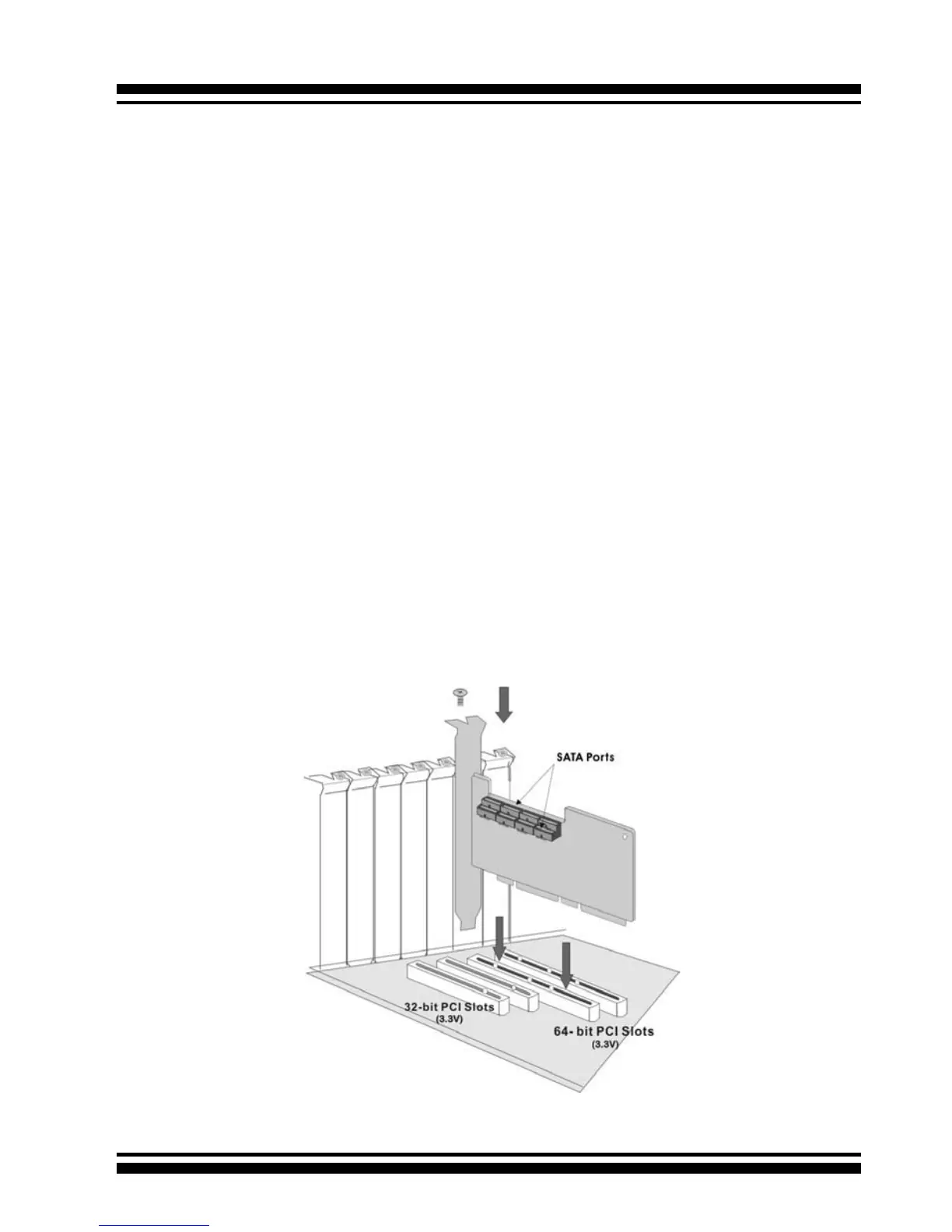
To install the SATA RAID adapter, remove the mounting screw and
existing bracket from the rear panel behind the selected PCI slot.
Align the gold-ngered edge on the card with the selected PCI ex-
pansion slot. Press down gently but rmly to ensure that the card
is properly seated in the slot, as shown in Figure 2-10. Next, screw
the bracket into the computer chassis. 11xx cards can t in both
PCI (32-bit/3.3V) and PCI-X slots. It can get the best performance
installed in a 64-bit/133MHz PCI-X slot. 12xx cards require a PCI-
Express 8X slot.
Figure 2-10, Insert PCI RAID Card into a PCI slot



 To Next Page