24
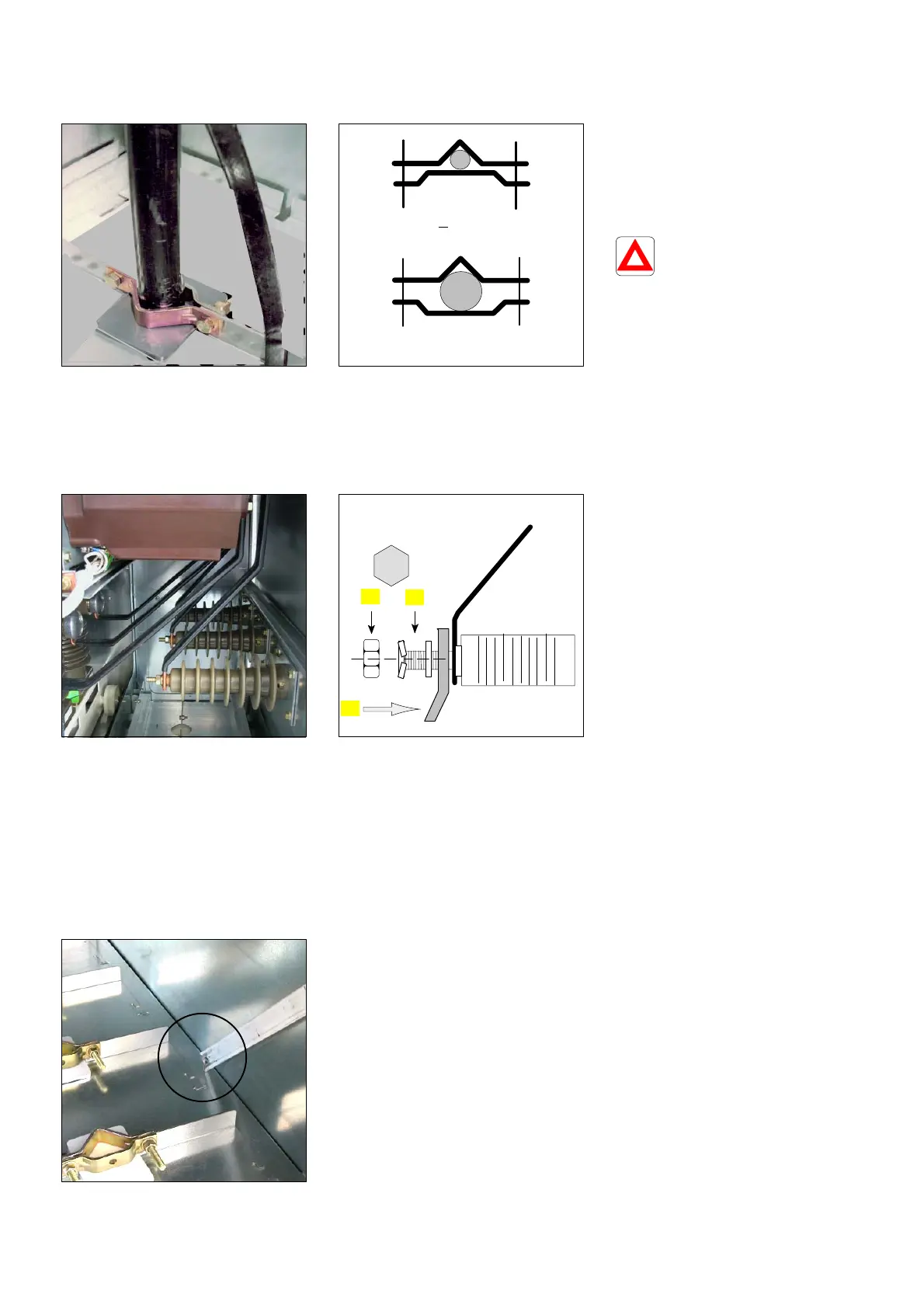
7.6 Clamping the cables and connection of the screen braids
F Place the second floor panel
element.
F Fit the grommet firmly.
F Adapt the cable terminal straps
(see further on) and tighten the
nuts lightly (13 mm spanner).
cable < 150 mm
2
cable > 150 mm
2
F Repeat these operations for the
other two cables.
F Re−assemble the lower front
cross−brace.
For the Functional
Units PF /PFA,
ensure that the cables
exert no traction on the support
cross−brace. Check that after
installation the fuses can be
correctly fitted in place, and that
the contacts are sufficiently
covered (See § 7.9).
7.7 Connection in a PGC or IS Functional Unit equipped with current transformers
F State on delivery. F 1 − Position the lug and the
cable.
F 2 − Fit the flat washer, then the
self−locking washer.
F 3 − Screw in and tighten the
H M10 nut to the indicated
torque.
3
2
3
1
7.8 Earthing the screen braids
F Connection point for the three
HV cable screen braids.


 To Next Page