CYC5000 User Guide www.arrow.com
Page | 52 March 2023
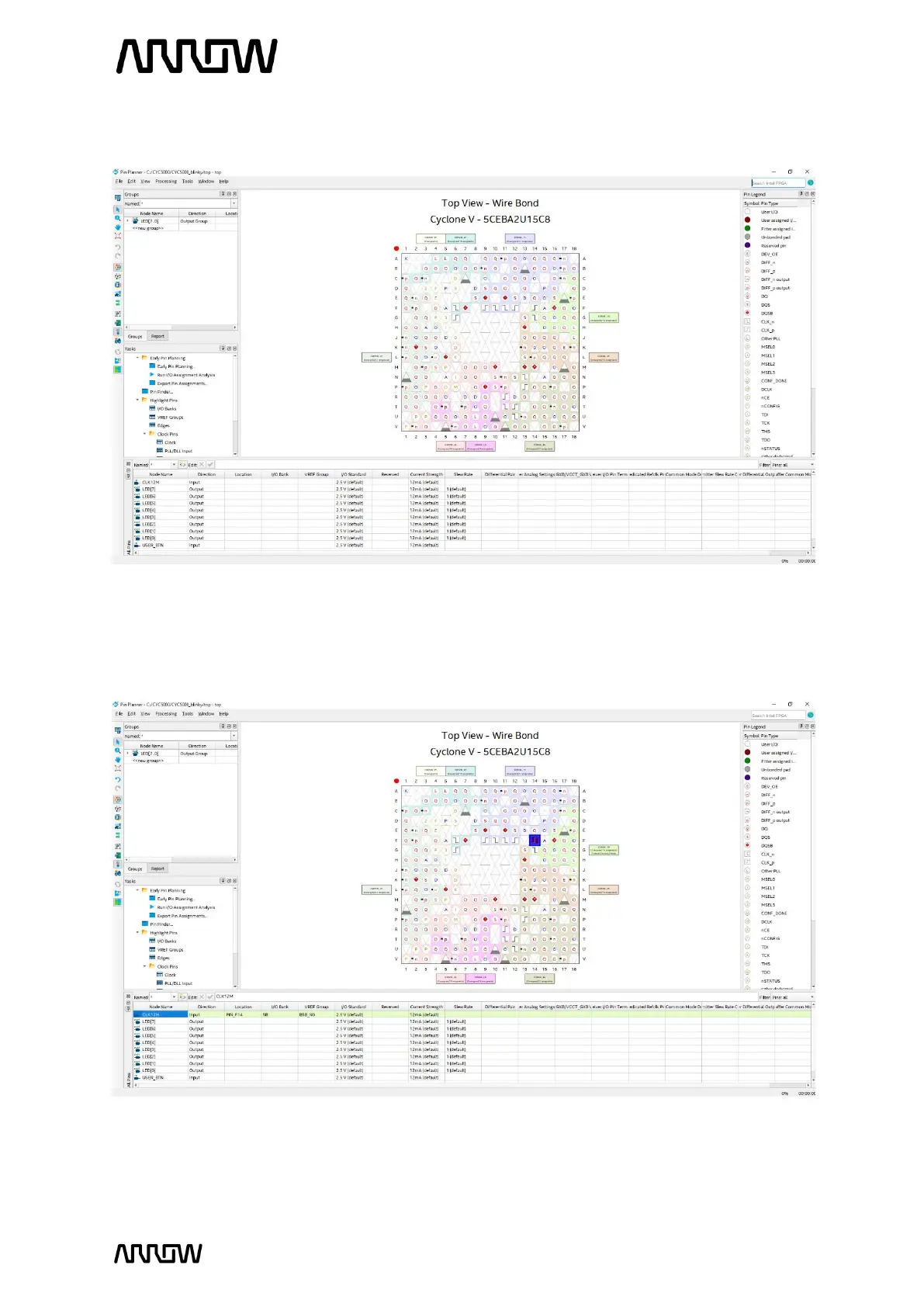
A new window will open as seen below:
5.2.12.2 To make pin assignments, select the CLK12M (node name) on the bottom portion and
drag and drop it to pin F14 of the Top View of the FPGA or alternatively set the Location
field of the CLK12M to PIN_F14.
Note that the Location of the CLK12M is now set to Location PIN_F14 (as seen in blue
colour in the top view of the FPGA).



 To Next Page