CYC5000 User Guide www.arrow.com
Page | 63 March 2023
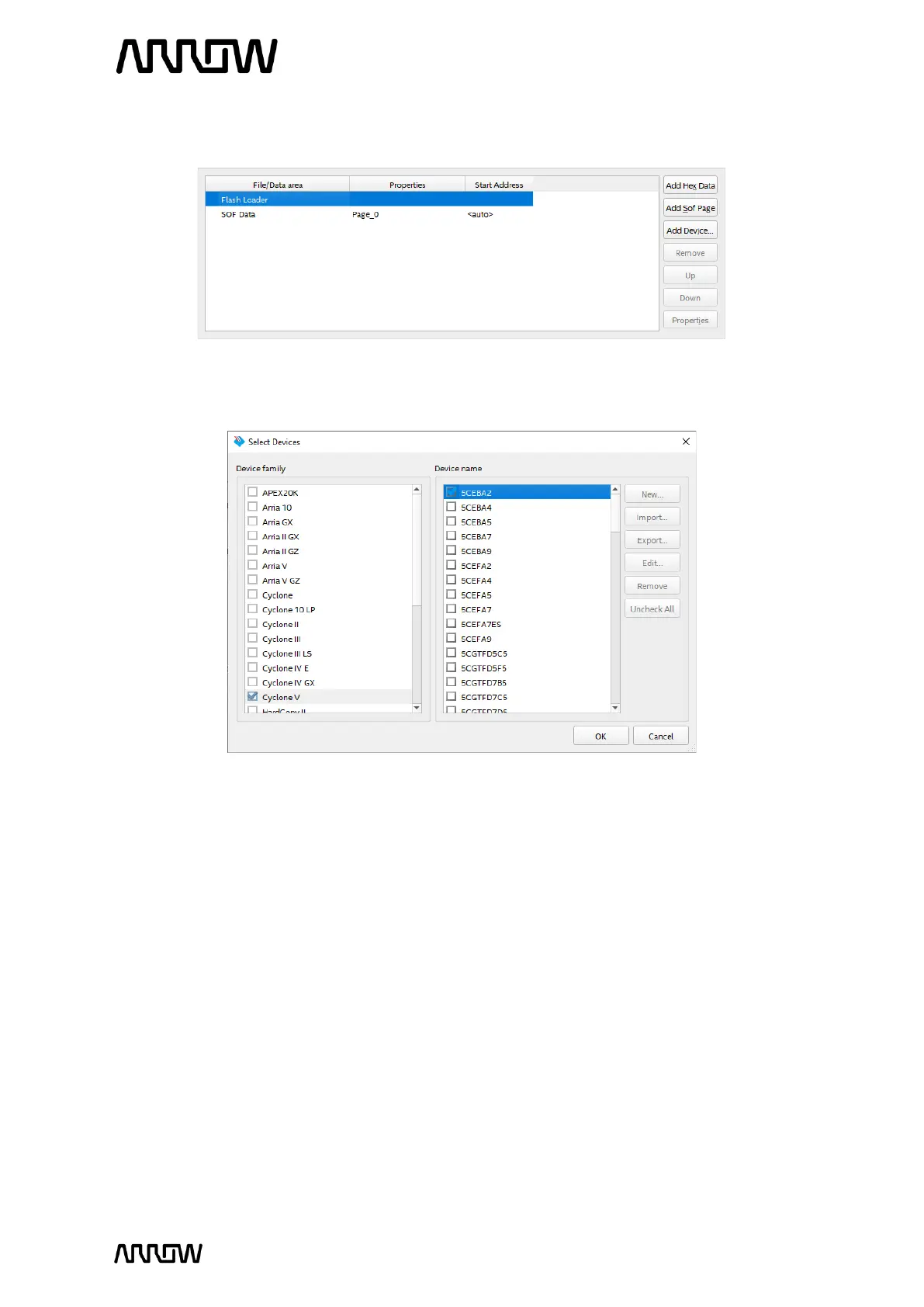
6.2.1.6 Select Flash Loader under Input files to covert settings and click on Add Device… button.
6.2.1.7 On the new window select Cyclone V as Device family and 5CEBA2 as Device name.
6.2.1.8 Click “OK” to add device to Flash Loader.
6.2.1.9 Select SOF Data under Input files to convert and click on Add File… button.
6.2.1.10 Go to <project_directory>/output_files/ and open top.sof.
6.2.1.11 Make sure that your settings are same as the picture below and if everything is correct.



 To Next Page