PRELIMINARY
Menu Operation
USER MANUAL
Ascom i63 VoWiFi Handset
8 Menu Operation
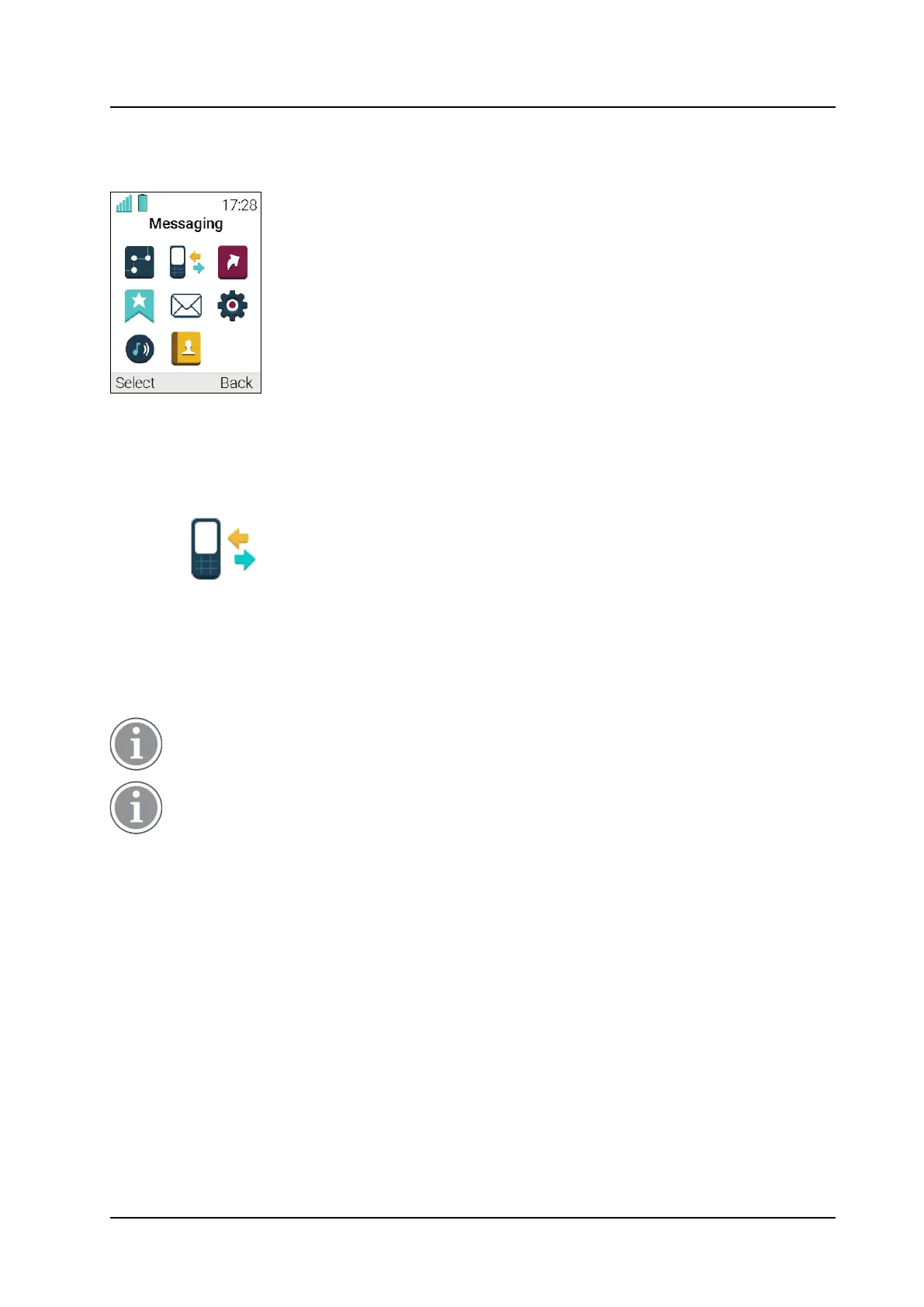
Figure 9. The Main Menu
8.1 Calls
1 Enter the menu by pressing the Menu Soft key, or the
confirmation button on the Navigation key.
2 Select
in the menu, and press the
confirmation button or the Soft key Select.
8.1.1 Call List
The 25 last received, dialled or missed calls are stored in a call list. If a number occurs more than once the
last time stamp, together with the total number of occurrences, is shown.
If supported by the system, the number’s contact name can be displayed in the call list.
The handset can also be prevented from storing calls in the call list. This can, for example, be used
to ensure privacy for users sharing the same handset. This feature requires configuration in the
handset via WinPDM/Device Manager.
1 Select Call list. To scroll in the list, press up and down
on the navigation key.
Dial Number from the Call List
1 Select number to call.
2 Press the soft key Call to dial.
View the Time of a Call
1 Press the soft key More.
2 Select Time of call. The time and date is displayed.
47
TD 93289EN / / Ver.



 To Next Page