PRELIMINARY
USER MANUAL
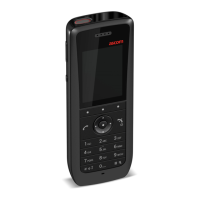
Ascom i63 VoWiFi Handset
Menu Operation
Deactivate the Absence Setting
1 Enter Call service in the menu.
2 Select Deactivate.
3 Press Select.
Divert Calls
The user can divert calls to another extension.
1 Select Divert calls.
Divert Internal/External Calls
The user can divert calls to another extension.
1 Select Internal or External.
2 Select Activate.
3 Enter number (maximum 24 digits) to divert to, or press
the soft key
to open the phonebook.
4 Press OK.
The handset sends a diversion reason code to the system by establishing a call. The call is automatically
disconnected after a few seconds. The code is defined when configuring the diversion reason in the
handset. For more information, refer to the Configuration Manual, Ascom i63 VoWiFi Handset, TD 93300EN.
To stop diversion select Deactivate and press the confirmation button or the Soft key OK.
Divert Calls if No Reply
1 Select No reply.
2 Select Activate.
3 Enter number (maximum 24 digits) to divert to, or press
the soft key
to open the phonebook.
4 Press OK.
The handset sends a diversion reason code to the system by establishing a call. The call is automatically
disconnected after a few seconds. The code is defined when configuring the diversion reason in the
handset. For more information, refer to the Configuration Manual, Ascom i63 VoWiFi Handset, TD 93300EN.
To stop diversion select Deactivate and press the confirmation button or the Soft key OK.
Divert Calls when Busy
1 Select When busy.
2 Select Activate.
TD 93289EN / / Ver. 54



 To Next Page