22
Basic operation
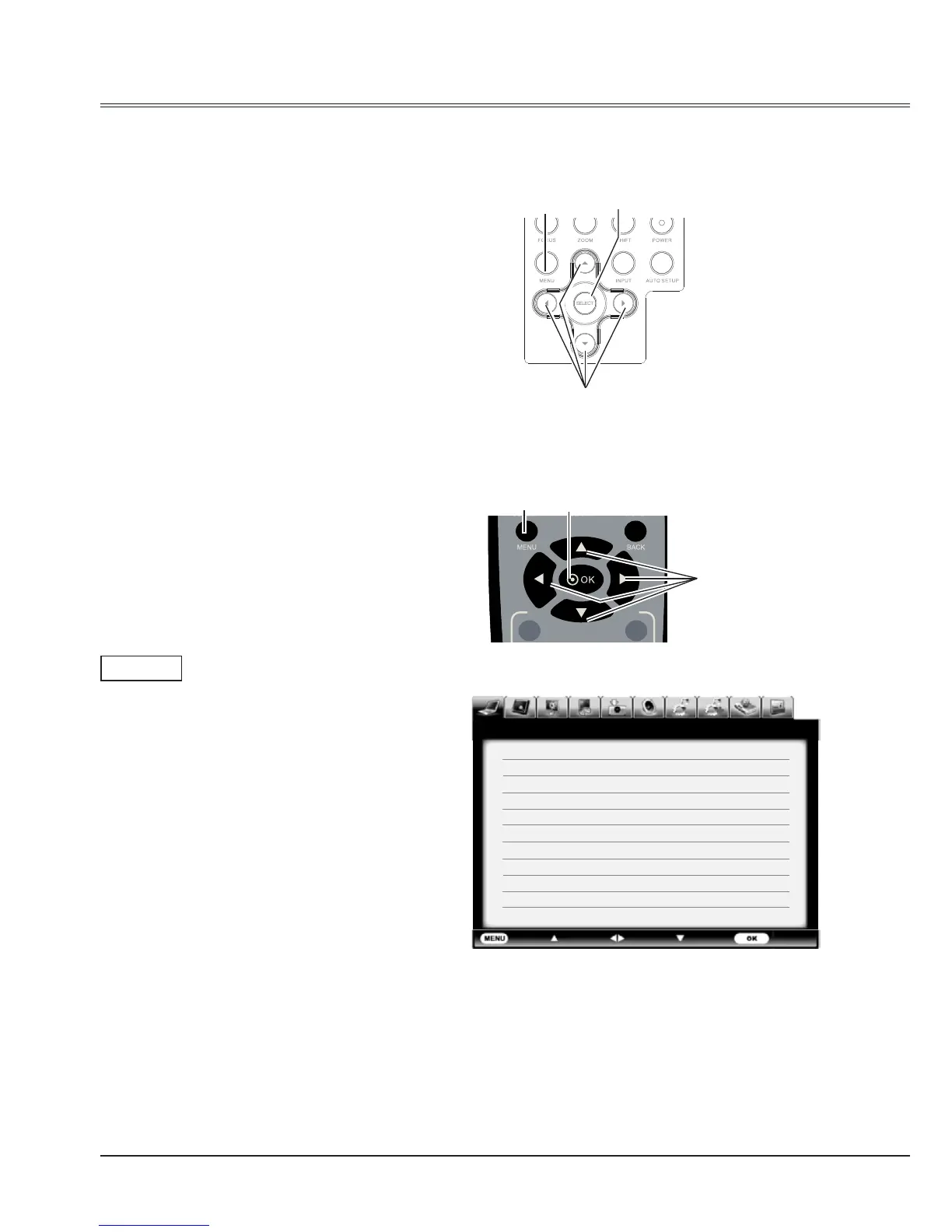
How to operate the on-screen menu
The projector can be adjusted or set via the on-
screen menu,Each main menu can be divided
into several levels of submenus, and subme
nus are also divided into several levels of sub-
submenus.
For each adjustment and setting procedure,
refer to the respective sections in this manual.
Remote control
On-screen menu
Side control
MENU button
MENU
button
SELECT button
SELECT
button
Point
buttons
Point
buttons
Exit Move Next Next
- - - -
PC adj.
Auto PC adj.
Fine sync 16
Total dots 1344
Horizontal 296
Vertical 35
Clamp 1
Display area H 1024
Display area V 768
Reset
Mode free
Stored
Menu
1 Press the MENU button on the side control or
the remote control to show the on-screen menu.
2 Press
buttons to select an entry in the main
menu and then press SELECT or
button to
enter the submenu.
3 Press
buttons to select your required item,
and then press SELECT or
button to set or
enter the submenu.
4 Press
button to adjust settings or
switch among the items. Press the SELECT
button for corresponding operation and then
return to the submenu.
5 Press
button to return to the previous menu.
Press MENU on the remote control again to exit
the on screen menu.



 To Next Page