37
Video input
Input select
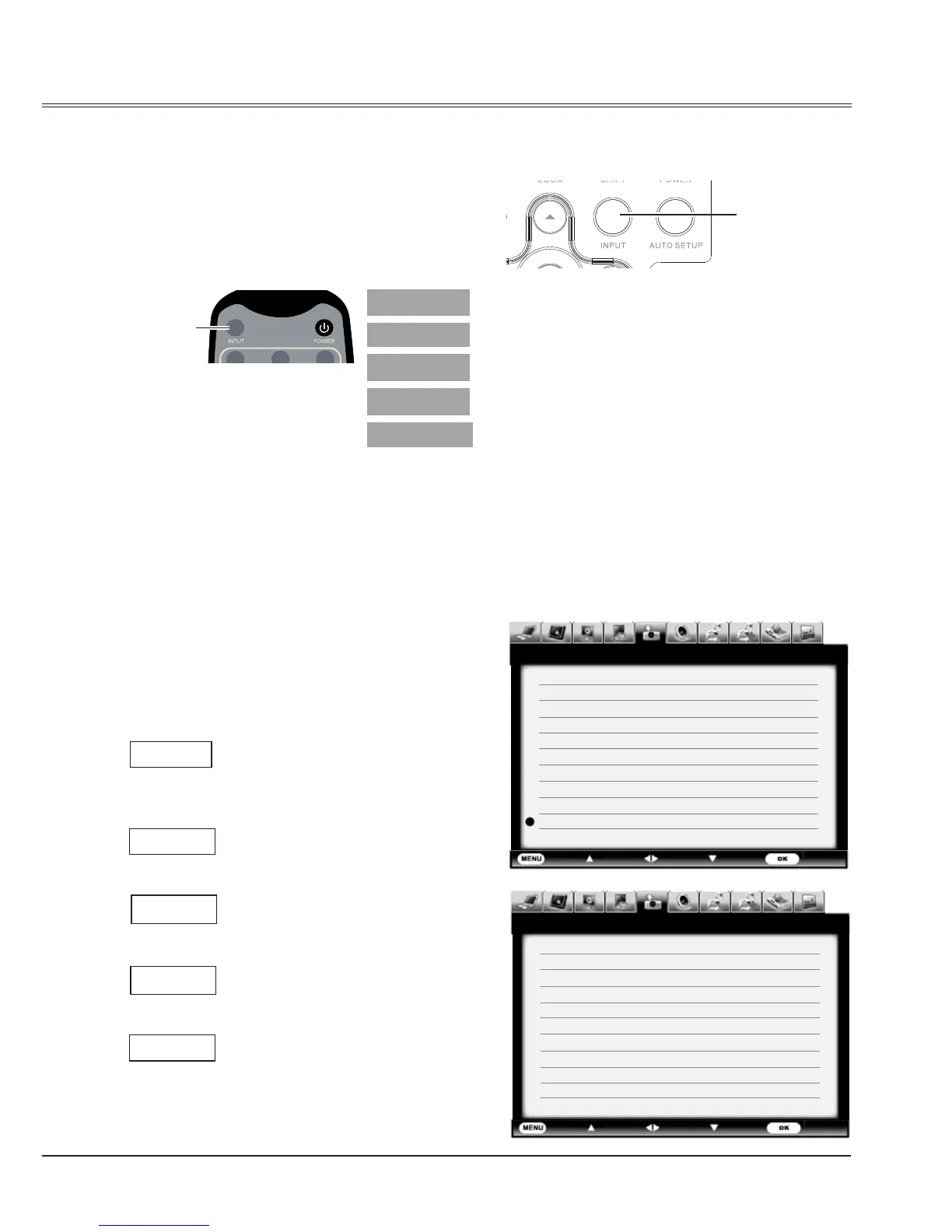
Direct operation
Press INPUT button on side control or remote
control to select Component, S-video, Video 1,
Video 2 or SCART.
Side control
Remote control
Component
S-video
Video 1
Video 2
INPUT
button
Menu operation
1 Press MENU button on remote control to
display the screen menu. Press
button
to select Input icon, then press
button or
OK button.
2 Press
button to select Component,
Video 1, Video 2, S-video or SCART then
press OK button.
Input menu
Select it when the input source
is from the video equipment
connected to Y, Cb/Pb, and Cr/Pr
terminals with a VGA cable.
Select it when the video input
signal is connected to S-Video
terminal.
Select it when the video
input signal is connected to
COMUPTER IN1/SCART terminal
with SCART-VGA cable.
Select it when the video input
signal is connected to VIDEO 2
terminal.
Select it when the video input
signal is connected to VIDEO 1
terminal.
SCART
Component
S-video
SCART
Video 2
Video 1
INPUT
button
Exit Move
Next Next
- - - -
Input
HDMI 1
HDMI 2
HDMI 3
Display Port
DVI
VGA 1
Component
S-Video
Video 1
Video 2
VGA 2 Input
Exit
Move Next
Next
- - - -
Input
RGBHV
SCART
Network
Card Reader
USB Autorun
System Auto



 To Next Page