28
Computer input
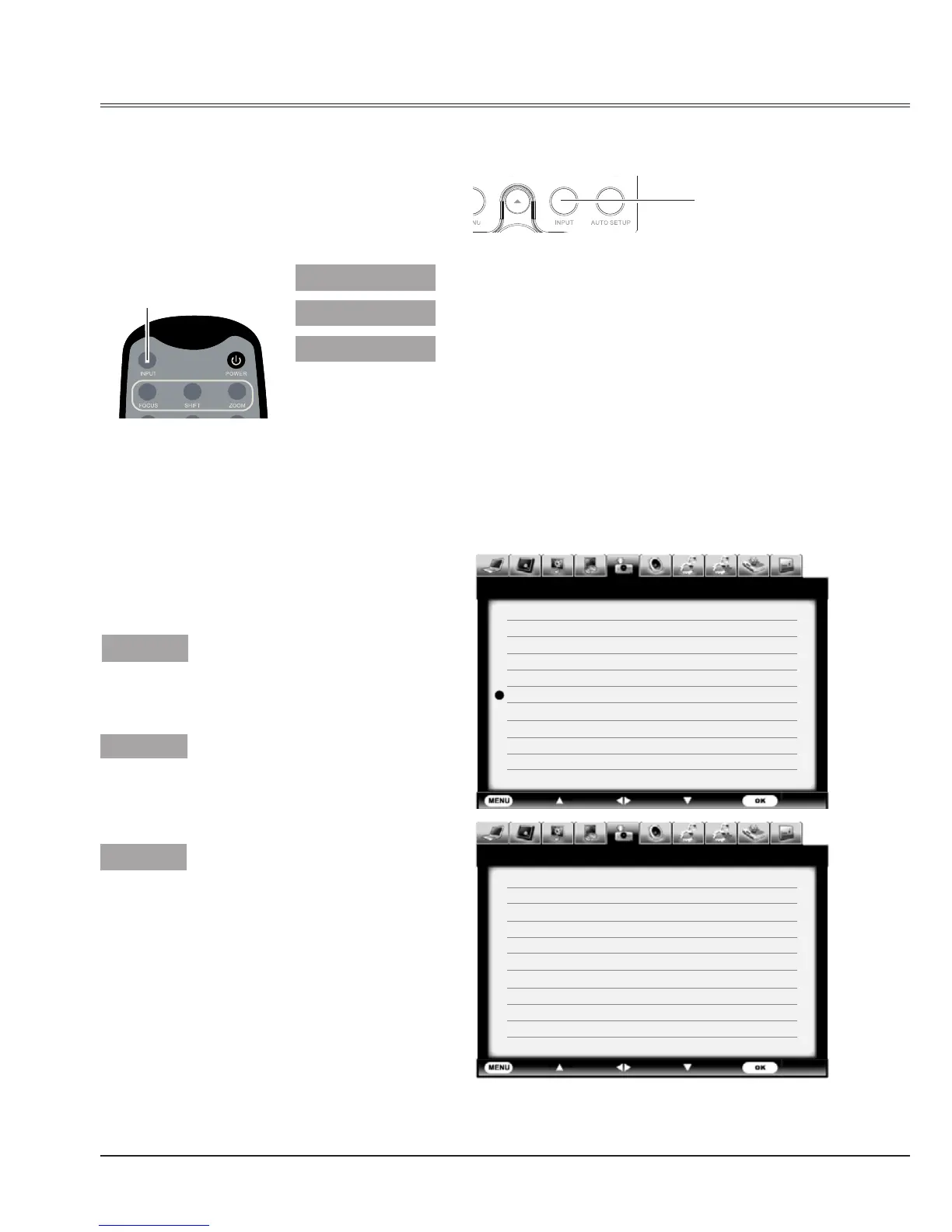
Input select(Analog)
Direct operation
Press INPUT button on side control panel
or remote control to select VGA1, VGA2 or
RGBHV.
Note:
VGA2 can not be selected when using the
COMPUTER IN 2/ MONITOR OUT terminal as
MONITOR OUT output.
When input source is from
computer connected to
CONPUTER IN 1 terminal with
VGA cable, please select VGA 1.
When input source is from
computer connected to
CONPUTER IN 2/MONITOR
OUT terminal with VGA cable,
please select VGA 2.
When input source is from
computer equipment connected
to BNC terminal with BNC*5
cable, please select RGBHV.
Note:
When the Input Search function is set to On in the Auto setup function, the input signal will be
searched automatically.
Menu operation
1 Press MENU button on remote control to
display the screen menu. Press
button
to select Input icon, then press
button or
OK button.
2 Press
button to select VGA 1, VGA 2 or
RGBHV, then press OK button.
Side control
Input menu
Remote control
INPUT
button
VGA 1
VGA 2
RGBHV
INPUT button
VGA 1
VGA 2
RGBHV
Exit Move
Next Next
- - - -
Input
HDMI 1
HDMI 2
HDMI 3
Display Port
DVI
VGA 1
Component
S-Video
Video 1
Video 2
VGA 2 Input
Exit
Move Next
Next- - - -
Input
RGBHV
SCART
Network
Card Reader
USB Autorun
System 1024x768@60



 To Next Page