5 Operation
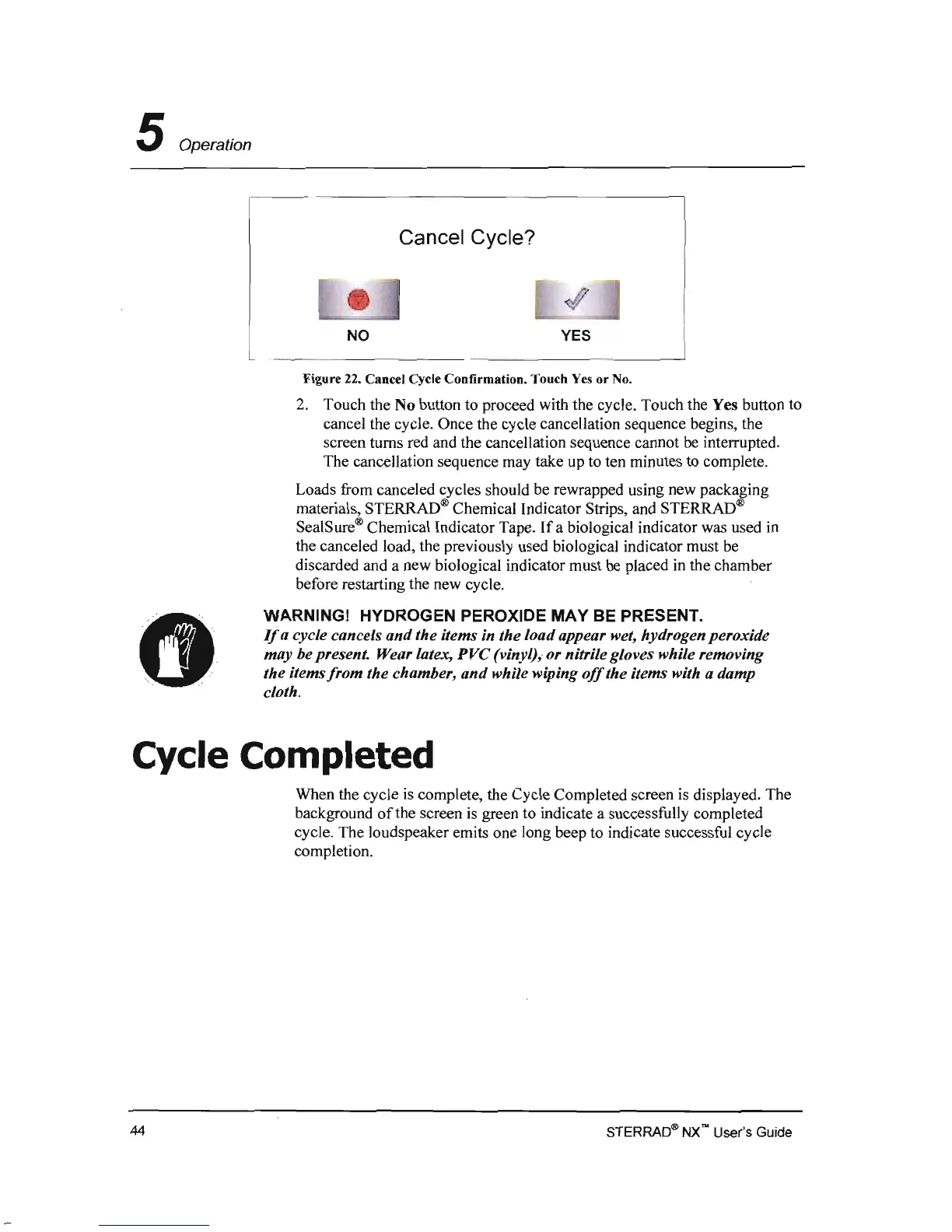
Cancel Cycle?
NO
YES
Figure 22. Cancel Cycle Confirmation. Touch Yes
or
No.
2.
Touch the No button to proceed with the cycle. Touch the Yes button to
cancel the cycle. Once the cycle cancellation sequence begins, the
screen turns red and the cancellation sequence cannot
be
interrupted.
The cancellation sequence may take up to ten minutes to complete.
Loads from canceled cycles should be rewrapped using new packaging
materials, STERRAD® Chemical Indicator Strips, and STERRAD®
SealSure® Chemical Indicator Tape.
If
a biological indicator was used in
the canceled load, the previously used biological indicator must be
discarded and a new biological indicator must
be
placed in the chamber
before restarting the new cycle.
WARNING! HYDROGEN PEROXIDE
MAY
BE PRESENT.
If
a cycle cancels
and
the items in the load appear wet, hydrogen peroxide
may be present. Wear latex,
PVC
(vinyl),. or nitrile gloves while removing
the items
from
the chamber,
and
while wiping
off
the items with a damp
cloth.
Cycle Completed
When the cycle
is
complete, the Cycle Completed screen
is
displayed. The
background
of
the screen
is
green to indicate a successfully completed
cycle. The loudspeaker emits one long beep to indicate successful cycle
completion.
STERRAO® NX no User's Guide
44



 To Next Page